
Key Takeaways
- Chatwoot delivers an open-source customer engagement platform featuring shared inboxes, omnichannel live chat widgets, help centers, and autonomous Captain artificial intelligence agents.
- Chatwoot enables organizations to self-host their customer data infrastructure on private servers or deploy through turnkey managed cloud hosting plans.
- Chatwoot offers a free tier for two agents, alongside paid cloud plans priced at nineteen, thirty-nine, and ninety-nine dollars per agent monthly.
- Chatwoot provides comprehensive application, client, and platform application programming interfaces to automate agent operations, custom chat widgets, and self-hosted server instances.
When you need to bring support conversations into one inbox while retaining control over where customer data runs, Chatwoot is the best fit. Start elsewhere if you need teams, automation or voice on a lower tier, because those features begin on Business at $39 per agent each month.
Agent access
- API
- Yes, Cloud: a paid plan, namely Startups, Business, or Enterprise. Self-hosted: API and webhooks are part of the deployment.
- MCP server
- Not found on official pages
- Automation
- n8n
What are the primary strengths and limitations of Chatwoot?
What works
- Free cloud use for two agents, plus a free self-hosted Community Edition
- One inbox can include live chat, email, social messaging, SMS and an API channel
- Three documented API types for account work, custom chat and installations
What to watch
- Hacker includes website live chat only
- Voice, teams and automation begin on the $39 Business plan
- SSO, audit logs and branding removal are Enterprise-only
How does Chatwoot organize customer support channels into a single inbox?
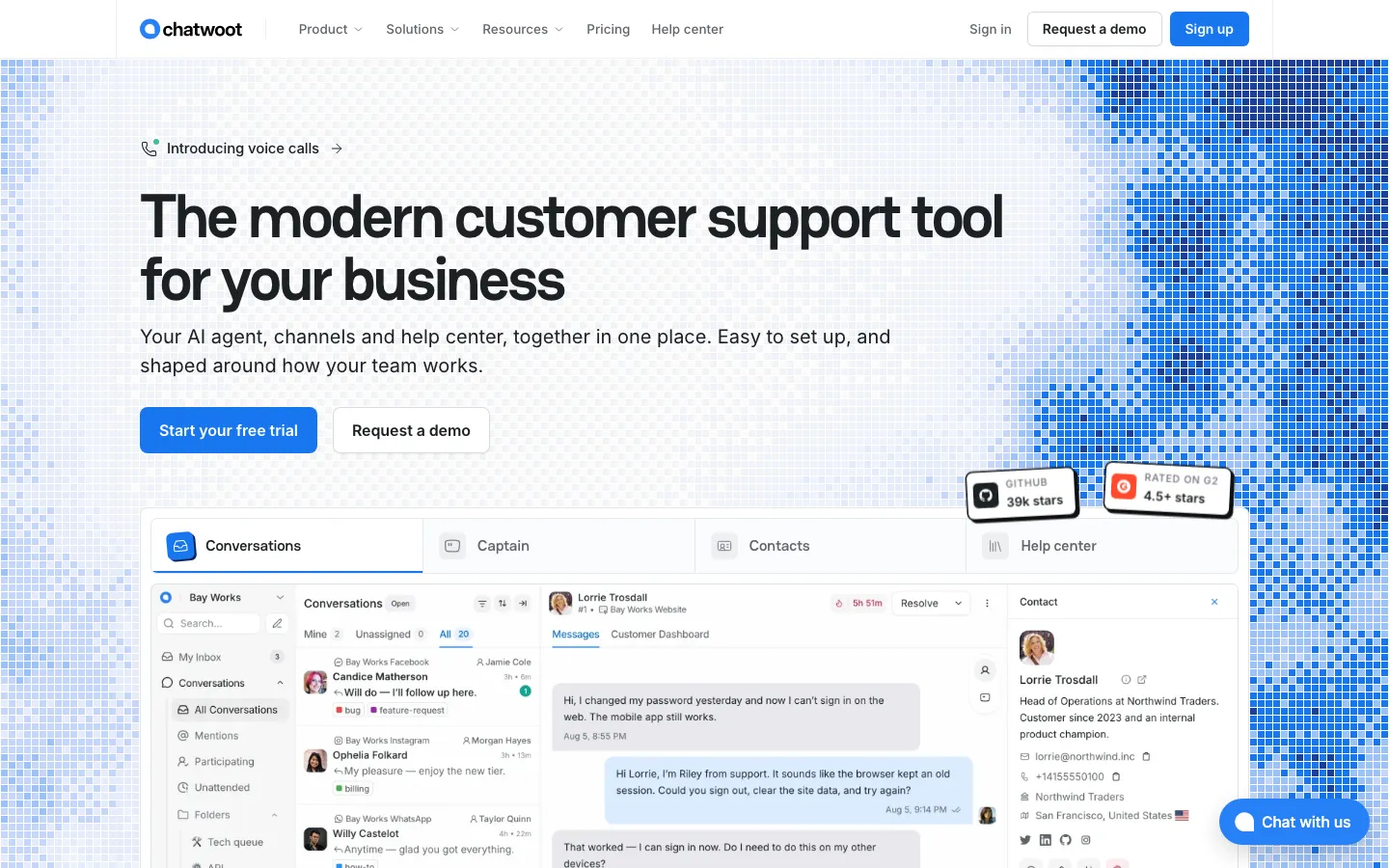
Chatwoot brings a shared inbox, live chat, help center and Captain AI agent into one support product. That makes it a practical alternative when your team wants control over how the desk is hosted, rather than another locked-in service. If you are comparing the wider market, the marketing tools directory is a useful place to separate specialist support software from general business tools.
The central choice is cloud versus self-hosting. Cloud plans are charged per agent, while the Community Edition can run on your own infrastructure at no cost. That is a meaningful distinction, not a packaging detail: cloud keeps the operational burden with Chatwoot, while self-hosting gives your team the deployment and data-control responsibility.
I would choose Chatwoot for the combination, not just the free tier. The free Hacker plan can prove whether a small team needs a shared live-chat queue. Once email, social messaging or a help center matter, the paid plans become the relevant comparison.
Who should adopt Chatwoot for support operations?
Small support teams
Two agents can run website live chat on Hacker before committing to a paid cloud plan.
Teams needing many channels
Startups adds email, social messaging, SMS, WhatsApp, LINE and an API channel.
Infrastructure-led organizations
Community Edition lets your team host the desk on its own Linux infrastructure at no license cost.
Teams building support workflows
Application APIs support account automation, while Client APIs can power a custom messaging experience.
Chatwoot is a weaker fit if your support operation needs automation, team routing and voice from the outset. Those are Business features, so a larger support desk should price its actual agent count against that plan before treating the $19 Startups tier as its answer.
Which inbox and automation capabilities does Chatwoot offer?
One support queue across channels
Live chat is available on every cloud plan. Startups adds email, Facebook, Instagram, TikTok, WhatsApp, SMS, Telegram, LINE and the API channel, while Business adds voice. Private notes, mentions, labels, canned responses and keyboard shortcuts remain available across the cloud plans. The result is a sensible step-up: Hacker proves the chat widget, then Startups gives a small team the inbox it probably expected in the first place.
Captain AI for routine conversations
Captain can learn from a help center, past conversations and FAQs, handle initial questions and hand the conversation to an agent. Its Copilot can draft, improve or translate replies, while Smart FAQs surface unanswered recurring questions and Memories retain customer context. Paid plans include 300 monthly Captain credits on Startups, 500 on Business and 800 on Enterprise. Extra credits cost $20 per 1,000, so high-volume AI use deserves its own budget line rather than an assumption that it is unlimited.
Help center and team controls
The built-in help center begins on Startups. Business adds teams, automation rules, delayed automations, custom attributes and pre-chat forms, which is where Chatwoot becomes a more structured support operation instead of a shared inbox. Enterprise then adds SSO, audit logs and branding removal. That division is clear enough to plan around: Startups for channels and help content, Business for support processes, Enterprise for the controls a larger organization may require.
APIs for custom support work
Chatwoot documents three API categories. Application APIs support account-level automation and agent-facing integrations on Cloud and self-hosted installations. Client APIs support custom chat interfaces for end users, also on Cloud and self-hosted. Platform APIs manage users, roles and accounts at scale, but are only available on self-hosted or managed-hosting installations. For a team building an internal support workflow, that last limit is important: not every API path is a cloud feature.
Self-hosting
The Community Edition is free forever and can be deployed on your own infrastructure. Chatwoot says a production setup needs a Linux server with PostgreSQL and Redis, plus S3 or S3-compatible storage for uploads, and suggests at least 4GB RAM and 2 CPU cores. Docker, Kubernetes and cloud-provider deployment guides are available. Choose this route when the team has the operational capability and a concrete reason to keep the system in its own environment, not simply because the license price is zero.
How do self-hosted and cloud Chatwoot pricing plans compare?
Price checked 27 Nov 2026
| Plan detail | Hacker$0 | Startups$19/agent/mo | Business$39/agent/mo | Enterprise$99/agent/mo |
|---|---|---|---|---|
| Agents | Up to 2 | Per agent | Per agent | Per agent |
| Conversations | 500/month | Unlimited, fair use | Unlimited, fair use | Unlimited, fair use |
| Channels | Live chat | All | All | All |
| Help center | ✕ | ✓ | ✓ | ✓ |
| Voice, teams, automation | ✕ | ✕ | ✓ | ✓ |
| SSO and audit logs | ✕ | ✕ | ✕ | ✓ |
| Captain credits each month | Not specified | 300 | 500 | 800 |
Chatwoot cloud plans, 27 Nov 2026.Chatwoot pricing
A three-agent team that needs teams, automation and voice needs Business, making Chatwoot bill $117 a month before any extra Captain credits. A three-agent team that only needs the multichannel inbox and help center can use Startups for $57 a month. The $60 difference is the cost of the operating controls, and it is the useful comparison to make before choosing a tier.
Self-hosted pricing follows a separate track. Community Edition is free forever. Premium Support costs $19 per agent per month and Enterprise Edition costs $99 per agent per month; both run on your infrastructure. Premium Support adds Captain AI, custom branding, agent capacity management, roles and permissions, and priority email support. Enterprise Edition adds SSO/SAML and SLA policies.
What enterprise governance features does Chatwoot Enterprise deliver?
Chatwoot Enterprise provides strict compliance governance, single sign-on access, and comprehensive audit logging for organizations requiring formal operational controls. On Cloud, it is the only plan with SSO, audit logs and branding removal. In the self-hosted edition, it adds SSO/SAML and SLA policies above Premium Support.
- Cloud Enterprise: $99 per agent monthly, with three years of data retention
- Self-hosted Enterprise Edition: $99 per agent monthly
- Self-hosted Enterprise Edition: dedicated account management and video or voice support are available for annual subscriptions with 20 or more agents
There is one data-residency point to settle early: Chatwoot Cloud runs on AWS servers in the United States. A team with a location requirement should resolve that before treating the cloud plans as interchangeable with self-hosting.
What are the main drawbacks of using Chatwoot?
Chatwoot restricts its free tier to two seats while withholding essential team routing and workflow automation behind higher paid tiers. Hacker has website live chat, but email, social channels, SMS, WhatsApp, LINE and the API channel begin with Startups. For many support teams, the true entry point is therefore $19 per agent monthly, not $0.
Business is another meaningful step. Voice, teams and automation rules are not included on Startups, so a team that routes work by team or wants rules to run operationally cannot stay on the lower paid tier. Captain credits are also capped by plan and extra credits are billed separately.
Finally, self-hosting is not a free substitute for operating a service. It requires infrastructure with Linux, PostgreSQL, Redis and object storage. It gives control, but the responsibility shifts to the team running it. For an alternative customer-support approach, compare the published plans in the Crisp review and the knowledge-base focus in the Document360 review.
Which open-source and proprietary platforms compete with Chatwoot?
 Chatwoot competes with Crisp Mini, which provides four workspace seats for forty-five dollars monthly based on data verified on 27 Nov 2026. Extra agents cost $10 each monthly, while Chatwoot's paid cloud plans charge per agent. The Crisp review sets out the plan details that matter for a support desk.
 Document360 is the more focused option when the job is building and operating a knowledge base rather than combining it with an omnichannel inbox. Read the Document360 review for its pricing and feature boundaries.
Is Chatwoot the best open-source support desk solution?
Chatwoot provides the most compelling value proposition for customer support teams prioritizing self-hosted data control and flexible future infrastructure expansion. The cloud plans are easy to understand, the self-hosted Community Edition is a real alternative, and the API structure gives technical teams room to extend the desk. The trade-off is tiering: budget for Business if teams, automation or voice are requirements, and for Enterprise if formal access controls are not optional.
Start a small live-chat team on Hacker or test the full cloud product during its 15-day trial. Before moving to a paid plan, list the channels, workflow controls and Captain credit volume your support team actually needs, then choose the tier that covers all three.
How were Chatwoot plans, APIs, and features verified?
Chatwoot specifications, pricing tiers, self-hosted deployment guides, and developer documentation were examined directly from primary sources on 27 Nov 2026. Prices are in US dollars, as Chatwoot shows them, and every figure follows how we check figures.
- Chatwoot cloud pricing and self-hosted plans
- Chatwoot product and Captain AI pages
- Chatwoot API documentation
What are frequently asked questions regarding Chatwoot?
Is Chatwoot free?
Yes. Hacker is free for up to two cloud agents and 500 conversations a month. The self-hosted Community Edition is also free forever.
What does Chatwoot cost for a small team?
Paid cloud plans are $19, $39 or $99 per agent each month. Three agents cost $57 on Startups or $117 on Business, before additional Captain credits.
Can Chatwoot be self-hosted?
Yes. It needs a Linux server with PostgreSQL and Redis, plus S3 or S3-compatible storage for uploads. Chatwoot suggests at least 4GB RAM and 2 CPU cores for production.
Does Chatwoot have an API?
Yes. Application APIs handle account automation, Client APIs support custom messaging interfaces, and Platform APIs manage self-hosted or managed-hosting installations at scale.
 Reviewed byDanny Kirk
Founder of ReddiReach.
 Checked byAndrés Felipe
Digital designer and marketer.
Every figure is checked against the vendor's own page. Read our editorial standards.