
Key Takeaways
- DebugBear integrates real-user monitoring, automated synthetic speed checks, and recurring Lighthouse audits into one unified interface for technical SEO professionals.
- DebugBear offers its Intro subscription at sixty-nine dollars monthly or forty-nine dollars billed annually, providing three hundred fifty synthetic tests without real-user telemetry.
- DebugBear includes real-user monitoring starting on the Startup plan priced at one hundred twenty-five dollars per month for growing web properties.
- DebugBear provides a programmatic API capable of creating monitored pages, triggering tests, retrieving real-user metrics, and recording development timeline annotations.
DebugBear is a sound pick when you need web-performance monitoring that joins real-user data, scheduled tests, and Lighthouse checks without splitting the job across separate dashboards. It suits technical SEO teams and agencies monitoring many domains; choose GTmetrix review instead if inexpensive diagnostics and a free option matter more than a larger monitoring allowance.
Agent access
- API
- Yes, free-trial accounts, for the Quick Tests API
- MCP server
- Official, hosted, OAuth approval for a DebugBear account, or an admin API key for cloud use
- Works with
 ClaudeClaude Code
 ChatGPT
 Cursor
What are the notable DebugBear pros and cons?
What works
- RUM, synthetic tests, and Lighthouse monitoring cover complementary performance signals
- Every public paid plan lists unlimited domains, Looker Studio integration, and whitelabel exports
- Startup, the first plan with RUM, includes 100,000 RUM page views each month
What to watch
- No free plan is listed after the 14-day trial
- Public monthly pricing runs from Intro at $69 to Large Site at $1,250 as volume grows
- API availability by plan is not stated in the public pricing cards
What does DebugBear do for performance monitoring?
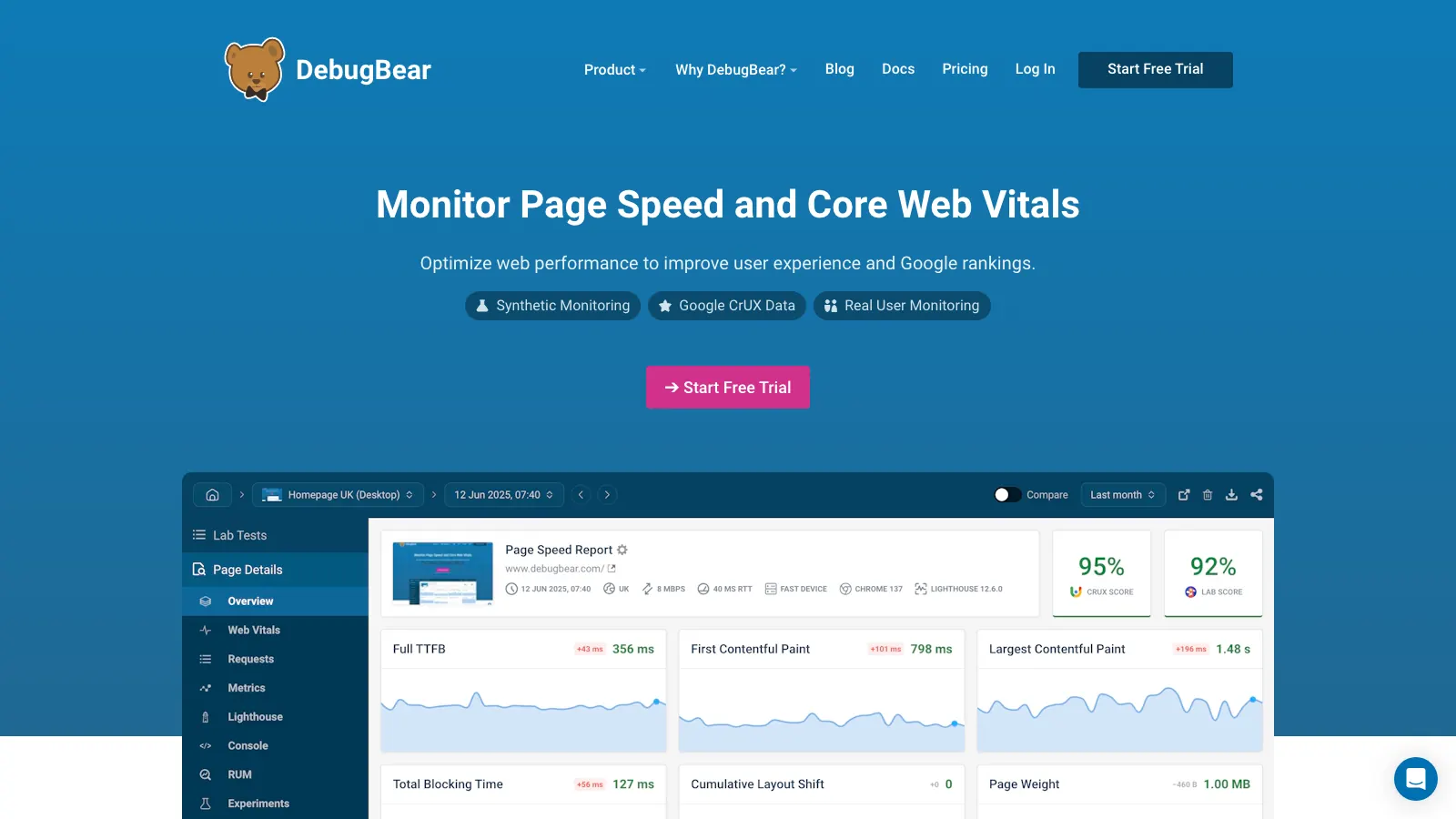
DebugBear makes sense when a performance regression cannot be explained by one measurement alone. It brings real-user Core Web Vitals, controlled scheduled tests, and continuous Lighthouse testing into the same product. That gives a web team a way to see what visitors encounter while also watching a consistent test setup for changes after a release.
The product has a particularly useful agency shape: each public paid plan lists unlimited domains, Looker Studio integration, and whitelabel exports. You can create separate projects and share them within your company or with external clients. For an agency reporting on several sites, that is more relevant than an impressive-looking single-page test.
The cheapest route is Intro at $69 a month, with 350 synthetic tests but no RUM. Startup is the first plan with RUM: it includes 4,000 synthetic tests, 100,000 RUM page views, 10 uptime monitors, one project, and 10 users. A 10-person team can therefore use the published Startup allowance for $125 a month, or $99 a month with yearly billing, before tax. The decision is mostly about whether RUM, monitoring volume, and project capacity justify that step up.
Who is DebugBear ideally designed for?
Technical SEO teams
Follow Lighthouse scores and Core Web Vitals over time, then get alerts when a performance budget is breached.
Performance engineers
Run scheduled tests from controlled environments and test deployments through integrations for GitHub, Vercel, and Netlify.
Digital agencies
Keep many client domains in one account, organize them into projects, and use Looker Studio and whitelabel exports for reporting.
Teams with global audiences
Use real-user monitoring to identify where visitors experience the largest performance problems.
DebugBear is less convincing for a freelancer who runs a few occasional tests and does not need ongoing history, alerts, or RUM capacity. It is also not a crawler and log-analysis platform. Large-site teams that need crawl data, server logs, Search Console, GA4, and AI-bot tracking should assess the JetOctopus review instead.
Which monitoring tools does DebugBear include?
Real-user monitoring and Core Web Vitals
DebugBear tracks Core Web Vitals on an actual website over time, including how many people have a poor experience. It presents information about how users experience the site in different parts of the world, lets teams set custom alert thresholds, and can send notifications by email, Slack, or Microsoft Teams. Google CrUX data is also listed on every public paid plan. For SEO work, that is a better basis for prioritizing a page-speed problem than treating one laboratory result as the whole story.
Synthetic checks and deployment protection
Scheduled lab tests run from a controlled environment to track page speed and catch regressions before they reach visitors. The product supports automatic detection of significant changes, custom alerts, login and user flows, and performance budgets. Its integrations page also lists deployment testing through GitHub, Vercel, and Netlify. That is the practical value for an engineering team: a budget breach can fail a CI build rather than become a ticket discovered after a release.
Lighthouse score monitoring
Continuous Lighthouse testing watches Performance, Best Practices, Accessibility, and SEO scores. DebugBear can alert when a score drops under a chosen threshold and show which Lighthouse audit caused the drop. The score is not the objective, but the underlying failed audit creates a more direct route from an alert to an actionable diagnosis.
Reports and agency controls
Looker Studio integration is listed on Startup, Team, and Corporate / Agency, alongside whitelabel exports. The Looker Studio documentation describes connecting with an Admin API key, and the agency material describes dashboards that combine synthetic tests, RUM, and Google CrUX data. Corporate / Agency adds 100 projects and unlimited users, while Startup has one project and 10 users. Pick the higher tier because that operating scope is real, not because you assume its monitoring features are more complete.
API and webhooks
DebugBear documents APIs for projects, lab tests, quick tests, RUM, and timeline annotations. The API can create and list projects, create monitored pages, trigger tests, retrieve results, run one-off URL tests, load RUM data, export metrics, and add annotations. Webhooks can push finished-test data to another system. These are useful building blocks for an automated workflow, but the public pricing cards do not say which plan includes API access, so confirm that point before you commit to an integration.
How is DebugBear pricing structured across tiers?
Price checked 27 Nov 2026
| Plan detail | Intro$69/mo | Startup$125/mo | Team$325/mo | Corporate / Agency$899/mo | Large Site$1,250/mo |
|---|---|---|---|---|---|
| Yearly billing | $49/mo, $588 billed yearly | $99/mo, $1,188 billed yearly | $249/mo, $2,988 billed yearly | $699/mo, $8,388 billed yearly | $999/mo, $11,988 billed yearly |
| Synthetic tests | 350/mo | 4,000/mo | 10,000/mo | 50,000/mo | 20,000/mo |
| RUM page views | Not included | 100,000/mo | 500,000/mo | 2,000,000/mo | 7,500,000/mo |
| Uptime monitors | 2 | 10 | 50 | 100 | 100 |
| Projects | 1 | 1 | 5 | 100 | 20 |
| Users | 1 | 10 | 50 | Unlimited | 50 |
| Domains, Looker Studio, whitelabel exports | Included | Included | Included | Included | Included |
DebugBear plans, 27 Nov 2026.DebugBear pricing
A 10-user Startup account is $125 a month on monthly billing, while a 50-user Team account is $325 a month. Corporate / Agency is $899 a month and lists unlimited users, 100 projects, 50,000 synthetic tests, and 2 million RUM page views. Enterprise is a separate custom-quote plan with invoice payment, security forms, single sign-on, training sessions, quarterly review calls, custom contracts, Slack support, and custom data retention.
The public plan details also list scheduled and on-demand tests, Lighthouse lab data and real-user metrics from Google, global test locations, performance alerts, and 24 months of data retention on every plan. There is a free 14-day trial with no credit card required. The pricing page offers a plan configurator for RUM page views, synthetic tests, and projects, but does not publish add-on prices. It also does not publish an API plan matrix, so treat both as questions for DebugBear before setting a budget.
When should organizations choose DebugBear Enterprise?
DebugBear Enterprise accommodates high-volume organizations whose testing volume and contract governance requirements exceed public plans. DebugBear lists custom quotes, invoice payment, security forms, single sign-on, training sessions, quarterly review calls, custom contracts, Slack support, and custom data retention under the Enterprise plan. That is a meaningful operational upgrade, but no price, included tests, RUM allowance, or API entitlement is published for it.
Where does DebugBear fall short for broad SEO audits?
DebugBear is purpose-built around web performance, which is a strength until the wider technical SEO operation needs crawler, server-log, or indexation analysis. Synthetic data, RUM, CrUX, and Lighthouse can show that a site is slow and help identify the change. They do not replace a large-site crawl and bot-log program.
The entry cost is the other constraint. Intro starts at $69 a month on monthly billing but does not include RUM. The first plan with RUM is Startup at $125 a month, followed by Team at $325, Corporate / Agency at $899, and Large Site at $1,250. Moving up should be justified by a real need for extra tests, page views, projects, or users.
Finally, machine access needs a commercial check. DebugBear documents a capable API and webhooks, but does not state API inclusion by plan in the public pricing cards. Do not design a CI or reporting workflow around that access until the plan terms confirm it.
What are the main DebugBear alternatives?
 DebugBear alternative AI Peekaboo monitors brand visibility inside AI generation engines starting at thirty dollars monthly, including programmatic reporting keys. The AI Peekaboo review explains its pricing when answer visibility, rather than page speed, is the priority.
 GTmetrix offers free testing with Lighthouse, Core Web Vitals reports, and waterfall charts, while its Lite paid plan starts at $5.99 a month. Choose it for lower-cost diagnostic work; DebugBear is the fuller monitoring purchase. The GTmetrix review has its monitored-slot and API-credit details.
 JetOctopus combines crawl data, server logs, Google Search Console, GA4, and AI-bot tracking, with Growth from $349 a month billed yearly, checked 27 Nov 2026. It is the alternative when site-scale crawling and bot behavior are central to the technical SEO job. The JetOctopus review covers its volume-based plans.
What is the final DebugBear verdict?
DebugBear earns its place when your team needs to watch speed continuously and distinguish a laboratory regression from the experience of real visitors. Its clearest advantage is not a single metric. It is the ability to combine RUM, controlled tests, Lighthouse monitoring, alerts, and reporting in one operating setup. Intro is the lowest-cost monitoring route, while Startup is the first plan with RUM.
Use Intro when 350 synthetic tests, one project, and no RUM match the work. Choose Startup when one project, 10 users, 4,000 tests, and 100,000 RUM page views are needed. Move up only when your documented project count or monitoring volume requires it, and get API access confirmed in writing before automating a release gate or client report.
How was this DebugBear review evaluated?
DebugBear pricing allowances, API functions, and testing parameters were gathered directly from vendor documentation on 27 Nov 2026. Prices are US dollars as DebugBear displays them. The approach for dated figures is set out in how we check figures.
- DebugBear pricing and plan information
- DebugBear pages for real-user monitoring, synthetic monitoring, Core Web Vitals, and Lighthouse
- DebugBear API, Looker Studio, integrations, and agency documentation
What are frequently asked questions about DebugBear?
Does DebugBear have a free plan?
No free plan is listed. DebugBear offers a free 14-day trial with no credit card required.
Is real-user monitoring included with DebugBear?
Intro does not include RUM. Startup is the first plan that does, with 100,000 RUM page views each month. Team includes 500,000, Corporate / Agency includes 2 million, and Large Site includes 7.5 million.
How much does DebugBear cost for a team?
Startup is $125 a month for 10 users, or $99 a month billed yearly. Team is $325 a month for 50 users, or $249 a month billed yearly.
Does DebugBear have an API?
Yes. Its documentation covers project, lab-test, quick-test, RUM, and timeline-annotation APIs, plus webhooks. The public pricing cards do not identify which plans include API access.
 Reviewed byDanny Kirk
Founder of ReddiReach.
 Checked byAndrés Felipe
Digital designer and marketer.
Every figure is checked against the vendor's own page. Read our editorial standards.