
Key Takeaways
- FlutterFlow accelerates application delivery by generating functional prototypes from text prompts or allowing manual visual construction inside FlutterFlow Studio.
- Developers can start using FlutterFlow Studio on a free tier or subscribe to paid plans ranging from thirty-nine to one hundred fifty dollars.
- FlutterFlow Studio supports programmatic engineering workflows by publishing documented CLI utilities, client SDKs, and Model Context Protocol integrations.
- Organizations lacking technical resources to maintain underlying databases, app store submissions, and automated testing should avoid using FlutterFlow.
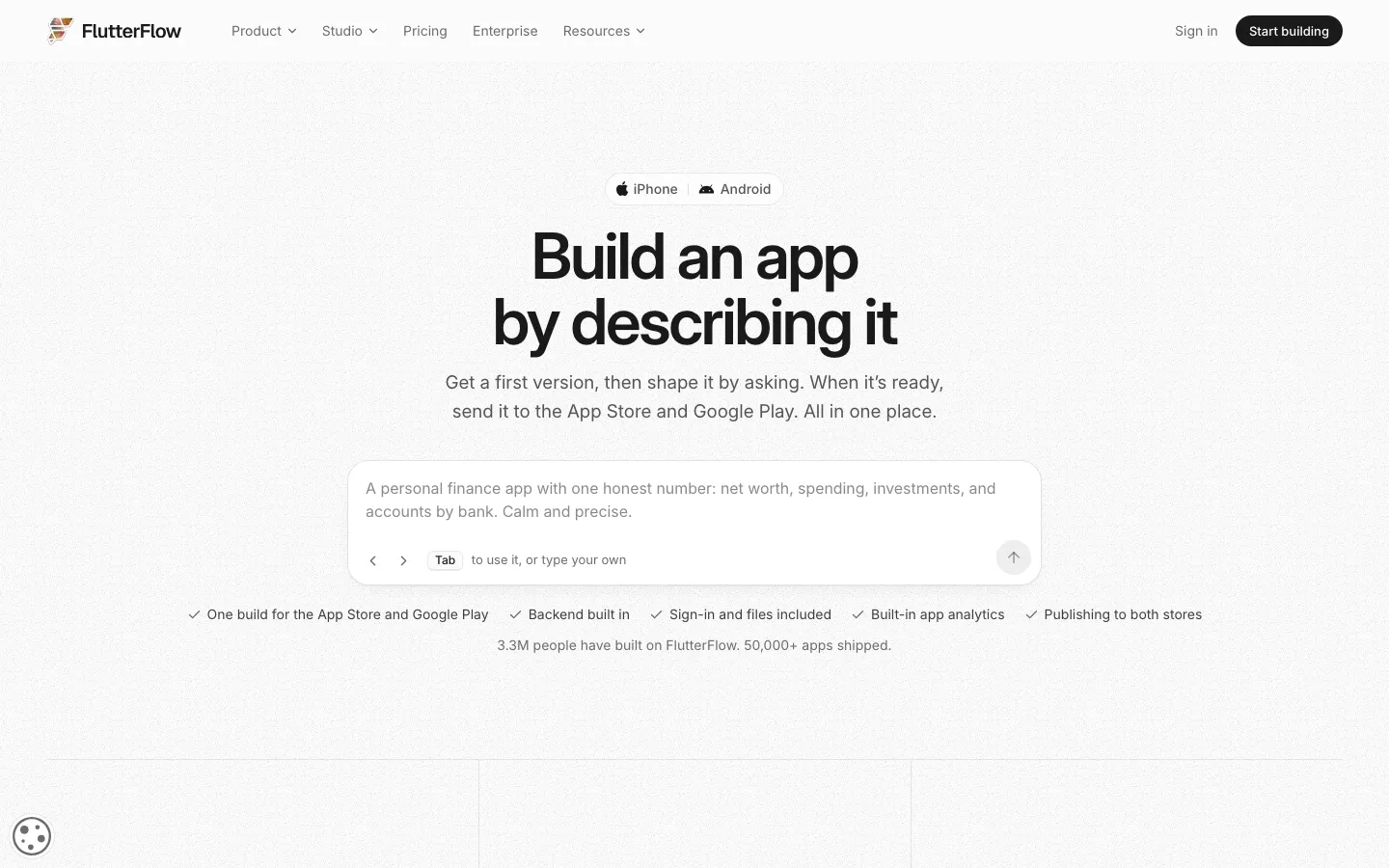
FlutterFlow is the app builder to choose when you want to describe an app and get a first version. Start directly in FlutterFlow Studio if visual editing or source-code download is a requirement, because Studio is the separate route for those jobs. Skip it if nobody on your team can own the data, testing and release decisions after the first version appears.
Agent access
- API
- Yes, paid FlutterFlow Studio subscription plan
- MCP server
- Official, local, FlutterFlow Studio API token
- Works with
 Claude Code
 ChatGPT
 Gemini
 Cursor
What are the major pros and cons of FlutterFlow?
What works
- One subscription covers the agent-led product and Studio
- Free Studio has two projects and web deployment
- Paid Studio plans add code download and store deployment
What to watch
- Real-time collaboration starts on Pro
- AI usage is shared across FlutterFlow and Studio
- Apple and Google developer accounts remain your responsibility
How does FlutterFlow help development teams build applications?
FlutterFlow projects require teams to establish clear ownership over data architecture, permissions, testing pipelines, and deployment procedures upfront. FlutterFlow is a fit when you want an app built from a description. It belongs in the marketing tools directory because a team can use it for a purpose-built customer app, portal or internal product.
The distinction matters. FlutterFlow takes a description, creates an app and lets you ask for changes. FlutterFlow Studio is the visual development environment, with a drag-and-drop builder, visual logic and custom code. Use FlutterFlow to make an idea concrete; start in Studio when the team needs direct control of the build.
The two routes share one subscription, but they serve different jobs. FlutterFlow describes a backend for records, users and files, plus app analytics and store releases. Those pieces create decisions about data, access and support that someone still has to own.
Who should choose FlutterFlow for low-code mobile development?
Founders proving an app idea
Describe one focused product flow, share it with testers and use the free Studio allowance before buying a production plan.
Product teams needing control
Use Studio when visual logic, custom code and a maintainable data model matter as much as a fast first screen.
Teams with technical collaborators
Paid Studio plans allow code download, giving a developer a clearer handoff than an agent-only build can provide.
Agencies delivering client apps
Pro and Max bring collaboration and branches, but agree account ownership, editors and release responsibility before client work begins.
Your team needs someone prepared to review app logic, connect the right services and decide who can make production changes. Without that owner, FlutterFlow may make the first build faster while leaving the important work unresolved.
What core app-building features does FlutterFlow Studio provide?
An agent-led way to start
FlutterFlow asks you to describe the app, then builds a first version and accepts changes through requests. Its product pages describe the result as including the app, backend, analytics and store releases. That can shorten the distance between an idea and a useful conversation with testers. Treat every generated screen and workflow as a draft, not a substitute for acceptance criteria.
Studio for direct visual development
Studio is where FlutterFlow puts the visual builder: drag and drop components, visual logic, state management, live debugging and code extensibility. It also lists design systems, reusable libraries and custom fonts and icons. That makes Studio the route to take when the team needs to understand the construction of the app, not simply request another change in a chat.
Data, APIs and AI connections
Every Studio plan lists Firebase and Supabase integrations. The Free tier allows up to two external API endpoints; paid tiers list unlimited endpoints. Pro and Max list unlimited AI agents using OpenAI, Anthropic and Google, while Basic lists one. Decide which system remains the source of truth for customer data and authentication after launch.
Code, testing and publishing
Free Studio includes web deployment, while Basic and higher add code download, APK download and one-click deployment to Apple and Google Play. Studio also documents testing, local runs and publishing. FlutterFlow says you connect your own Apple and Google accounts, so it can organize a release without taking ownership of store approval.
Collaboration without silent changes
Manual commits are listed on every plan. Pro adds up to two editors, two branches beyond main and real-time collaboration; Max goes to five editors and five branches beyond main. That is the point where a team can work together with enough structure to review changes. A second Pro seat costs $55 a month and Max seats two through five cost $85 each, so a shared workspace can quickly become the real budget line.
How are FlutterFlow monthly and annual plans priced?
Price checked 27 Nov 2026
| Plan detail | Free$0/mo | Basic$39/mo | Pro$80/mo | Max$150/mo |
|---|---|---|---|---|
| Studio projects | 2 | Unlimited | ||
| Studio editors | 1 | 1 | Up to 2 | Up to 5 |
| API endpoints | Up to 2 | Unlimited | ||
| Real-time collaboration | Not included | Not included | Included | Included |
| Code download | Not included | Included | Included | Included |
FlutterFlow prices in US dollars, 27 Nov 2026.FlutterFlow pricing
The price card is simple, but the working model is not. One subscription covers FlutterFlow and Studio, and the same AI allowance is shared between them. Free gives you a free allowance, Basic is positioned for a simple app, Pro gives 2.5 times Basic's usage with refills, and Max gives five times Basic's usage with refills. The pricing page says yearly billing saves 25%, but use the price FlutterFlow presents for your selected billing view before committing.
For a two-person build, Pro is the first relevant tier because it is the first plan with up to two editors and real-time collaboration. Its $80 monthly plan price plus the stated $55 cost for a second seat makes a documented $135 monthly example before any other services your app needs. That is a more honest planning number than comparing the Basic headline price with a team workflow it cannot support.
- Use Free to assess the builder with no more than two Studio projects and two API endpoints.
- Choose Basic when code download and paid deployment matter to one editor.
- Choose Pro only when simultaneous work and a second editor are genuinely part of the delivery plan.
What custom terms are available on FlutterFlow Enterprise?
FlutterFlow offers Enterprise through sales rather than a published price. It lists SSO, audit logs, private cloud options and a team contact, alongside reusable components, branching, comments and task assignment. That makes Enterprise a governance conversation for an organization delivering several applications, not a default upgrade for one small app.
Where does FlutterFlow encounter product and workflow limitations?
FlutterFlow creates buyer confusion through subtle functional divisions between its prompt-driven builder and the full FlutterFlow Studio environment. FlutterFlow says it does not export source code, while Studio lists code download on Basic, Pro and Max. If source access, developer handoff or a repository workflow matters, decide which path you are building in before choosing the monthly tier.
The Free plan is a useful invitation, but it is narrow by design: two projects, one editor and up to two API endpoints. It also lacks real-time collaboration and code download. That is enough to decide whether the visual model suits the work. It is not enough evidence that a multi-person build, production integration or long-lived app will fit your delivery process.
FlutterFlow can prepare builds and describe the route through testing and store review, but your team connects its Apple and Google developer accounts. Budget time for device testing, store materials, data handling and whoever responds when the published app needs a change.
Which low-code app builders offer viable alternatives to FlutterFlow?
For an internal business app that starts from a spreadsheet, prompt or file, read the  Glide review. GlideOS is a separate product from Glide Classic, so existing Glide users should treat it as a distinct platform and account.
For shared AI agents that colleagues can use in Slack, Teams, email or Gumloop itself, the  Gumloop review is the more relevant next read. Gumloop says several people can also interact in a single agent thread.
What is our overall evaluation and verdict on FlutterFlow?
FlutterFlow gives you two ways to begin: request a first app from a description, or build it directly in Studio. Begin in Studio when visual editing, source-code download or collaboration must shape the work from the start. The free Studio option makes a small visual-development trial sensible.
Build one representative flow on Free, including the data connection and user role that could cause the most trouble. Move to Basic for a single owner who needs code download or store deployment, or Pro when two people truly need to edit together. Name the person responsible for store accounts and releases before publishing anything.
How were FlutterFlow product features and pricing plans evaluated?
FlutterFlow pricing tiers, technical limits, and developer documentation were reviewed directly from company resources on 27 Nov 2026. Prices retain FlutterFlow's US dollar notation, and every figure follows how we check figures.
- FlutterFlow product and feature pages for the agent-led builder, backend and releases
- FlutterFlow pricing pages for plans, collaborators, usage and Studio features
- FlutterFlow Studio documentation and Enterprise page for development and governance features
What are the most frequent user questions regarding FlutterFlow?
Is FlutterFlow free?
Yes. The Free Studio plan is $0 a month and includes two projects, one editor, a free AI allowance, web deployment and up to two API endpoints.
Can you download FlutterFlow code?
FlutterFlow Studio lists code download on Basic, Pro and Max. FlutterFlow's agent-led product says it does not export source code, so choose the product path before source access becomes a requirement.
Does FlutterFlow support teams?
Studio supports teams: Pro lists up to two editors and real-time collaboration, and Max lists up to five editors. Pro's second seat is $55 a month; seats two through five on Max are $85 each. Only the team owner gets access to the agent-led FlutterFlow product, while seat users work in Studio and share the team's AI usage there.
Can FlutterFlow publish to app stores?
Basic, Pro and Max list one-click deployment to Apple and Google Play. FlutterFlow says you connect your own developer accounts for store submission and releases.
 Reviewed byDanny Kirk
Founder of ReddiReach.
 Checked byAndrés Felipe
Digital designer and marketer.
Every figure is checked against the vendor's own page. Read our editorial standards.