Key Takeaways
- Google Keyword Planner is best for teams running paid and organic search together who want first-party Google search demand, bid estimates, and impression forecasts in one place.
- Access to Google Keyword Planner is completely free with no seat fees, though setup requires a Google Ads account with a billing profile and campaign configuration.
- Non-spending Google Ads accounts only see broad monthly volume ranges like 1K to 10K, whereas active Google Ads advertisers unlock more precise monthly search figures.
- Developers can automate Google Keyword Planner workflows at no per-call fee via the Google Ads API and official google-ads-mcp server using OAuth 2.0 credentials.
If you need search demand data straight from Google without adding another software subscription to your budget, Google Keyword Planner is the right $0 starting point as long as you already run Google Ads. Teams that spend nothing on paid search should skip Google Keyword Planner as a standalone organic SEO suite, because non-spending accounts only get broad monthly search volume buckets and zero SERP or keyword difficulty analysis. For paid search managers and dual-channel marketers, however, Google Keyword Planner delivers unmatched first-party volume, CPC bid ranges, and programmatic API access at zero seat cost.
Agent access
- API
- Yes, Google Cloud project with Google Ads API enabled. Production keyword planning requires Basic access, or Standard access with the Researching keywords and recommendations permissible use.
- MCP server
- Official, hosted or local, OAuth 2.0 user credentials or service account locally, OAuth 2.0 web credentials remotely
- Works with
 Claude Code
 ChatGPT
 Gemini
 Cursor
 VS Code
What are the pros and cons of Google Keyword Planner?
What works
- Zero software license or per-seat cost once you finish Google Ads account setup, billing profile entry, and initial campaign creation
- Search volume metrics come straight from Google search systems rather than third-party clickstream panels or external crawler estimates
- Low and high average CPC bid ranges give both paid media buyers and organic content strategists a reliable proxy for commercial buyer intent
- Official programmatic support through the Google Ads API and the official google-ads-mcp Python package with zero per-call API charges
What to watch
- Mandatory Google Ads account setup requires submitting billing information even if your team never plans to spend money on paid campaigns
- Accounts without active Google Ads spend receive wide monthly search volume buckets instead of specific averages, limiting standalone SEO accuracy
- Lacks organic SEO research essentials such as keyword difficulty scores and SERP competitor breakdowns on its official feature pages
- Strict programmatic rate limits cap GenerateKeywordIdeas, GenerateKeywordHistoricalMetrics, and GenerateKeywordForecastMetrics at 1 request per second per customer ID
What does Google Keyword Planner do for your team?
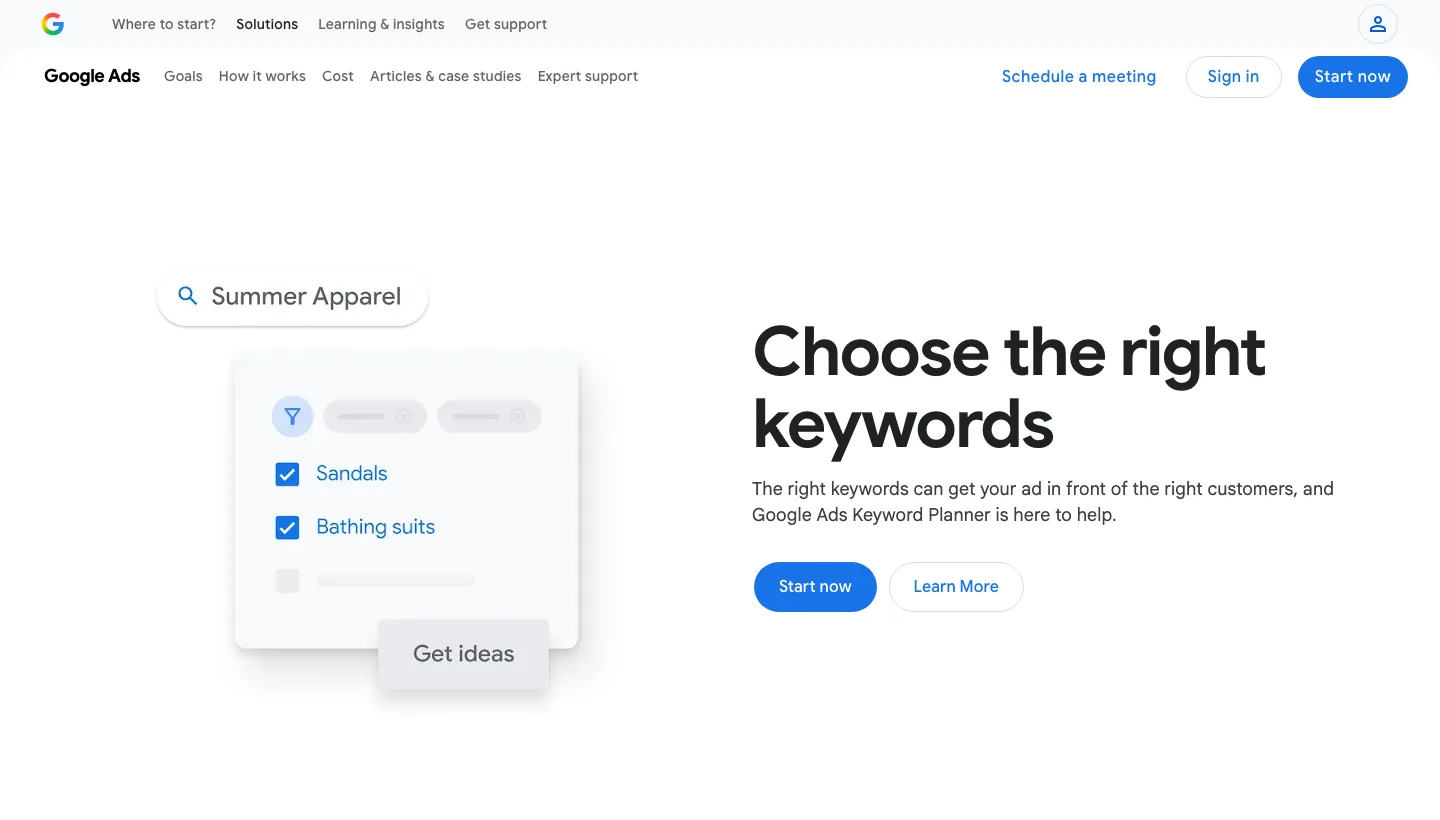
Google Keyword Planner equips search marketing teams with a native keyword discovery, historical volume, and campaign forecasting workspace built directly inside the Google Ads interface. Instead of modeling search demand from third-party browser extensions or panel estimates, Google Keyword Planner pulls search metrics straight from Google search systems. Advertisers enter seed phrases, landing page URLs, or entire domains to uncover new keyword angles, evaluate advertiser competition levels, and export structured CSV plans. Because every metric reflects native Google search activity, marketing teams treat Google Keyword Planner as an authoritative baseline when cross-checking external SEO platforms. Within our Keyword Research directory, weigh seat caps and reporting workflows early.
Google Keyword Planner splits its day-to-day utility sharply depending on whether your organization actively funds Google Ads campaigns. When your connected Google Ads account maintains active ad spend, Google Keyword Planner surfaces more precise monthly search volume averages alongside low and high top-of-page CPC ranges. When an organic content team logs into Google Keyword Planner with zero ad spend, the interface restricts monthly search demand to broad ranges such as 1,000 to 10,000 searches. That restriction turns standalone organic prioritization into directional guesswork unless your team pairs those ranges with CPC intent signals or secondary research software.
Beyond manual browser research, Google Keyword Planner extends into automated marketing and engineering workflows through the Google Ads API and an official Model Context Protocol server. Engineering teams with a configured Google Cloud project and Basic or Standard API access can call keyword planning endpoints to generate ideas, pull historical metrics, group terms into ad group themes, and estimate campaign clicks or conversions. Google charges no per-call fee for Basic or Standard Google Ads API usage, making Google Keyword Planner a practical data backbone for internal marketing scripts and AI agent pipelines.
Which teams is Google Keyword Planner built for?
Integrated paid and organic search teams
Marketing departments running active Google Ads spend unlock more precise search volume figures in Google Keyword Planner, letting paid acquisition managers and organic SEO strategists plan shared topic targets from one zero-cost data source.
Early-stage founders with zero tool budget
Bootstrapped businesses that cannot justify paid SEO subscriptions can use Google Keyword Planner at $0 to build foundational keyword lists, check commercial CPC signals, and export CSV plans while accepting broad volume ranges.
Experienced SEOs cross-checking third-party estimates
Search specialists who rely on paid SEO suites for daily workflow use Google Keyword Planner as a sanity check to verify directly from Google whether a target term carries real search demand and advertiser bidding.
Marketing engineers building AI and API workflows
Technical marketers with Google Cloud projects use the Google Ads API and official google-ads-mcp package to feed seed URLs, historical bid metrics, and ad group themes into automated scripts at zero per-call cost.
Which Google Keyword Planner features matter most in daily work?
Google Keyword Planner concentrates its daily workflow around three core capabilities inside Google Ads: seed-based keyword discovery, historical volume and CPC filtering, and paid campaign performance forecasting. Rather than trying to cover backlink auditing or organic rank tracking, Google Keyword Planner focuses strictly on search demand, advertiser competition, and bid economics.
Seed keyword and URL discovery
Google Keyword Planner lets you start discovery by typing seed keywords, phrases, or a specific landing page URL so Google can scan page relevance and return related keyword suggestions. Alongside obvious head terms, Google Keyword Planner surfaces adjacent commercial queries you might miss during manual brainstorming, complete with monthly volume data, paid competition labels, and bid ranges. You can also upload bulk keyword lists directly into the workspace to check metrics across existing topic clusters and export clean CSV files for editorial or media planning.
For programmatic teams, the Google Ads API mirrors this discovery workflow through the GenerateKeywordIdeas and GenerateAdGroupThemes endpoints across official client libraries in Python, Java, .NET, PHP, Ruby, and Perl. Applications can submit seed keywords, individual URLs, or full sites to retrieve structured keyword ideas and automatically cluster them into suggested ad group themes at up to 2 requests per second per customer ID for theme grouping.
Search volume, competition, and CPC filtering
Every suggestion inside Google Keyword Planner displays monthly search volume alongside advertiser competition levels (low, medium, or high) and low-to-high average CPC bid ranges for your target market. Official documentation also notes filters for average monthly searches, competition, bid ranges, and organic impression share, letting strategists narrow thousands of raw suggestions before exporting. Even when an account lacks active ad spend and shows broad volume buckets, organic content planners use high CPC ranges in Google Keyword Planner to spot high-converting commercial buyer intent.
Teams automating keyword qualification can pull these same historical indicators through GenerateKeywordHistoricalMetrics in the Google Ads API at up to 1 request per second per customer ID. In addition, the official google-ads-mcp server (installable via pipx or deployed over Streamable HTTP) exposes read tools including search_search for GAQL queries, metadata_get_resource_metadata, and customers_list_accessible_customers so AI agents can inspect accessible account structures alongside keyword workflows.
Campaign performance forecasting and click projections
Google Keyword Planner includes a dedicated forecasting module that estimates future impressions, clicks, and total ad spend for a selected batch of keywords at a chosen bid level. Paid search managers rely on these projections before launching new Google Ads ad groups to model budget ceilings and expected traffic capture across seasonal windows. Organic search teams can also inspect impression forecasts inside Google Keyword Planner to gauge relative visibility potential across competing topic groups without activating a live paid campaign.
On the developer side, Google exposes programmatic forecasting through GenerateKeywordForecastMetrics in the Google Ads API, subject to a 1 request per second per customer ID quota. Provided your Google Cloud project holds Basic access or Standard access with the Researching keywords and recommendations permissible use, internal planning tools can estimate future clicks, cost, or conversions programmatically without paying per-request fees.
How much does Google Keyword Planner cost for a team?
Google Keyword Planner costs $0 per month and has no paid software tiers, per-seat charges, or annual subscription contracts. Access is included free inside any standard Google Ads account once you complete initial account setup, submit billing profile details, and create a campaign, though unlocking precise search volumes depends on maintaining active Google Ads spend.
| Plan | Monthly / listed price | Key limits & seats |
|---|---|---|
| Free (via Google Ads) | Free ($0) | Keyword discovery, bulk upload, CSV export, CPC & competition data, and forecasting included; precise search volumes require active Google Ads spend (Google does not publish a fixed spend threshold) |
Google Keyword Planner pricing checked 27 Nov 2026.Google Keyword Planner official pricing
In real team terms, Google Keyword Planner eliminates per-user licensing math completely because multiple stakeholders can work inside your Google Ads environment without triggering seat upgrades or CSV export surcharges. However, the hidden economic threshold is active media spend. Without active Google Ads spend, your team is restricted to broad monthly search volume ranges like 1K to 10K or 10K to 100K. Google does not publish a minimum monthly ad spend dollar figure on its official Keyword Planner pages to unlock precise monthly averages, meaning pure SEO teams cannot buy standalone precision without running live ads.
Programmatic and AI agent access also carry $0 in direct usage fees from Google, though administrative setup gates apply. Using the Google Ads API at Basic or Standard access levels incurs zero per-call charges, and the official google-ads-mcp Python package carries no vendor license fee. To run production keyword planning calls, however, you must set up a Google Cloud project with the Google Ads API enabled and secure Basic access, or Standard access approved for the Researching keywords and recommendations permissible use, authenticating via OAuth 2.0 user credentials or service accounts.
Where does Google Keyword Planner fall short?
Google Keyword Planner creates immediate friction during onboarding and volume analysis for teams that do not run paid media. Even though Google Keyword Planner is free to use without spending a cent on ads, Google requires you to complete Google Ads account setup, enter billing profile details, and create a campaign just to reach the interface. Once inside, non-spending accounts are locked into wide search volume buckets such as 1,000 to 10,000 monthly searches, making it impossible to tell whether a niche B2B keyword gets 1,100 searches or 9,800 searches.
Google Keyword Planner is also built strictly around paid search campaign planning rather than organic content competitiveness. While official documentation covers filters for paid competition, average monthly searches, bid ranges, and organic impression share, Google Keyword Planner does not describe organic keyword difficulty scores or live SERP competitor breakdowns. Note that the competition column in Google Keyword Planner measures advertiser bidding density in Google Ads auctions, not how hard it is for an organic blog post or product page to rank on page one.
Engineering teams building high-throughput keyword pipelines will hit strict per-account throttling and approval gates on the Google Ads API. Google caps GenerateKeywordIdeas, GenerateKeywordHistoricalMetrics, and GenerateKeywordForecastMetrics at 1 request per second per customer ID, while GenerateAdGroupThemes is capped at 2 requests per second per customer ID. Furthermore, production keyword planning requires applying for Basic access or Standard access under Google's permissible use rules rather than relying on unrestricted anonymous API keys.
What are the best Google Keyword Planner alternatives?
 AI Peekaboo is the stronger choice when tracking brand visibility across ChatGPT, Gemini, Perplexity and Google AI surfaces is the job, starting at $30 a month with API, MCP and multi-brand workspaces covered in our AI Peekaboo review.
When your team needs organic SEO workflow depth rather than advertiser bid tables, dedicated SEO suites such as Ahrefs, Semrush, and Moz Pro address the exact gaps left open by Google Keyword Planner. Unlike Google Keyword Planner, dedicated organic keyword research platforms focus on organic keyword difficulty scoring, live SERP ranking analysis, and competitor organic traffic modeling without requiring active Google Ads campaign spend. The trade-off is budget and data provenance: paid SEO platforms charge recurring monthly subscriptions and model volumes using external clickstream or crawler estimates rather than direct Google Ads auction records.
Most established search marketing teams pair Google Keyword Planner with a dedicated organic SEO platform rather than treating the choice as strictly either-or. Pairing works best when you use a dedicated SEO tool for SERP inspection and organic difficulty scoring, then verify high-stakes commercial terms against Google Keyword Planner's native CPC bid ranges and first-party demand buckets. Switching away from standalone Google Keyword Planner becomes mandatory as soon as your content writers need exact volume prioritization without paid ad spend.
Also compare  Semrush review and
 Ahrefs review alongside our best AI visibility tools roundup.
Should your team buy Google Keyword Planner?
Google Keyword Planner earns a 7.5 out of 10 because no other free keyword research software gives you search demand, CPC bid ranges, bulk uploads, and API access straight from Google at $0. For paid search teams and dual-channel marketers already funding Google Ads campaigns, Google Keyword Planner is an essential daily planning workspace that delivers precise monthly averages without adding SaaS overhead. For pure organic SEO teams with zero Google Ads budget, wide search volume buckets and missing SERP or keyword difficulty metrics relegate Google Keyword Planner to a secondary verification source.
Start with the Free Google Keyword Planner workspace inside your existing Google Ads account to pull baseline seed ideas, CSV exports, and CPC intent signals at $0. If your engineering team automates research, connect a Google Cloud project with Basic Google Ads API access and the official google-ads-mcp package.
How did we verify these Google Keyword Planner figures?
Verified on 27 Nov 2026 against Google Keyword Planner's official product landing page and Google Ads API developer documentation, including keyword idea generation, historical and forecast metrics quotas, client libraries, access levels, permissible use policies, and the official google-ads-mcp server specifications. Every figure follows our process in how we check figures. Checked 27 Nov 2026.
- Google Keyword Planner official pricing page
- Google Keyword Planner product documentation
- Google Keyword Planner API and developer pages
What are common questions about Google Keyword Planner?
Is Google Keyword Planner completely free to use?
Yes, Google Keyword Planner is free to use at $0 with no monthly subscription or per-seat charge. You must set up a Google Ads account, submit billing profile details, and create an initial campaign to gain access, though you do not have to spend money on live ads.
Why does Google Keyword Planner show search volume ranges instead of exact numbers?
Google restricts more precise monthly search volume averages inside Google Keyword Planner to Google Ads accounts that maintain active ad spend. Accounts with zero active campaign spend only see broad monthly search buckets such as 1K to 10K or 10K to 100K monthly searches.
Can organic SEO teams use Google Keyword Planner without running ads?
Yes, organic SEO teams can use Google Keyword Planner to discover related keyword ideas, export CSV lists, and check average CPC bid ranges as a proxy for buyer intent. However, Google Keyword Planner lacks organic keyword difficulty scores and SERP analysis found in dedicated SEO software.
Does Google Keyword Planner offer an API or MCP server for AI agents?
Yes, programmatic access is available at no per-call fee via the Google Ads API (requiring Basic or permissible Standard access and OAuth 2.0) with 1 RPS per customer ID limits on core keyword endpoints, alongside Google's official google-ads-mcp Python server for GAQL and account queries.
 Reviewed byDanny Kirk
Founder of ReddiReach.
 Checked byAndrés Felipe
Digital designer and marketer.
Every figure is checked against the vendor's own page. Read our editorial standards.