
Key Takeaways
- Heap provides retroactive product analytics that automatically captures all digital customer clicks, page views, and user interactions without requiring advance manual event tagging from engineers.
- Heap operates under Contentsquare with a free plan supporting ten thousand monthly sessions, whereas its Growth, Pro, and Premier tiers rely entirely on custom contract quotes.
- Heap delivers outbound webhooks to transmit behavioral segmentation data into external applications, though it does not document standard self-serve API access or Model Context Protocol connectivity.
- Heap withholds transparent pricing on paid plans and packages qualitative tools like session replays as premium add-ons, making overall budget planning challenging for growing startup teams.
Heap is the product analytics pick for a team that needs to answer new behavior questions without discovering that nobody tracked the event months ago. Heap is now part of Contentsquare, so choose another tool if you need a published paid price before you start: Growth gives an estimate after installation, while Pro and Premier are custom-priced.
Agent access
- API
- Yes, free, Growth, Pro, or Premier
- MCP server
- Official, hosted, OAuth authentication with the Heap account
- Works with
 ClaudeClaude Code
 ChatGPT
 Cursor
 VS Code
- Automation
- Zapier
What are the core Heap pros and cons?
What works
- One snippet captures digital interactions automatically
- Retroactive analysis lets you define questions after collection
- Growth includes Sense AI, unlimited users and reports
What to watch
- Paid pricing is not published as a dollar amount
- Free stops at 10,000 monthly sessions
- Replay and heatmaps are Pro and Premier add-ons
What does Heap do for product and growth teams?
Heap eliminates the frustration of discovering that a crucial conversion event was never instrumented after funnel numbers drop. Heap takes the opposite route: its single snippet automatically captures the digital experience, so your team can organize the information and decide what question matters after the interaction has happened. The marketing tools directory can help if your work is marketing measurement rather than product behavior. Heap is a compelling home for product analytics when a roadmap changes faster than an event taxonomy.
It also sits at the meeting point of quantitative analysis and behavior context. Heap describes charts, funnels, journeys and retention across all plans, then layers its data science capabilities over that record to point to friction, alternate paths and behavior associated with conversion or retention.
The company is now part of Contentsquare. That matters because Heap positions the combination as a way to pair a full customer journey with closer inspection of what happened in an individual session. It is a more useful proposition for a cross-functional product team than a dashboard that only counts completed steps.
Who is Heap designed for?
Product teams
Use it when feature behavior needs explaining without waiting for new instrumentation work.
Growth teams
Use it when conversion questions change often and historical behavior needs a second look.
Data teams
Use it when behavioral segments must join warehouse data for deeper business analysis.
Experience teams
Use it when journey analysis needs session context alongside the aggregate product numbers.
I would not pick Heap for a lightweight reporting job where a team needs to approve the exact paid spend before implementation. The vendor makes the Free plan clear, but Growth moves to an estimate after the snippet is installed and the upper plans require a conversation. That uncertainty is part of the buying decision, not a small procurement detail.
Which behavioral analytics features does Heap offer?
Autocapture and analysis after the fact
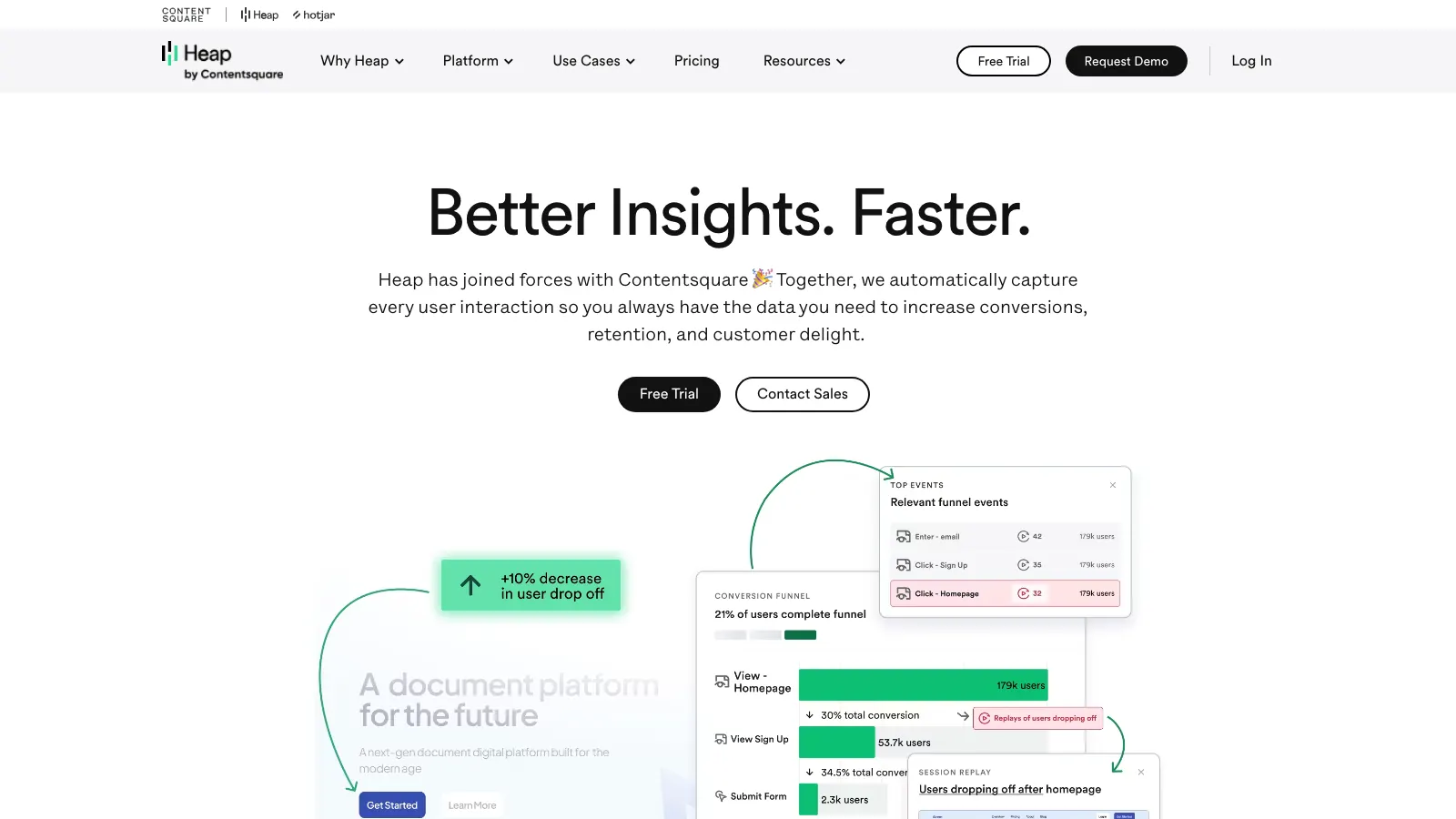
Heap's core claim is complete automatic data capture from a single snippet, with no engineering work needed for each new interaction. The practical benefit is not merely faster setup. You can define an event after a question appears, then look back at the already captured interaction history instead of waiting to collect a new baseline.
Funnels, journeys and retention
All four plans list charts, funnels, journeys and retention. Those are the tools you need to see where a flow leaks, how people actually move through it and whether they return. With automatic capture behind them, they make more sense for an exploratory product team than a reporting setup built around a fixed list of events.
Illuminate and Sense
Heap says its data science capabilities surface key friction and opportunity, including behavior a team has not been following. Growth and higher plans also include Sense, Contentsquare's AI assistant, with chat, summaries and follow-ups. That can reduce the gap between a product question and a useful starting view, although it does not replace someone deciding which outcome is worth improving.
Session context and heatmaps
Heap directs a team to relevant moments in a session through integrated session replay. Its pricing table lists session replay and heatmaps as add-ons on Pro and Premier, so treat that qualitative context as separately priced rather than assuming it comes with every analytics plan. This is where Heap overlaps most naturally with  Hotjar territory.
Integrations and behavioral data
Heap lists more than 100 integrations and describes Heap Connect as a way to synchronize behavioral segments to Snowflake. The developer material also documents webhooks for putting segmentation data into an app. For a data team, that is the important distinction: Heap can contribute behavioral context to a wider pipeline, instead of demanding that every decision remains inside its own reports.
How does Heap price its analytics tiers?
Price checked 27 Nov 2026
| Plan detail | Free$0 | GrowthEstimate | ProCustom | PremierCustom |
|---|---|---|---|---|
| Monthly sessions | Up to 10,000 | Custom | Custom | Custom |
| Data history | 6 months | 12 months | Custom | Custom |
| Charts, funnels and journeys | ✓ | ✓ | ✓ | ✓ |
| Unlimited users and reports | ✕ | ✓ | ✓ | ✓ |
| Sense AI assistant | ✕ | ✓ | ✓ | ✓ |
| Session replay and heatmaps | ✕ | ✕ | Add-on | Add-on |
Free plan and paid-price availability checked 27 Nov 2026.Heap pricing
There is no honest team bill to calculate from the published page. Free is $0 up to 10,000 monthly sessions. For Growth, Heap asks you to sign up and install the free snippet to receive an estimate. Pro and Premier use custom session pricing and a Contact Us path, so traffic, plan level and any add-ons determine the paid bill.
- Growth adds unlimited users and reports, CSV exports, 12 months of history and email support
- Pro adds account analytics, engagement matrix and report alerts
- Premier adds data warehouse integration, behavioral targeting, unlimited projects and a dedicated CSM
How does Heap support larger enterprise organizations?
Heap Premier serves as the clearest plan tier for large enterprise organizations needing comprehensive analytics. Alongside the Pro capabilities, it lists unlimited projects, advanced user permissions, region-specific storage and a dedicated customer success manager. That is a governance and scale purchase, not a reason to skip the lower plans before you know whether the automatic capture model answers better product questions.
For an organization moving data into a warehouse, the pricing page lists data warehouse integration on Premier. Heap Connect is an add-on on Pro and is included with Premier. Make that distinction explicit in a quote if warehouse analysis is essential to your rollout.
Where does Heap fall short for prospective buyers?
Heap presents a major operational drawback through its lack of published, transparent pricing for growing teams. The Free tier is straightforward, but it only covers up to 10,000 monthly sessions and six months of history. Everything above it becomes either an estimate after installation or a custom session conversation. A buyer can validate the workflow, yet cannot build a precise paid budget from the public page.
The qualitative tools also have a boundary. Session replay and heatmaps are not listed on Free or Growth, and the pricing page treats them as add-ons on Pro and Premier. If replay is the job, compare that cost with the focused approach in Hotjar before deciding that a broader analytics platform is automatically the better fit.
Finally, Heap does not specify API or MCP plan eligibility. It does document behavioral-segmentation webhooks, which are useful for an integration, but confirm access and limits before building an agent workflow.
What are the best Heap alternatives?
 AI Peekaboo review is the better fit when the question is how AI answers describe your brand rather than how people behave inside a product. Its plans start at $30 a month, checked 27 Nov 2026, and include API, MCP and Looker Studio access, with no charge for extra users. It is not a replacement for Heap's product journey data, but it gives a marketing team a published route into AI visibility.
Hotjar review is the more direct comparison when session replay and heatmaps are the priority. Heap is the better choice when you need funnels, journeys, retention and automatic behavior capture in the same analytics system.  Humblytics review connects Stripe or Foxy revenue to website analytics, making it more useful when attribution needs revenue context alongside traffic behavior.
What is the final verdict on Heap?
Heap earns its place when product questions arrive late and missing data is more expensive than a broad initial capture. The automatic-capture premise is the real reason to choose it, with funnels, journeys and Contentsquare context making that data more actionable. Do not accept the paid price as an afterthought: session volume, plan level and replay or heatmap add-ons all need to be settled before the team commits.
Start with Free on a meaningful product flow, see whether retroactive analysis changes the questions your team can answer, then request a written Growth and Pro comparison that names session volume, data history, warehouse access and any replay or heatmap add-ons.
How was this Heap review researched and evaluated?
Heap and its parent company Contentsquare published the product specifications, developer docs, integration terms, and pricing pages reviewed on 27 Nov 2026. Every figure follows how we check figures.
- Heap pricing page and plan comparison
- Heap product, integration and developer pages
- Heap's Contentsquare announcement
What are the most common questions about Heap?
Is there a free version of Heap?
Yes. Heap Free is $0 and includes core analytics charts, six months of data history and up to 10,000 monthly sessions.
How much does Heap cost for a team?
Heap does not publish a paid dollar price. Growth asks you to install the free snippet for an estimate, while Pro and Premier use custom session pricing.
Is Heap part of Contentsquare?
Yes. Heap says it joined forces with Contentsquare, and its 2023 announcement says it agreed to become part of Contentsquare.
Does Heap include session replay?
Heap lists session replay as an add-on on Pro and Premier. It is not listed on Free or Growth.
Does Heap work with AI agents?
Heap's developer page documents webhooks for sending behavioral segmentation data into an app. Heap does not specify API or MCP plan eligibility, so confirm access and limits before building an agent workflow.
 Reviewed byDanny Kirk
Founder of ReddiReach.
 Checked byAndrés Felipe
Digital designer and marketer.
Every figure is checked against the vendor's own page. Read our editorial standards.