
Key Takeaways
- Split scenario flows across multiple module chains via Flow controls > Router or right-clicking a bridge for Add a router.
- Start with a source module in your scenario and define clear filter rules for each conditional branch plus any fallback.
- Insert a Router, add branch filters and a fallback route, set sequential priority via Order routes, and manage chains with Select whole branch.
- Confirm the fallback arrow icon appears on the Router and test that branches run sequentially in your set order.
You can split a Make scenario into multiple conditional module chains with a Router so each path processes bundles under tailored filter rules. Teams combine sequential route ordering with a fallback route to control execution priority and handle unmatched data cleanly.
For plan limits and team seat pricing behind this workflow, read our Make review or connect Make to AI agents in Make API and MCP.
Key steps
What do you need before starting in Make?
Make requires the following workspace setup before you begin:
- An existing Make scenario with a trigger or action module whose output bundles need conditional branching.
- Distinct filter logic planned for each conditional branch plus an optional catch-all fallback action.
How do you complete the steps in Make?
Follow these 4 steps in Make in order:
Add a Router module after a step or on an existing bridge
Open your scenario and either click Add another module, search and click Flow controls, and select Router, or right-click the bridge between two modules and select Add a router. Attach two or more downstream modules to create branches.
Using Add a router on an existing bridge preserves your connected downstream chain while letting you add extra branches right away.
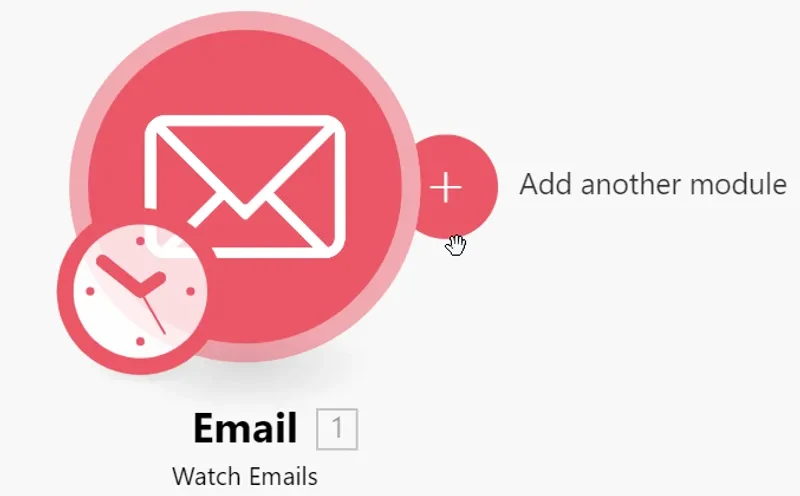
Click Add another module on your source module or right-click an existing bridge between modules to insert a Router. Screenshot source Define branch filters and designate a fallback route
Click each conditional route line to set filter operators (such as greater than or less than). To catch bundles that fail every preceding route, click your catch-all route, select Yes for fallback in the filter window, and click Save.
Make marks the fallback branch with a special arrow icon on the Router module, and you can still add a filter condition on that fallback route if needed.
Control sequential execution with Order routes
Click the Router, right-click it, and select Order routes. Use the arrow controls to set branch priority, optionally tick Auto-align arranges with set order to organize modules visually on the canvas, and click Apply.
Routes always execute sequentially rather than in parallel: Make finishes every module in Route 1 before starting Route 2, running the fallback route last.
Manage multi-step chains at once with Select whole branch
Click the route menu on any branch starting from the Router and click Select whole branch to highlight every downstream module in that chain, then copy or delete the selection together.
Select whole branch prevents leaving stray trailing modules behind when refactoring or duplicating long conditional paths.
How does this Make setup work in practice?
Worked example: Weather-based Slack hints with ordered routes and fallback
An operations team fetches tomorrow's forecast with a Weather module and posts tailored Slack advice by temperature.
| Choice | Why it matters | How to check |
|---|---|---|
| Route 1 (Hot weather) ordered first with a high-temp filter sending wear shorts to Slack | Evaluates hot forecasts first in the sequential route order. | Hot weather sits at position 1 in Order routes. |
| Route 2 (Cold weather) ordered second with a low-temp filter sending wear a jacket to Slack | Runs after Route 1 finishes and handles cold forecasts. | Cold weather sits at position 2 with its temperature filter active. |
| Route 3 set to Yes as Fallback route sending better stay at home to Slack | Executes last whenever tomorrow's forecast is neither hot nor cold. | Router module shows the special fallback arrow icon on Route 3. |
Make checks Hot weather, then Cold weather, and routes moderate forecasts cleanly to the Fallback Slack message.
How do you verify your result in Make?
Confirm the fallback arrow icon appears on your Router, check Order routes for exact priority, and run sample bundles through each branch. Next, enable Auto-align arranges with set order so your canvas visually matches top-to-bottom execution order.
| Step | What you should see |
|---|---|
| Add a Router module after a step or on an existing bridge | The Flow controls Router module sits on the canvas connected to multiple downstream branches. |
| Define branch filters and designate a fallback route | Conditional branches show filter badges and the Router displays the fallback arrow icon on the last path. |
| Control sequential execution with Order routes | Order routes saves your sequential branch priority and aligns the canvas layout if selected. |
| Manage multi-step chains at once with Select whole branch | Clicking Select whole branch highlights all following modules along that specific route at once. |
Related Make guides include How to add and configure bundle filters between modules in Make and How to configure and manage scenario webhooks in Make.
Which official Make sources were checked?
Every step and limit in this Make guide was verified against official documentation on 27 Nov 2026 following how we check figures, alongside more walkthroughs in our Make tutorials hub:
How do you troubleshoot common Make issues?
Does Make run Router branches simultaneously in parallel?
No, Make executes Router branches strictly sequentially, finishing every module on the first route before starting the second. Use Order routes whenever later branches rely on earlier steps completing first.
When does the fallback route execute on a Router?
The fallback route (marked by a special arrow icon on the Router) executes last and only processes bundles that failed the filter conditions of all other routes. Standard routes run for every bundle matching their filter.
Can I apply a filter condition to a fallback route as well?
Yes, you can configure a filter condition in the same window where you mark Yes for fallback. Unmatched bundles reach the fallback route last and proceed only if they also satisfy its filter.
 Reviewed byDanny Kirk
Founder of ReddiReach.
 Checked byAndrés Felipe
Digital designer and marketer.
Every figure is checked against the vendor's own page. Read our editorial standards.