
Key Takeaways
- Hunter connects domain email discovery, address verification, and cold outreach sequences within a single unified workspace without per-user licensing fees.
- Hunter includes fifty monthly search credits on its free plan, with Starter priced at thirty-four euros and Growth at one hundred four.
- Hunter provides REST API access across all outreach plans and supplies remote Model Context Protocol connectivity for automated contact operations.
- Hunter lacks dedicated journalist media databases or backlink prospect filtering, while high-volume outreach teams may rapidly exhaust shared monthly credits.
When you need to find the person behind a publication's domain, check the address, then follow up, Hunter is a sensible choice for doing that from one shared workspace without a per-seat bill. Look elsewhere if you need a journalist database or link prospect filtering, or if Hunter's credit pool will be too small for your prospecting volume.
Agent access
- API
- Yes, every Hunter plan, including Free
- MCP server
- Official, hosted, OAuth 2.1 or API key
- Works with
 ClaudeClaude Code
 ChatGPT
 Gemini
 Cursor
 VS Code
- Automation
- Zapier, Make
What are the primary pros and cons of Hunter?
What works
- Free plan with 50 credits each month and no card
- Unlimited teammates share every plan at no extra seat charge
- API and integrations on every plan, including Free
What to watch
- Contact discovery and verification draw from the same credit pool
- Free use omits automatic verification and full CSV results
- Credits and connected email accounts are separate plan limits
What does Hunter do for email outreach teams?
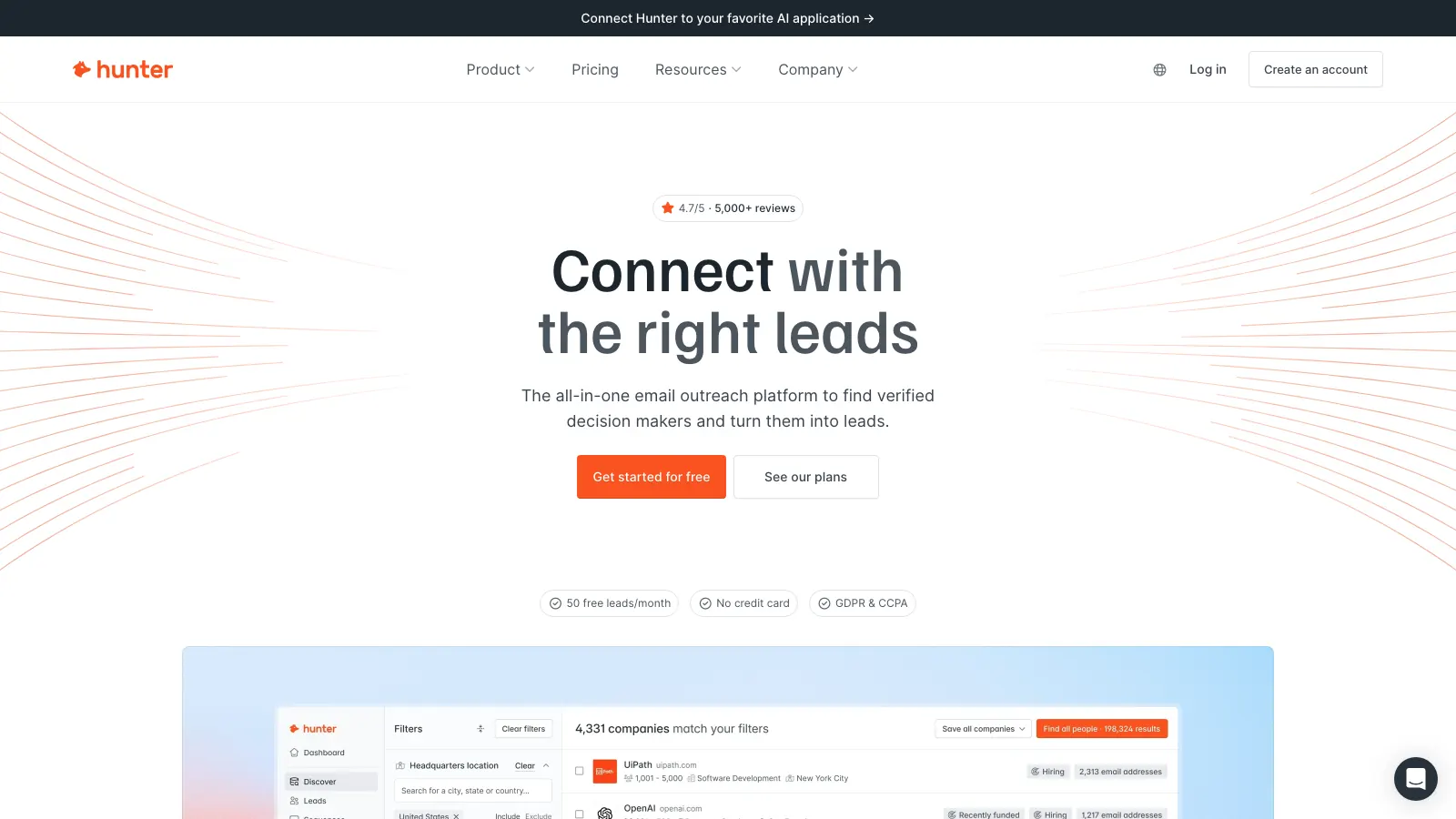
Hunter solves outreach bottlenecks when teams have target website domains but lack verified individual email addresses for pitching. Hunter earns its place in a marketing tools directory by putting three jobs together: find professional contacts, check an address before sending, then run the follow-up sequence from a connected inbox. That is a cleaner starting point than moving a lead between separate finder, verifier and sender tools.
The important commercial choice is not seats. Hunter lets unlimited team members use every plan, including Free, and they share the plan's credits, features and Sequences. The decision is how much contact work your whole team needs each month, and how many sender inboxes it needs connected.
I would treat Hunter as an outreach operating layer, not proof that a prospect belongs in your campaign. It can surface the contact and let your team follow up, but the targeting, offer and editorial judgment still decide whether the outreach is worth sending.
Who is Hunter best suited for?
Link outreach teams
Find publication contacts, verify addresses and run follow-ups from a shared plan.
Small agencies
Invite colleagues without increasing the bill for each additional seat.
Partnership teams
Send saved contacts and sequence activity into a CRM or spreadsheet workflow.
Teams building agents
Use the API or MCP to find, verify and enrich contacts programmatically.
It is a weaker fit for a team that already has good contact data and only needs a campaign CRM. It is also a poor choice if you need to know the exact usage cost before each large upload, since lookup and verification activity uses the same shared allowance.
Which email discovery features does Hunter offer?
Domain Search and Email Finder
Domain Search returns professional email addresses associated with a company, including confidence scores, department filters, discovery dates and public sources. Email Finder starts with a person's name and their employer's domain, then verifies the returned address before it appears. For a link builder, the distinction is practical: start at the domain when you need to see a publication's team, then use a named person when you already know the editor you want.
Email verification
Hunter's verifier classifies an address as valid, accept-all, invalid, disposable or unknown. It checks format, flags disposable and webmail addresses, examines MX records and runs an SMTP check. You can also upload a list for bulk verification. A verification uses half a credit, while finding an address uses one credit, so cleaning a list and discovering a new contact are not equal calls on the allowance.
Sequences and inbox connections
Sequences connects to Gmail, Google Workspace, Outlook, Microsoft 365 or SMTP and IMAP accounts, so messages send through an inbox your team connects. The product offers follow-up automation and tracking for opens, clicks and replies. The plan limits that matter are connected email accounts and recipients per sequence: Free has one account and 500 recipients, Starter has three accounts and 2,500 recipients, Growth has 10 accounts and 5,000 recipients.
Discover and lead work
Discover lets you search companies by attributes such as headquarters location, headcount, industry and technologies. Free has basic filters; paid All-in-One plans have advanced filters, lead enrichment and weekly new-lead suggestions. That makes it useful when your target list is still vague. When you already have a defined list of sites to approach, Domain Search is the more direct route.
API, MCP and integrations
All All-in-One Outreach plans include the API and integrations. Hunter documents endpoints for Discover, Domain Search, Email Finder, Email Verifier, Leads and Sequences, and its remote MCP server can connect the API to an LLM that supports remote MCP. The integrations cover direct routes to major CRM products, Google Sheets, Zapier, Make, Gmail and Outlook. That gives a team useful flexibility, but it also means you should decide which system owns your lead record before automating both.
Data transparency and privacy controls
Hunter says its Domain Search results show where and when a contact was found, and its data pages describe publicly disclosed sources. Its GDPR material says account owners are responsible for the purpose and legal basis of data they import or use, and people can use the Claim feature to remove a professional email address from the database. Set your campaign rules before you turn a large prospect list into a sequence.
How is Hunter priced across credit tiers?
Price checked 27 Nov 2026
| Plan detail | Free€0 | Starter€34/mo | Growth€104/mo | Scale€209/mo | EnterpriseCustom |
|---|---|---|---|---|---|
| Billing shown | Free forever | Annual, €408 upfront | Annual, €1,248 upfront | Annual, €2,508 upfront | Talk to sales |
| Credits | 50/mo | 24,000/year | 120,000/year | 300,000/year | Custom |
| Connected email accounts | 1 | 3 | 10 | 20 | Custom |
| Recipients per sequence | 500 | 2,500 | 5,000 | 15,000 | Custom |
| AI Discover searches | 30/mo | 150/mo | 450/mo | 900/mo | 900/mo |
| Team members | Unlimited | Unlimited | Unlimited | Unlimited | Unlimited |
Hunter prices in euros, 27 Nov 2026.Hunter pricing
Annual prices need one qualification: Hunter collects the year upfront and makes all 12 months of credits available immediately. The monthly equivalents are €49 for Starter, €149 for Growth and €299 for Scale. Three colleagues on Growth still cost €104 a month on annual billing because seats are unlimited, but the commitment is €1,248 upfront and a shared pool of 120,000 credits.
Paid plan owners can buy Credit Packs from €10 when the pool runs low. They expire after three months, even after a downgrade or cancellation. Additional email account slots, managed email accounts and Inbox Protection are also available as add-ons.
When do organizations need Hunter Enterprise?
Hunter Enterprise supports organizations requiring higher search volumes exceeding twenty-five thousand monthly credits. Hunter says the plan is tailored to volume and includes 900 AI Discover searches each month, priority support and a dedicated Account Manager. It also allows a custom number of credits and connected email accounts. Treat it as a capacity conversation, not a distinct feature set: Scale already includes the paid outreach features, so Enterprise is for a team whose usage has genuinely outgrown its 300,000 annual credits.
Where does Hunter fall short for prospecting?
Hunter enforces a shared monthly credit pool that acts as the primary operational limitation for multi-member teams. A finder call costs one credit, a verification costs half a credit, and the same allowance covers Email Finder, Email Verifier and Domain Search. That keeps the bill tidy but makes mixed campaigns harder to forecast. Measure the new contacts and verifications you need before choosing a plan.
Free is useful for a small recurring check, not a lightweight version of every paid workflow. It excludes automatic lead verification, the AI Writing Assistant for Sequences, link tracking and full CSV exports, and limits full results to 10 emails per domain. The free plan also cannot add email accounts, buy Credit Packs or use SMTP and IMAP connections.
Finally, the product is built around contact discovery and sending. It can help a link team get to the right person, but it does not replace the relationship history, publication research or campaign planning of a dedicated link-building process.
What are the top alternatives to Hunter?
 Hunter alternatives include AI Peekaboo, which specializes in monitoring brand citations within AI responses rather than discovering prospect email addresses. Its plans start at $30 a month and include API, MCP and Looker Studio access. The AI Peekaboo review explains its check-based pricing.
For journalist outreach, compare Hunter with the JustReachOut review: JustReachOut says its database has more than 700,000 journalists and that it manually verifies email addresses. Hunter finds contacts from a domain, but does not state that it offers a journalist database.
 The Linkee review is the better comparison when vetting link prospects matters. Linkee says its database has more than 5 million websites and that it detects and removes PBNs, broken links and non-secure websites, filtering Hunter does not state.
What is the overall verdict on Hunter?
Hunter provides strong value when sales teams need to consolidate contact discovery, email verification, and outbound sending into one tool. Unlimited users remove a common agency penalty, while the free plan gives you a real way to judge the workflow. Its paid tiers become worthwhile once credits, sender accounts and sequence size all match your monthly work.
Start with Free for a small, real prospect list. If the shared workflow suits your team, move to Starter for three sender accounts or Growth for 10, and budget annual billing only when your contact volume is steady.
How was this Hunter review researched?
Hunter plan allowances, technical integrations, and pricing data in this review were gathered from official vendor documentation on 27 Nov 2026. Prices are shown in euros where Hunter publishes them, and every figure follows the rules in how we check figures.
- Hunter pricing and plan documentation
- Hunter pages for contact discovery, verification, Sequences, API and MCP
- Hunter integration, data transparency and GDPR documentation
What are common questions regarding Hunter?
Is Hunter free to use?
Yes. Free includes 50 credits a month, one connected email account and 500 recipients per sequence, with no card and no time limit.
How do Hunter credits work?
One credit finds an email with Domain Search, Email Finder or Bulk Email Finder. A verification through Email Verifier or Bulk Email Verifier uses half a credit. Sending a Sequence does not use credits.
Can a team share Hunter?
Yes. Every plan, including Free, allows unlimited team members at no extra charge. They share the plan's credits, features and Sequences.
Does Hunter work with AI agents?
Yes. All All-in-One Outreach plans include the API, and Hunter provides a remote MCP server for LLMs that support remote MCP.
 Reviewed byDanny Kirk
Founder of ReddiReach.
 Checked byAndrés Felipe
Digital designer and marketer.
Every figure is checked against the vendor's own page. Read our editorial standards.