
Key Takeaways
- INX Social unifies generative AI multimedia creation and multi-channel content scheduling inside a single social media marketing workspace.
- INX Social charges £18.99 monthly for Creator with five accounts and 300 credits, while Pro costs £34.99 monthly for 12 accounts.
- INX Social has unestablished external API and MCP connectivity options, requiring teams to clarify developer support directly with the vendor.
- INX Social does not suit marketing teams requiring more than five connected accounts on entry-level plans or guaranteed monthly video generation allowances.
If visual social work keeps bouncing between an AI generator and a publishing calendar, INX Social is the best fit for bringing that production path into one workspace. Creator at £18.99 a month is the sensible place to start for a small brand with up to five connected accounts, while teams with more destinations should move to Pro or look elsewhere.
Agent access
- API
- Not found on official pages
- MCP server
- Not found on official pages
What are the main advantages and disadvantages of INX Social?
What works
- Scheduling, bulk publishing, analytics and AI creation on every tier
- Campaigns can generate 10, 15, 20 or 30 posts
- Video studio supports text, image and reference-led workflows
What to watch
- Creator limits the workspace to five connected accounts
- Video generation draws from one shared credit balance
- Network permissions affect publishing and analytics capability
How does INX Social streamline social media production workflows?
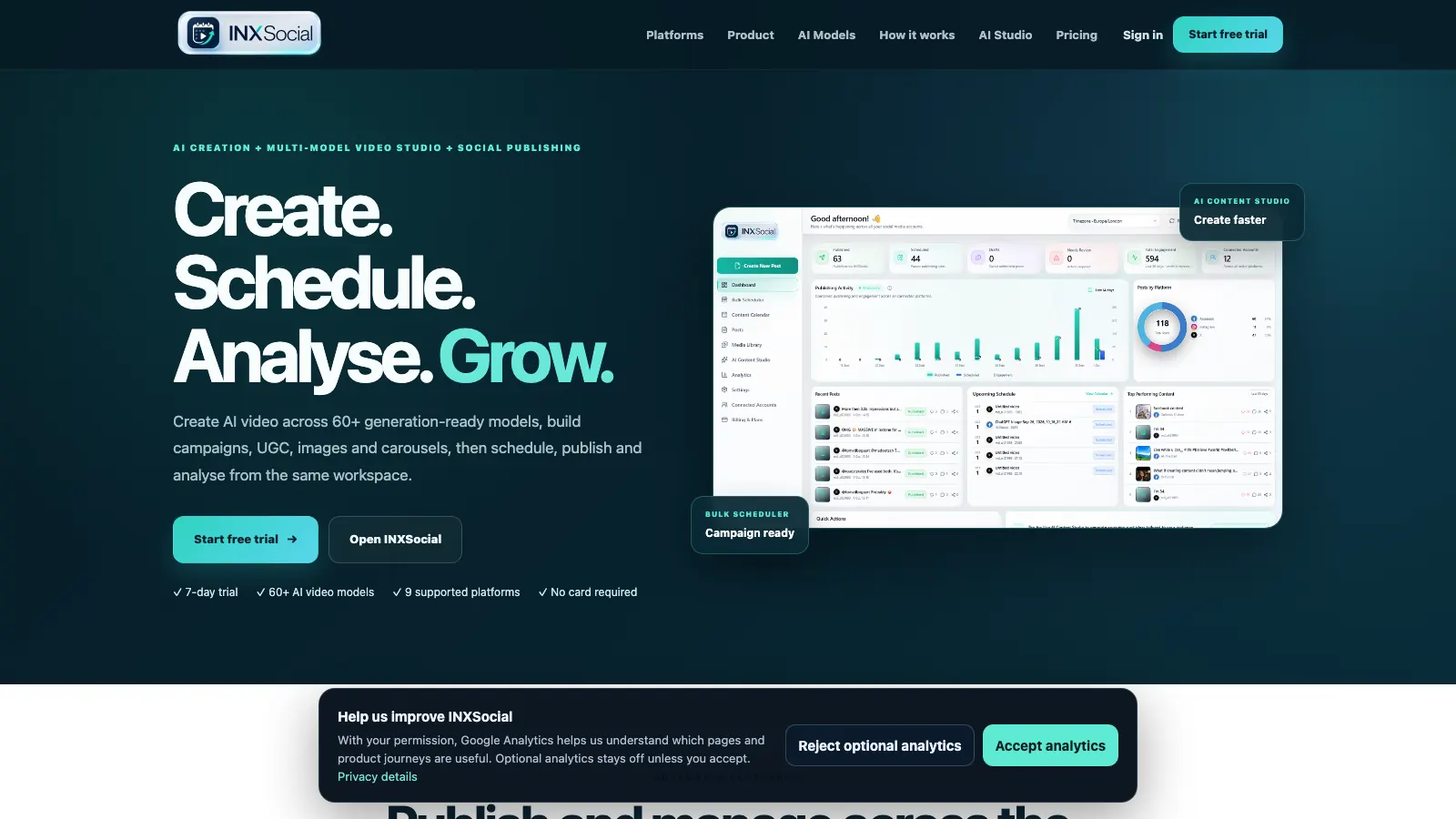
INX Social is not trying to be a simple queue for finished posts. Its useful angle is the handoff: draft an AI campaign, make images or video, then keep the work moving into scheduling instead of exporting files between products. That makes it worth considering alongside the marketing tools directory when the real bottleneck is making enough usable social material, not merely finding a posting calendar.
The product connects Facebook, Instagram, LinkedIn, TikTok, YouTube, Pinterest, Threads, Bluesky and X. You can prepare copy and media, choose connected destinations, publish immediately or set a future time, then review scheduled and published activity in the same product. The vendor is clear that publishing, feed and analytics support vary by each network's permissions and account type, so the list of nine does not promise identical options everywhere.
Every listed plan has scheduling, Bulk Scheduler, Full Analytics and the complete AI creation suite. The practical decision is capacity: connected accounts and shared AI credits rise by tier. That keeps the product easy to understand, but it also means a video-heavy team needs to treat credits as a shared operating budget rather than as a fixed video allowance.
Which types of social media creators benefit most from INX Social?
Video-first small brands
Creator suits focused teams making visual posts across no more than five destinations.
Campaign-led content teams
AI Campaign turns one brief into a structured sequence ready for scheduling.
Growing social operations
Pro expands the workspace to 12 accounts and 900 shared monthly credits.
High-volume agencies
Agency supports up to 50 connected accounts and 4,000 shared monthly credits.
If an external agent workflow is part of your decision, confirm API or MCP access with INX Social before building around it. Creator's five connected accounts are a separate capacity limit to assess against the channels your team manages.
What content creation and scheduling features does INX Social include?
One social publishing workspace
INX Social brings post creation, connected accounts, content planning and publishing status together. A creator can write a caption, add media, select destinations and choose to publish now or later. The scheduler sits beside Bulk Scheduler, Content Calendar, Media Library, Analytics and AI Content Studio, which is the right arrangement when you are organizing a recurring publishing routine rather than dispatching one post.
Bulk Scheduler and Calendar
Bulk Scheduler can work from media, text posts or a saved AI Campaign. Mixed campaigns preserve their text and image sequence with compatible destination routing, then move into a timing flow. Optional Smart Timing adds bounded variation around a chosen cadence, while the chosen timestamps stay visible in Calendar. That visibility matters because automation is only useful when a team can still see what it is about to send.
AI Campaign for planned runs
AI Campaign can turn a goal and an optional website into a 10, 15, 20 or 30-post campaign with text, image or mixed content. It creates a campaign direction, content pillars, hooks and a post map before individual posts are made. After review, the saved campaign can go straight to Bulk Scheduler. This is a stronger starting point than asking an assistant for a pile of captions, because the sequence has somewhere to go next.
AI creation and video tools
The creation suite includes Image Post, Carousel Post, UGC Ad Studio, Stock Video Creator, AI captions, rewrites, hashtags, calls to action and alt text. Its Video Studio offers text-to-video, image-to-video and supported reference workflows. You can use AI Recommended to select a model or browse a live catalog of 70+ generation-ready video models, then continue with the finished asset in Media Library and publishing.
Analytics with a network caveat
Full Analytics is included across the published plans. That is valuable because the same tool that builds and schedules posts also holds the reporting view. Still, platform permissions and account type affect the publishing, feed and analytics support available for each connection. Treat the trial as a way to check the destinations that matter to you, rather than assuming each network exposes the same data.
How much does an INX Social subscription cost per month?
Price checked 27 Nov 2026
| Plan detail | Creator£18.99/mo | Pro£34.99/mo | Business£59.99/mo | Agency£99.99/mo |
|---|---|---|---|---|
| Connected accounts | Up to 5 | Up to 12 | Up to 25 | Up to 50 |
| Posts and scheduling | Unlimited | Unlimited | Unlimited | Unlimited |
| Bulk Scheduler and Full Analytics | ✓ | ✓ | ✓ | ✓ |
| Shared AI credits | 300/mo | 900/mo | 2,000/mo | 4,000/mo |
| Support | Standard | Priority | Priority | Priority+ |
INX Social prices in pounds sterling, 27 Nov 2026.INX Social pricing
For a five-account brand, Creator makes the monthly software bill £18.99 before any paid credit top-ups. Pro costs £34.99 for seven more connected accounts and three times the monthly credit balance, a £16 difference that is easier to defend once a team has a real multi-destination schedule. Business and Agency make sense for volume, not because they unlock a separate workflow.
There is also a free seven-day trial: two connected accounts, 50 publishing destinations and 20 shared AI credits. Paid plans can buy one-time top-ups. Higher-cost video models consume more credits, so compare the live credit estimate for the models you intend to use before treating any plan as sufficient.
Where does INX Social fall short for expanding brands?
INX Social offers substantial creative breadth, but strict monthly credit ceilings constrain high-volume generative media production. Creator gives a small brand a clear £18.99 monthly entry, yet five accounts can disappear quickly when a business has several regional or product channels. Pro is the practical next step, not a minor upgrade, because it is where the account allowance reaches 12 and the credit pool reaches 900.
The other limitation is predictability. The credit balance pays for AI Campaign image generation, Image Post, Carousel Post, UGC, Video Studio, image-to-video and Stock Video Creator. Video models have different credit costs, so 300 credits tell you the budget but not the exact number of finished videos. That is a reasonable model for flexible creation, but it is less helpful for a team that needs a guaranteed output count every month.
Finally, a network's own permissions and account type shape what INX Social can publish, show in feeds and report. Start with the channels you actually use, then check the trail from asset to scheduled post to analytics. A smooth workflow on one connection should not be assumed for all nine.
What are the most popular alternatives to INX Social?
 INX Social alternative AI Peekaboo assists organizations tracking brand mentions within LLM answers instead of producing scheduled social posts. Its plans start at $30 a month, checked 27 Nov 2026, and include a read/write API and MCP access, which makes it a different fit from INX Social's creation-and-scheduling workflow. The AI Peekaboo review explains the published plan limits.
 Later is the better comparison when a team needs approvals: its Growth plan includes internal and external collaboration and approval workflows. Read the Later review before choosing it for a social operation that does not need INX Social's built-in AI video catalog.
 Loomly gives a small collaborative team a different starting point: Starter includes three users, 12 social accounts, approval workflows and advanced analytics at $49 a month on annual billing, checked 27 Nov 2026. The Loomly review is the useful next check when those day-to-day publishing needs lead the decision.
Is INX Social worth using for visual social campaigns?
INX Social provides direct operational value by shortening the production cycle from initial creative brief to queued social distribution. Creator is a well-priced starting point for a small operation, while Pro becomes the honest choice when five accounts or 300 credits are not enough. The product is less compelling when your monthly planning requires a guaranteed number of AI-video outputs.
Use the seven-day trial with two real connected accounts. Build one 10-post campaign, schedule it, and check the credit estimate on the video model you would use most before choosing Creator or Pro.
How was the information in this INX Social review collected?
INX Social published data, pricing levels, and tool parameters were directly verified from its official product documentation on 27 Nov 2026. Prices are shown in pounds sterling as the vendor presents them. Alternative facts were checked against their respective vendors' pages, on 27 Nov 2026 for AI Peekaboo and 27 Nov 2026 for Later and Loomly. Every figure follows how we check figures.
- INX Social pricing for trial limits, plans, accounts and shared credits
- Social scheduler and Bulk Scheduler pages for the publishing workflow
- AI Campaign and Video Studio pages for generation and handoff details
What are common queries regarding INX Social credits and scheduling?
How much does INX Social cost?
Creator costs £18.99 a month, Pro £34.99, Business £59.99 and Agency £99.99. Each paid plan includes scheduling, Bulk Scheduler, Full Analytics and the AI creation suite.
Which networks does INX Social support?
INX Social supports Facebook, Instagram, LinkedIn, TikTok, YouTube, Pinterest, Threads, Bluesky and X in its connected-account experience. Capability varies with each network's permissions and account type.
Can INX Social generate a campaign of social posts?
Yes. AI Campaign can create 10, 15, 20 or 30 text, image or mixed posts, then hand the saved campaign to Bulk Scheduler for destination and timing choices.
Are INX Social AI videos unlimited?
No. AI video and the other generation tools use a shared monthly credit balance. Higher-cost video models use more credits, and paid plans can buy one-time top-ups.
 Reviewed byDanny Kirk
Founder of ReddiReach.
 Checked byAndrés Felipe
Digital designer and marketer.
Every figure is checked against the vendor's own page. Read our editorial standards.