Key Takeaways
- Mixmax embeds sales engagement automation directly inside Gmail, providing automated email sequences, calendar scheduling links, and engagement tracking without third-party app switching.
- Mixmax charges a starting price of twenty-nine dollars per user monthly on annual terms, granting full platform features capped at one hundred recipients.
- Mixmax supports automated AI outreach through Claude and ChatGPT integrations alongside accessible REST API endpoints for technical growth workflows.
- Mixmax scales subscription expenses with monthly recipient volumes, creating variable billing for growing business development teams.
If you are choosing from a marketing tools directory for a Gmail-based sales team, Mixmax is the right choice when you want sequences, scheduling, tracking and meeting notes without shifting into another app. Choose a different approach if recipient-based pricing will make your bill unpredictable, because Mixmax charges paid users according to the number of people they reach each month.
Agent access
- API
- Yes, Mixmax Pro, Meeting Copilot, Inbox Copilot, Engagement Copilot, Mixmax Suite, Mixmax for Teams, Growth + CRM (Legacy), and Enterprise (Legacy)
- MCP server
- Official, OAuth 2.1 authorization code flow through the browser
- Works with
 ClaudeClaude Code
 ChatGPT
 Cursor
- Automation
- Zapier
What are the primary Mixmax pros and cons for sales reps?
What works
- Sequences, tracking and scheduling stay inside Gmail
- Every paid plan includes the full feature set
- A 14-day free trial of paid features needs no credit card
What to watch
- The free plan has limited features and 50 recipients
- Recipient volume determines the recurring plan price
- Several workspace and calling extras cost more
What sales sequence and scheduling features does Mixmax bring to Gmail?
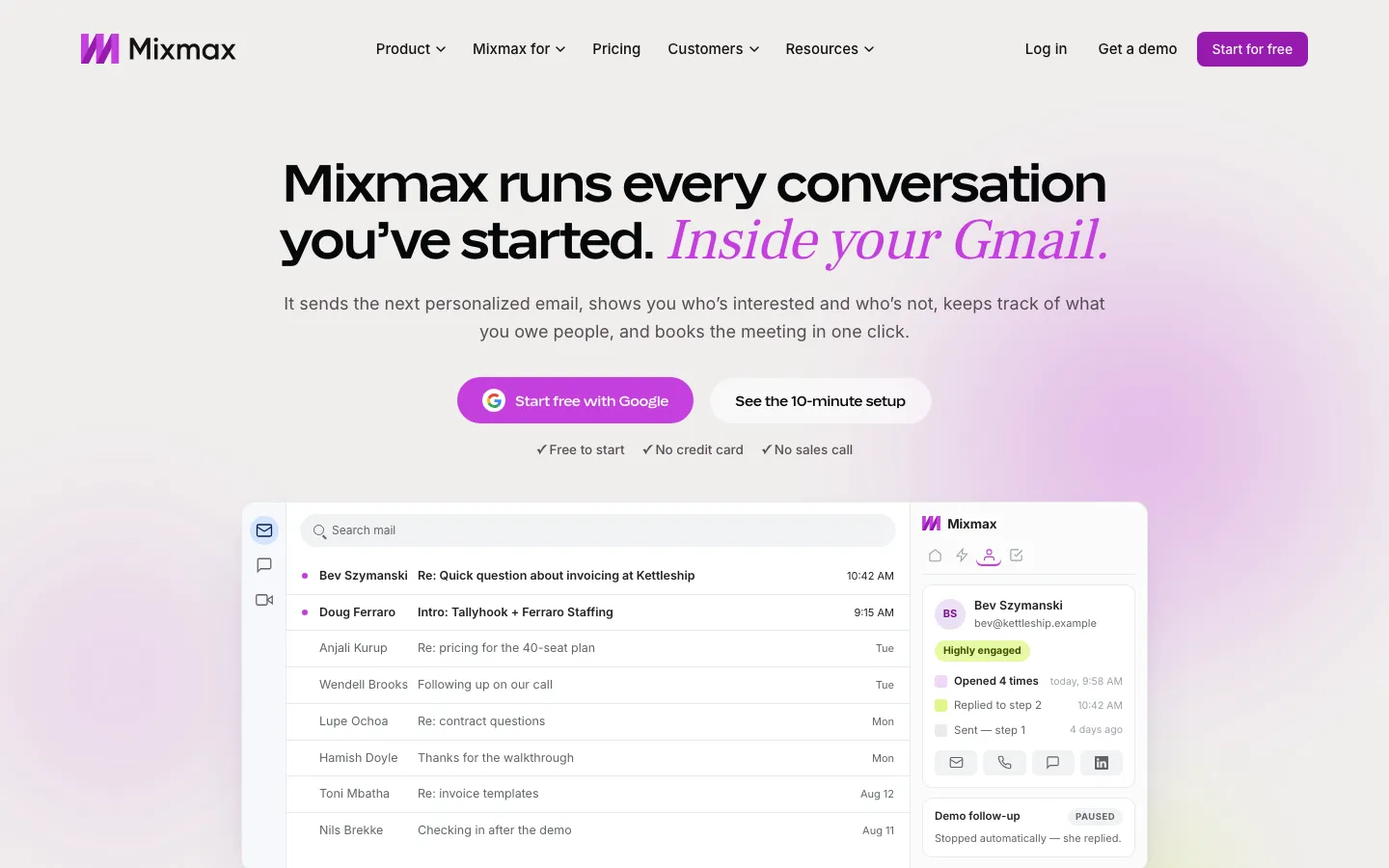
Mixmax turns the Gmail inbox into the working surface for outreach. It can send the next personalized email, show who has engaged, keep track of follow-ups and book meetings in one place. That matters if your team already lives in email: the useful test is not whether it has a long feature list, but whether it removes the handoff between writing a follow-up and remembering to send it.
The setup is deliberately direct. Mixmax says to add its Chrome extension, connect Gmail and send, and says the first setup takes ten minutes. Its sequence product puts emails, calls, tasks and LinkedIn steps into one series and stops when a person replies, books a meeting or answers a poll. The result is a more structured rhythm for follow-up without asking every seller to work from a separate sales engagement tab.
The deciding idea is simple: Mixmax sells the inbox workflow, not a new destination. That makes it appealing when adoption is the problem. It also means the most important commercial number is recipient reach, not a feature tier.
Who gains the biggest efficiency improvements from using Mixmax?
Founder-led sales
Start free, then pay for a small recipient allowance when regular prospecting begins.
Small sales teams
Keep outreach, calendars and activity tracking in the Gmail workflow already used daily.
Recruiting teams
Run planned follow-ups and see replies without moving candidate conversations into another workspace.
Revenue operations teams
Use CRM sync, reporting and paid workspace rules where coordinated outreach becomes necessary.
I would favor Mixmax when the team needs disciplined follow-through more than another database. Its price structure also rewards a team that knows its likely monthly reach. A team with rapidly changing volume should price the realistic recipient allowance first, then decide whether the convenience of a Gmail-first workflow earns the difference.
Which inbox tracking and engagement capabilities does Mixmax include?
Sequences that stop on a reply
A Mixmax sequence can combine emails, calls, tasks and LinkedIn steps. It stops when someone replies, and the product page says a booking or poll answer also ends the sequence. Each message goes from the sender's Gmail account rather than a bulk server. This is the core feature: it turns a manually remembered follow-up into a visible process with a clear stopping point.
Tracking, scheduling and meeting notes
Paid plans include email tracking for opens, clicks and replies, plus booking pages, times in an email, reminders and team booking. There are templates, polls and snippets for repeat messages. Mixmax also lists AI Compose, Smart Send, Signals and Inbox Categorization, while its meeting notes feature creates briefs, notes and recaps for calls. These pieces belong together, because a follow-up system works better when the meeting and the next task remain in the same flow.
CRM sync and integrations
Mixmax says it has more than 40 native integrations and lists its API alongside sales, communication and automation connections. Its CRM sync records sends and replies automatically. For an operations team, that is the practical bridge between individual outreach and a shared pipeline: the seller works in Gmail while activity can still appear in the system used for reporting.
AI and machine access
Mixmax says it connects to Claude and ChatGPT, and the paid-plan feature list describes running outreach from those tools. Its integrations page also says an API token can access Mixmax data programmatically and make changes. Treat that as an automation capability, not a reason to let an agent send without oversight. The useful question is whether your approved outreach process is clear enough to automate.
Workspace controls and branding
Paid plans include personal automation rules, delegated sending and Sidechat collaboration inside Gmail. More centralized controls sit outside the main plan: advanced workspace rules cover round-robin assignment, shared workflows and organization-wide settings. Custom branding and domains can put your logo on booking pages and use your domain for tracking and calendar links. Both are add-ons, which is sensible when only a larger team needs them.
How does Mixmax structure its recipient-based pricing plans?
Price checked 27 Nov 2026
| Plan detail | Free$0/mo | 100 recipients$29/user/mo | 1,500 recipients$89/user/mo | 3,000 recipients$129/user/mo |
|---|---|---|---|---|
| Billing basis | Monthly | Per user, monthly, billed yearly | ||
| Recipients per month | 50 | 100 | 1,500 | 3,000 |
| Feature access | Limited features | All paid-plan features | ||
| AI meeting notes and CRM sync | Not itemized | ✓ | ||
Mixmax prices in US dollars, 27 Nov 2026.Mixmax pricing
The 14-day free trial includes paid features, while the ongoing free plan has limited features and a 50-recipient allowance. The $129 rate applies to the displayed 3,000-recipient position. Mixmax also shows 5,000 and 15,000 as separate slider positions, so confirm their current price before using either capacity in a budget.
The price table is easy to read, but it is not the whole bill. A three-person team on the 1,500-recipient allowance has a $267 monthly equivalent before add-ons on annual billing, calculated as three users at $89 each. That is a useful middle case because it shows how both headcount and reach shape the commitment.
- Custom branding and domains cost $9 per member a month on yearly billing
- Advanced workspace rules cost $9 per member a month on yearly billing
- The Salesforce Insights Package costs $9 per member a month on yearly billing
- The dialer costs $9 per member a month on yearly billing, plus separately billed per-minute calling rates
Monthly billing is available. Mixmax says paying yearly saves 15 percent, and the displayed paid-plan prices are per user per month, billed yearly.
Where does Mixmax fall short for high-volume outreach campaigns?
Mixmax introduces friction through its recipient-based commercial model, which forces teams to buy capacity strictly by contact volume. The first paid allowance is 100 recipients for $29 per user a month, billed yearly, then 1,500 costs $89 and 3,000 costs $129 on the same billing basis. A team whose contact volume changes sharply can move through those thresholds faster than its feature needs change.
The ongoing free plan is not a complete version of the paid product. It allows 50 recipients and lists limited features. The 14-day free trial of paid features is the clearer way to judge the full workflow. It has no credit-card requirement, so use it to see whether your actual follow-up process fits Gmail before you commit.
There are also layers above the listed plan price. Centralized workspace rules, custom branding, Salesforce reporting and calling each carry a member fee, and the dialer adds usage charges. That does not make the extras poor value. It does mean that a team buying coordination features should price them alongside the recipient plan, instead of treating the advertised plan number as the complete answer.
Which sales platforms provide the best Mixmax alternatives?
 monday CRM review is worth reading if your sales process needs a CRM workspace rather than an inbox-first outreach layer. Its Pro plan adds mass emails and email sequences, a concrete alternative for teams that want those functions alongside their CRM.
 Nutshell review is worth comparing if your team needs unlimited contacts and storage in every plan. That makes it a useful contrast with Mixmax when customer records, rather than Gmail-first sequences, need to lead the team’s work.
What is the final verdict on adopting Mixmax for Gmail sales?
For a Gmail-based sales team, Mixmax turns missed follow-ups into a sequence with a clear next action. The paid plans keep feature access simple, while sequences, scheduling and CRM activity give a small team enough structure to work more consistently. Its trade-off is not complexity. It is paying more as your recipient reach expands.
Run the 14-day free trial of paid features with a real campaign, count the recipients you expect in an ordinary month and price the required member add-ons at the same time. Start on the lowest allowance that matches that count, rather than buying room you cannot yet use.
How were Mixmax features and plan limits evaluated?
Mixmax product features, pricing guidelines, sequence limitations, and technical integrations were checked on 27 Nov 2026. Prices are in US dollars as Mixmax presents them, and every figure follows how we check figures.
- Mixmax pricing page, including yearly and monthly add-on views
- Mixmax sequences product page
- Mixmax home and integrations pages
What are frequently asked questions regarding Mixmax integration?
Is there a free Mixmax plan?
Yes. Mixmax lists a $0 plan with 50 recipients a month and limited features. The company lists a 14-day, no-credit-card trial for paid plans.
How much does Mixmax cost for a team?
Plans start at $29 per user a month, billed yearly, for 100 recipients. A three-person team on the $89, 1,500-recipient allowance has a $267 monthly equivalent before add-ons on annual billing.
What does Mixmax include on paid plans?
Mixmax says every paid plan and the 14-day free trial include all features, including automated outreach, tracking, scheduling, AI meeting notes, CRM sync and reporting. Some workspace controls and the dialer are paid add-ons.
Can Mixmax work with AI tools?
Mixmax says it connects to Claude and ChatGPT and lets teams run outreach from those tools. It also lists an API token for programmatic access to Mixmax data and changes.
 Reviewed byDanny Kirk
Founder of ReddiReach.
 Checked byAndrés Felipe
Digital designer and marketer.
Every figure is checked against the vendor's own page. Read our editorial standards.