
Key Takeaways
- Olark serves customer support teams that require an automated website agent and live human chat agents to operate seamlessly within a single conversation thread.
- Olark prices its AI Website Agent at $400 monthly billed annually with one included seat, while standalone human chat costs $29 per agent each month.
- Olark includes an AI Connector feature that enables Model Context Protocol compatible client software to query historical chat records and interact with live agents.
- Olark represents a substantial annual financial commitment that makes it unsuitable for budget-conscious organizations seeking a low-risk trial of conversational artificial intelligence.
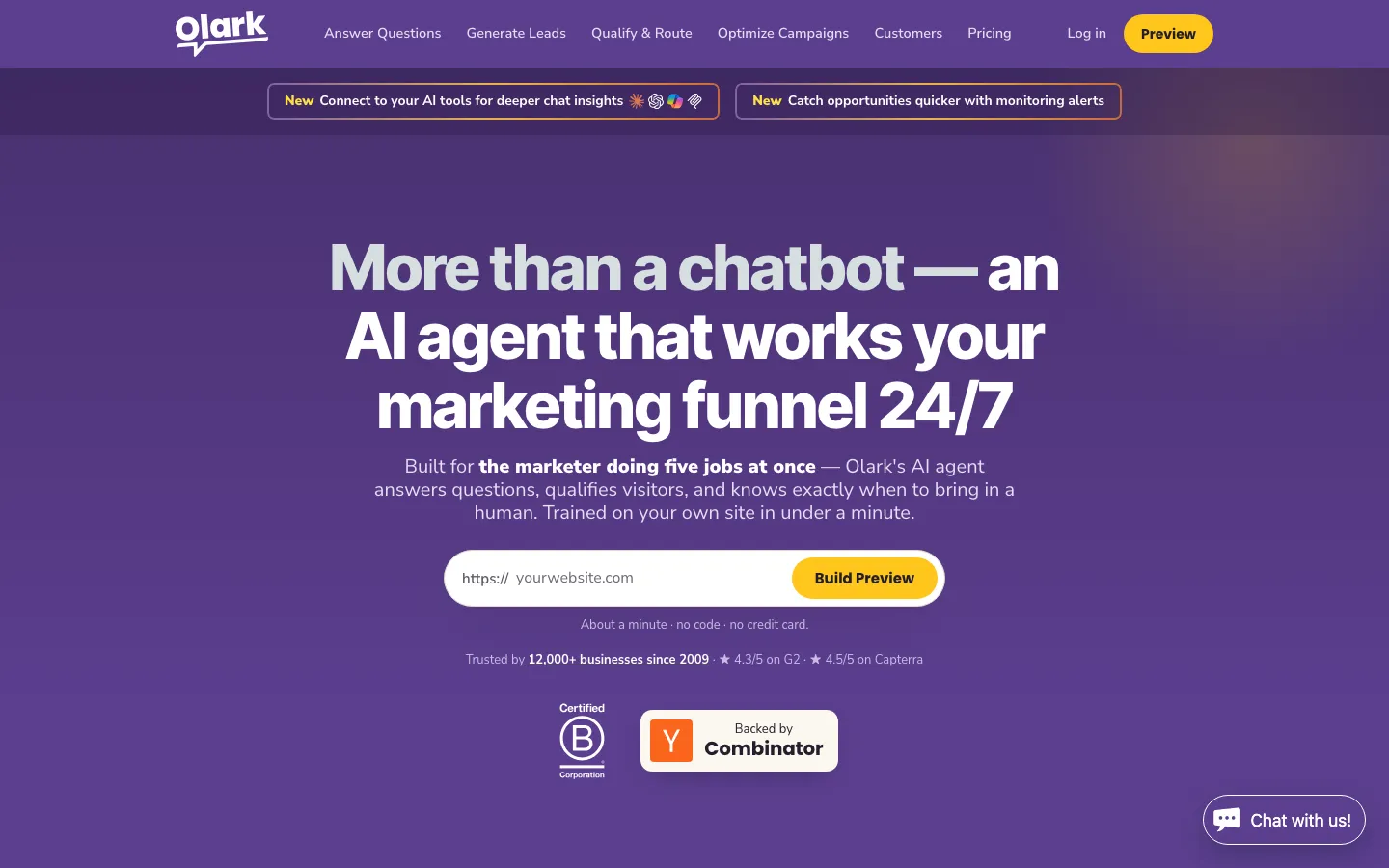
Olark is worth considering when you need a website agent to answer questions, qualify visitors and pass the conversation to your people without making the visitor start over. The $400-a-month AI package is a serious annual commitment, so it fits a team with a clear chat workflow more than one still deciding whether chat deserves a place on its site.
Agent access
- API
- Yes, free plan and paid plans
- MCP server
- Official, hosted, OAuth with each person's Olark login
- Works with
 Claude
 ChatGPT
 VS Code
- Automation
- Zapier
What are the core pros and cons of using Olark?
What works
- AI and human agents can continue in one chat thread
- Unlimited AI conversations with no listed token overages
- Live chat is available separately at $29 per agent monthly
What to watch
- The $400 AI package is billed annually
- Each additional human seat adds $29 a month
- Custom routing, integrations and SLAs require a sales conversation
What core communication features does Olark provide for customer support teams?
Olark ensures website chat earns its place by moving visitors toward answers, qualified leads, or the right team members. Olark puts an AI website agent and a human live-chat workspace around that job. The agent can answer from site and configured content, capture details, qualify a visitor against criteria you set, and hand off in the same thread when the question needs a person.
That makes the product more focused than the broad platforms in the marketing tools directory. You are buying a conversation layer for the site, not a general helpdesk. Olark says the agent uses page views, campaign parameters, return visits and scroll depth to decide when to engage. Those signals can make an invitation more relevant, but they also need restraint: a prompt that interrupts every reader is not useful just because it is automated.
The commercial split is clear. A team can begin with human-only live chat, while the Standard AI Website Agent adds AI answers, automatic knowledge updates, lead handling and proactive engagement. One human seat is included with the AI package. That price structure rewards a team that already knows who will staff handoffs and what a qualified chat should trigger next.
Which types of organizations benefit most from adopting Olark?
Teams with staffed chat
Keep one shared conversation thread when people need to take over from AI answers and follow up without lost context.
Lead-focused site teams
Set qualification criteria and capture visitor details when a conversation shows genuine buying intent, then route the qualified lead.
Support teams with repeat questions
Let the agent answer questions from current site and knowledge-source content before your team takes complex cases forward.
Teams building internal workflows
Connect chat data to an MCP-compatible client for reporting, analysis and website-agent management across your internal workflow.
Olark is a weaker fit when chat coverage is uncertain or the main task is a low-cost AI trial. The standard AI plan commits you to $4,800 a year before extra seats, so define the coverage, qualification rules and follow-up owner first. Human-only chat is the more modest route when you need to prove that visitors will use the channel at all.
Which specific chat capabilities and agent workflows are included with Olark?
AI answers that follow the live site
Olark says its agent trains on the live site and can use uploaded documents, indexed page snapshots and knowledge-base content. When site content and an uploaded file conflict on a site-related question, the live site takes precedence. It also lists live website search scoped to your own domains, rather than generic training data. That is a sensible setup for product details, policies and current offers that change more often than a static chatbot script.
Human handoff without a restart
When an agent is available, Olark says the AI can escalate to live chat in the same conversation. The visitor does not need to repeat the question or open a ticket. If nobody is available, the agent can collect contact details for follow-up. The human side includes a shared console, agent groups, routing rules, saved responses and pre-chat or offline forms, giving a small team the basics it needs to run the channel deliberately.
Qualification and proactive engagement
The agent can qualify visitors against criteria you write in plain English and decide when it needs name, email, phone or custom fields. It can also use behavioral rules such as viewed pages, time on site, UTM source, return visits and scroll depth to start a chat. Begin with a few conditions that reflect a real sales or support moment, then judge the conversations your team receives before expanding the rules.
Chat analysis and connected systems
Olark lists searchable transcripts, exports and an AI Connector that lets an MCP-compatible client query chat data, build reports and inspect, edit, test and publish the website agent. Its integration catalog includes CRM, helpdesk, analytics, ecommerce and web-publishing connections, plus webhooks and an API for custom work. Confirm the exact connection your process needs before treating an integration category as a finished implementation.
How much does Olark cost across human and automated tiers?
Price checked 27 Nov 2026
| Plan detail | Live Chat | Standard AI Website Agent | Custom |
|---|---|---|---|
| Listed price | $29/agent/mo | $400/mo, billed annually | Talk to sales |
| Annual commitment | Not stated | $4,800/yr | Not stated |
| Human agent seats | Per agent | 1 included, then $29/agent/mo | Contact sales |
| AI conversations | Not listed | Unlimited, no token limits | Not stated |
| AI website agent | Can be added later | ✓ | Custom package |
Olark prices in US dollars, checked 27 Nov 2026.Olark pricing
For a three-person team using the Standard AI Website Agent, the published monthly bill is $458: $400 for the annual-billed AI package and $58 for two additional human seats. That works out to $5,496 over twelve months if the seat count stays the same. The figure is more useful than the headline price because it includes the people needed to receive a handoff.
The public pricing also calls out three options worth separating:
- Human-only live chat: $29 per agent each month, with a 14-day free trial and no card required
- Standard AI Website Agent: $400 per month billed annually, with one human seat included and no listed token costs or overages
- Custom packages: regional routing, multiple teams, advanced integrations, custom workflows, custom SLAs, legal reviews, side letters and SSO
Olark says AI Connector is included on all plans. It does not remove the need to price the chat operation itself: agent coverage and any additional human seats remain part of the decision.
When should high-volume organizations negotiate a custom Olark package?
Olark says you can go straight to Custom for volume needs. It also lists regional routing, multiple teams, advanced integrations, custom workflows, custom service levels, legal reviews, side letters and SSO. Those may be essential for a distributed or regulated operation, but no public price is given, so take concrete volume, routing and security requirements to the sales conversation.
What are the main drawbacks and limitations of choosing Olark?
Olark offers straightforward AI pricing, but the annual commitment prevents small monthly experiments. Standard is listed at $400 a month billed annually, so its $4,800 commitment comes before any additional human-agent seats. If you have not agreed who answers a handoff or which leads merit follow-up, the lower-priced human chat route leaves more room to learn first.
Proactive engagement also relies on judgment. Page views, UTM source and return visits can identify a useful moment, but the vendor's feature list does not decide which conditions fit your visitors. Keep the initial triggers narrow, review their resulting conversations and adjust the qualification rules with the people who own sales or support.
Finally, the public page puts some operational needs behind a custom package. Multiple teams, regional routing, advanced integrations, custom workflows, legal terms and SSO all require a sales discussion. Ask what is included in your proposal rather than assuming the standard plan covers the controls an established organization needs.
Which competing live chat platforms serve as strong Olark alternatives?
If your support work spans several channels, read the  Plain review alongside Olark. Plain puts
 Slack, Microsoft Teams, email, Discord and in-product chat in one consolidated queue, so it is relevant when your team needs more than website conversations.
The  Pylon review matters when you need to compare pricing models. Pylon prices seats plus agentic credits and does not charge per ticket. Compare that credit model with Olark's Standard AI plan, which lists unlimited conversations with no token limits or overages.
What is the final verdict on whether to invest in Olark?
Olark makes the most sense when your website chat needs a clear human finish. The ability to qualify a visitor, answer from current material and transfer the thread to a person is a coherent workflow, and its price is predictable because the AI plan does not list token limits or overages. The trade-off is that the entry AI setup is an annual decision, not a casual add-on.
Map ten common visitor questions, define what qualifies as a lead and assign ownership for live handoffs. If those pieces already exist, price Standard with your real seat count. If they do not, try the human chat offer first and establish whether chat deserves a larger commitment.
How were the product facts and pricing data for Olark verified?
Olark published pricing, product specifications, integration details, support documentation, and corporate pages were verified on 27 Nov 2026. Prices are in US dollars, as Olark presents them, and each figure follows how we check figures.
- Olark pricing page and pricing FAQ
- Olark feature, lead-generation and support pages
- Olark integration catalog and company pages
What are the most common questions regarding Olark deployment?
How much does Olark cost?
Olark lists human-only Live Chat at $29 per agent each month. Its Standard AI Website Agent is $400 per month billed annually, or $4,800 a year, with one human agent seat included. Additional human seats are $29 per agent each month.
Can Olark transfer a chat to a person?
Yes. Olark says the AI agent can hand a chat to an available live agent in the same conversation thread. When nobody is available, it can collect contact information for follow-up.
Does Olark charge by AI usage?
Olark says the Standard AI Website Agent includes unlimited conversations, with no token limits and no overages. The published plan price is $400 per month billed annually.
Can Olark qualify website leads?
Yes. Olark lists automatic qualification against criteria you define, plus in-chat lead capture for name, email, phone and custom fields. Your team still needs to define the criteria and the follow-up process.
 Reviewed byDanny Kirk
Founder of ReddiReach.
 Checked byAndrés Felipe
Digital designer and marketer.
Every figure is checked against the vendor's own page. Read our editorial standards.