
Key Takeaways
- Paymo connects client project tracking directly to billable hours and client invoicing, serving independent professionals and small agencies seeking unified operational delivery.
- Paymo provides a free tier for single users alongside a Plus plan starting at $10.90 per user monthly before increasing to $15.90.
- Paymo restricts direct API access to paid Plus subscriptions, making preliminary endpoint and permission validation essential before integrating it into automated workflows.
- Paymo delivers limited utility for teams needing simple task boards or lacking disciplined timekeeping habits essential for driving its core financial features.
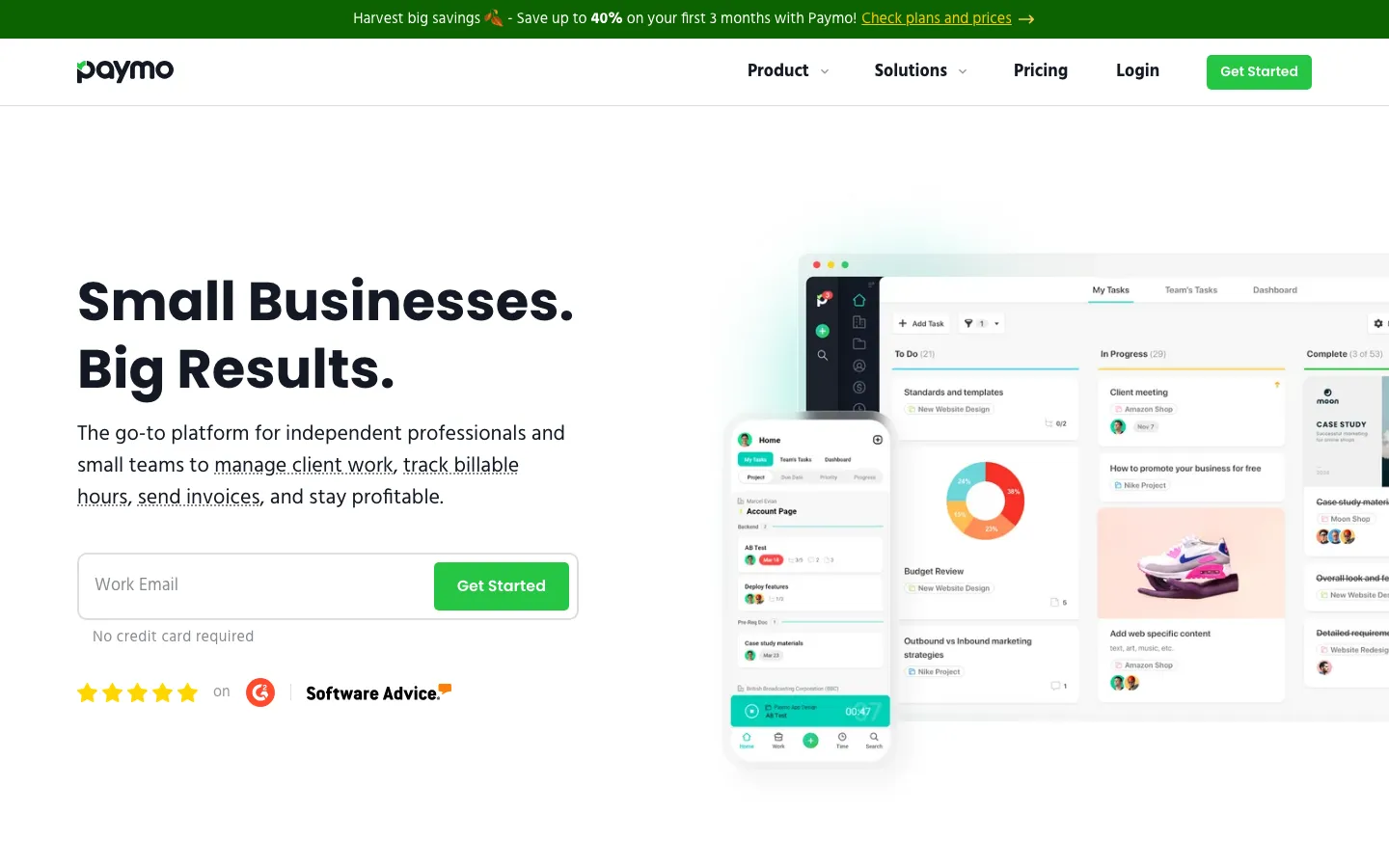
Paymo is the best fit when your client-service team needs each project to lead naturally into tracked time and an invoice, not merely a list of tasks. Skip it if you only need a lightweight task board, or if your team will not keep time entries current, because the billing view depends on that shared discipline.
Agent access
- API
- Yes, Plus and Pro
- MCP server
- Not found on official pages
- Automation
- Zapier, Make
What are the main pros and cons of using Paymo?
What works
- Tasks, time tracking and invoices share one project record
- Free includes unlimited time tracking and invoices for one user
- Views include lists, calendars, Kanban and spreadsheets
What to watch
- Free stops at one client and two projects
- Integrations and API access start on Plus
- Gantt charts and workload scheduling require Pro
What core operational capabilities does Paymo offer your team?
Paymo connects the operational part of client work to its financial record. The wider marketing tools directory can help when you are comparing work software, but Paymo's difference is specific: a task can sit beside the time spent on it, and the time record can become an invoice. That is a more useful shape than a generic project tool when your team has to show what was done, prepare a bill and understand whether a project is paying its way.
The important choice is whether that connection matches how your team actually works. If account leads, specialists and contractors all enter time in the same place, the project record can carry the conversation from scope to delivery to billing. If time is logged late or elsewhere, Paymo risks becoming two systems at once, one for tasks and another for the real numbers.
That makes Paymo a focused project-management choice rather than a universal workspace. Start by deciding whether the job you need to improve is delivery and billing together. If it is, Paymo's combination is worth examining on its own terms.
Who gets the most value from adopting Paymo?
Independent professionals
Track time and issue invoices from Free, while its one-client and two-project ceiling keeps the scope intentionally small.
Client-service agencies
Use Plus when proofing, estimates, profitability and connected workflows need to accompany recurring client delivery.
Project managers
Use Pro when task dependencies, Gantt planning and workload scheduling affect who can take work next.
Creative reviewers
Keep comments, guest access and file proofing near the work instead of splitting feedback across separate threads.
I would not put Paymo in front of a team that wants a task list with no commercial layer. Its advantage is the route from work to billed hours, so the extra financial and planning features earn their place only when that route matters.
Which project tracking and invoicing features does Paymo include?
Time that can turn into an invoice
Paymo records time from the browser, desktop computer, phone or tablet. It also provides timesheet reports that can be shared with clients, and Paymo Track can record computer activity to help create a timesheet. The deciding benefit is not the timer itself. It is the ability to turn unbilled time into an invoice without rebuilding the record in another system.
Task views that suit the conversation
Tasks can appear as a list, calendar, Kanban board or spreadsheet, with subtasks and multiple assignees. The feature list also names a Gantt view. A small team can keep daily work legible in a list or board, while a project manager can move to a planning view as deadlines and handoffs become more connected. Choose the tier around the view your team will actually open, rather than the longest feature list.
Client feedback close to the work
Paymo supports task comments and mentions, guest access, and proofing with version control and threaded comments. Guest access arrives on Solo; proofing and versioning are listed on Plus. That distinction matters for an agency: a client can see work earlier, but the team must decide where final approval belongs before several people begin leaving feedback.
Financial context for service work
Free includes unlimited invoices. Plus adds estimates, expenses and project profitability, which makes it the meaningful step up for a team managing paid engagements rather than personal tasks. Those features can make the real margin visible, but only when hours and project costs are entered consistently. The product cannot repair a loose time-recording habit.
Planning and connected workflows
Plus adds integrations and API access. Pro adds task and portfolio Gantt views, dependencies, employee scheduling and workload tools. That is a sensible split: Plus is where a growing client-services team can connect its workflow and examine project finances, while Pro is the tier for teams juggling availability and sequence across several projects.
How much does Paymo cost across its plans?
Price checked 27 Nov 2026
| Plan detail | Free$0/mo | Solo$5.90/mo | Plus$10.90/user/mo | Pro$16.90/user/mo |
|---|---|---|---|---|
| Price after first 3 months | $0/mo | $9.90/mo | $15.90/user/mo | $23.90/user/mo |
| Users | 1 | 1 | Per user | Per user |
| Clients | 1 | 3 | Confirm with Paymo | Confirm with Paymo |
| Projects | 2 | 5 | Confirm with Paymo | Confirm with Paymo |
| Storage | 1GB | 5GB | 50GB | 500GB |
| API access | ✕ | ✕ | ✓ | ✓ |
Paymo prices in US dollars, 27 Nov 2026.Paymo pricing
The promotional rate is not the team budget. After the first three months, three people on Plus cost $47.70 a month, before any plan changes. That is the useful comparison point for a small agency, because Plus is the first plan that includes profitability, proofing, integrations and API access.
- Free: one user, one client, two projects, 1GB storage, unlimited time tracking and invoices
- Solo: one user, three clients, five projects and 5GB storage
- Plus: per-user pricing, 50GB storage, estimates, expenses, profitability, proofing, integrations and API access
- Pro: per-user pricing, 500GB storage, proposals, Gantt planning, dependencies and employee scheduling
Paymo also offers a 15-day trial of the plan you choose without requiring a credit card. Use that time to run one active client project through time entry, feedback and an invoice, because those are the handoffs that determine whether the monthly cost replaces other work rather than adding another place to update.
Where does Paymo fall short for certain teams?
Paymo keeps its Free plan deliberately narrow. One user, one client and two projects let a solo professional see the basic pattern, but they do not represent a busy client roster. Solo adds room for three clients and five projects, yet still limits the account to one user. A team should treat Plus as the first serious evaluation tier, not assume the cheap introductory tiers describe its eventual setup.
The planning features also arrive late. If task dependencies, portfolio-level Gantt views or employee workload are immediate needs, Pro is the relevant plan. That is a good reason not to compare the $5.90 Solo promotion with a more capable project-management subscription, since the tools that coordinate a staffed team sit above it.
API access starts on Plus. Before you use it in an agent workflow, ask Paymo to confirm the endpoints, permissions and limits your automation needs.
What are the best alternatives to Paymo?
Paymo is the better match when invoicing, tracked time and project delivery must live together. If open-source software and self-hosted or air-gapped deployment are more important, read the  Plane review.
The  Productive review is the better comparison when you need time entries tied to budgets, instant profitability and automatic invoice drafts.
What is the final verdict on Paymo?
Paymo earns its place when a client-services team wants one chain from task to time entry to invoice. Free gives a solo professional a safe starting point, while Plus is the tier that connects the commercial features and API access. Move to Pro only when staffing, dependencies and portfolio planning are daily constraints, not because the Gantt chart looks impressive.
Start a 15-day trial on the tier that includes your essential view and run one live project from kickoff to invoice. If time entry and feedback stay current, Paymo can replace several disconnected steps. If they do not, choose a simpler task tool instead.
How was this Paymo review researched and verified?
Paymo product details, prices, plan limits and features in this review come from the vendor's own pages checked on 27 Nov 2026. Prices are in US dollars, as Paymo displays them, and each figure follows how we check figures.
- Paymo pricing page, including Free, Solo, Plus and Pro
- Paymo home page and complete feature list
- Paymo integrations page
What are the most common questions about Paymo?
Does Paymo have a free plan?
Yes. Free includes one user, one client, two projects, unlimited time tracking and unlimited invoices.
How much does Paymo cost for a small team?
Plus starts at $10.90 per user a month for the first three months, then costs $15.90 per user a month. Three Plus users cost $47.70 a month after the introductory period.
Can Paymo handle client feedback?
Yes. Solo lists guest access, and Plus lists proofing and versioning. Paymo also supports task comments and @mentions, so teams can keep conversations near the work.
Does Paymo offer an API?
Yes. Paymo lists API access on Plus and Pro. Confirm the endpoints and limits needed for your workflow before committing.
 Reviewed byDanny Kirk
Founder of ReddiReach.
 Checked byAndrés Felipe
Digital designer and marketer.
Every figure is checked against the vendor's own page. Read our editorial standards.