
Key Takeaways
- Planable embeds structured stakeholder feedback, internal reviews and mandatory client sign-off directly inside social media content publishing queues.
- Planable presents Basic at $33 and Pro at $49 monthly per workspace, though billing terms and add-on rates conflict across comparison tables.
- Planable supports automation via included MCP access on paid plans, while programmatic publishing APIs are reserved for Pro and Enterprise subscribers.
- Planable becomes unexpectedly expensive for modest marketing operations when teams require bundled listening, analytics and unified inboxes across social channels.
If you are waiting on a client or stakeholder to clear social posts, Planable is the best pick for bringing that sign-off into the publishing workflow. Choose a publishing-first tool if approvals are occasional, especially because Planable's billing commitment is unclear and its add-on rates conflict between plan cards and comparison rows.
Agent access
- API
- Yes, Pro and Enterprise plans
- MCP server
- Official
- Works with
 ClaudeClaude Code
 ChatGPT
 Gemini
 Cursor
- Automation
- Zapier
What are the primary pros and cons of Planable?
What works
- Unlimited users on Basic and Pro workspaces
- Required approvals begin on Pro, with multi-level workflows on Enterprise
- Comments, suggestions, annotations and version history keep feedback with the draft
What to watch
- Basic stops at 60 posts and four social pages per workspace
- Analytics and Social Inbox cost extra on Basic and Pro
- The plan cards display Social Listening as a separate $82.50 workspace add-on
What approval capabilities does Planable bring to social workflows?
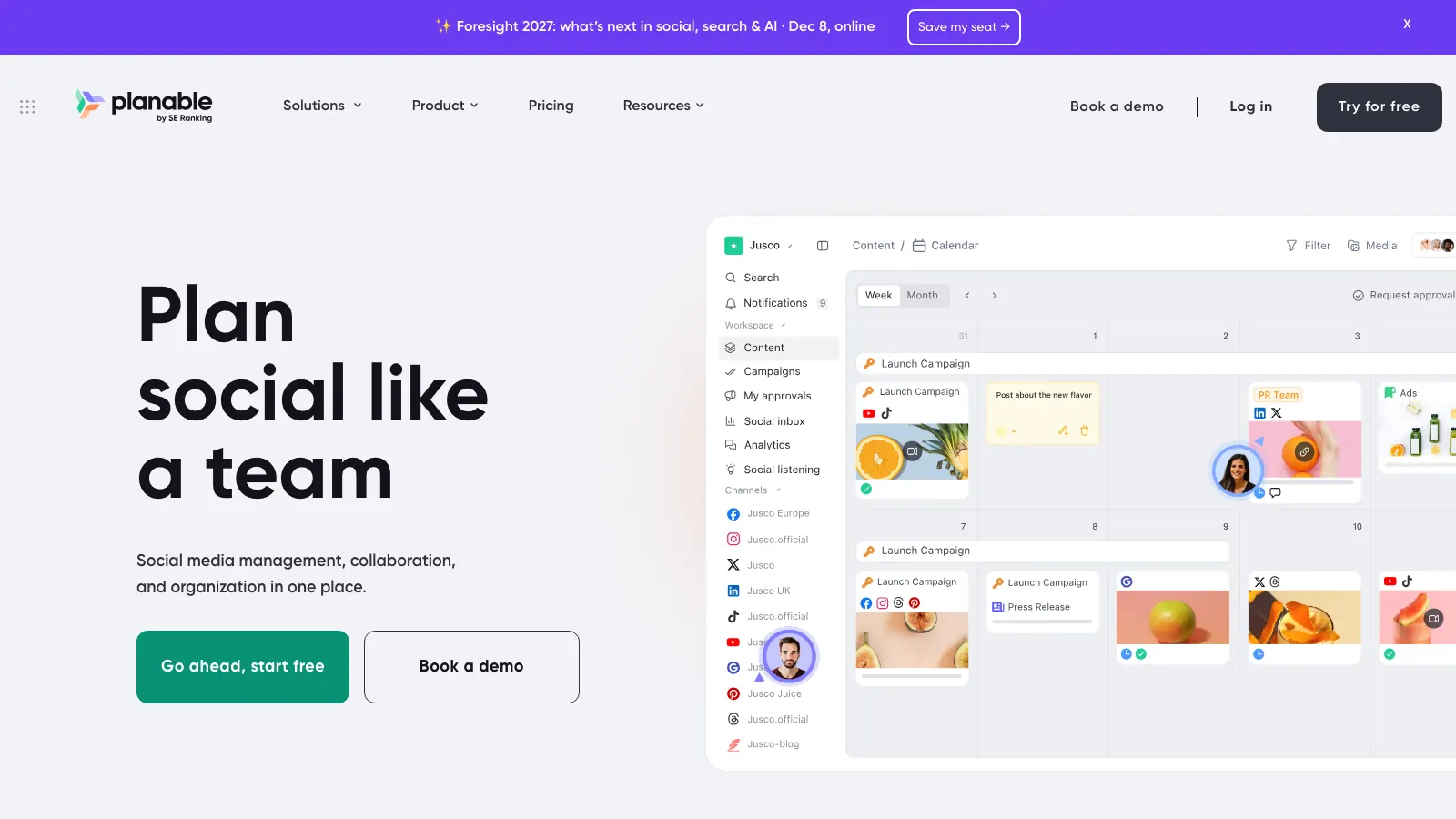
When a social post has to move through account managers, brand owners and a client before publication, Planable gives that conversation one place to happen. It belongs in the marketing tools directory as a collaboration workspace rather than a generic scheduler: each workspace is for a specific client, brand or location, with its own pages, calendar, people, campaigns and assets.
That division matters because the price is per workspace, not per reviewer. Basic and Pro both allow unlimited users, so a client, legal colleague or freelance designer can take part without a seat calculation. I think that is Planable's clearest advantage for an agency with enough ongoing work in each client workspace.
Planable also supports Facebook, Instagram, LinkedIn, X, YouTube, TikTok, Pinterest, Google Business Profile and Threads. Feed and calendar views are available on Basic, Pro adds grid view and Enterprise list view. Universal Content extends the same approval process to articles, newsletters, ads, press releases and briefs.
Who benefits most from publishing through Planable?
Agencies with approval cycles
Pro gives client workspaces required approval, private drafts and unlimited reviewers without seat fees.
Multi-brand marketing teams
Separate workspaces keep each brand's pages, assets, campaigns and approval rules clearly divided.
Content teams beyond social
Universal Content keeps newsletters, briefs and articles inside the same feedback process as posts.
Teams building automations
Every paid plan includes MCP; Pro and Enterprise add public API access.
Planable is a poorer fit for the solo publisher who mainly needs a queue and reporting, or for a team that needs a shared social inbox from day one. Its useful extras are available, but the plan price is not the whole operating cost for that buyer.
Which content collaboration tools are included in Planable?
Workspaces that mirror client boundaries
A workspace holds the calendar, people, pages, campaigns and assets for one client, brand or location. Basic allows four social pages and 60 monthly created posts in each workspace. Pro moves those limits to 10 pages and 150 posts, while Enterprise lists 50 pages and no post cap. For a small agency, that makes a workspace a sensible billing unit, not a substitute for every team system.
Approvals built into the post
Feedback can happen through comments, suggested edits and text annotations next to the draft. Team-only drafts and notes let an internal group settle an idea before a client sees it, while guest-view links make it possible to share material with occasional collaborators. Basic supports either no approval rule or an optional one. Pro brings in required approval, with multi-level workflows reserved for Enterprise, which is where Planable earns its premium over a simple publishing calendar.
Views, campaigns and bulk work
Basic has feed and calendar views, Pro adds grid view, and Enterprise adds list view. Campaigns and labels separate work by event, topic or format: Basic lists three campaigns and five labels, Pro lists 10 of each, and Enterprise lists unlimited campaigns and labels. Enterprise list view also supports bulk selection, approval, scheduling, deletion and duplication.
Universal Content for the rest of the calendar
Planable's Universal Content can hold long-form articles with images, video and embeds, plus newsletters, ads, press releases and briefs. It carries the approval model into the broader marketing calendar. The published plan comparison also lists AI post rewriting and generation, first-comment scheduling, recurring posts and omnichannel planning across the plans.
API, MCP and integrations
MCP is included on every paid plan, while the public API is available on Pro and Enterprise. Planable also names  Zapier, Canva and
 Slack notifications as connections. Those are useful handoffs when an approved post needs to trigger another workflow, or when a team wants an agent to work with Planable through MCP. Planable does not publish the plan eligibility for every integration detail, so confirm the specific workflow before making it a dependency.
Analytics and social care as add-ons
Analytics is an optional per-workspace product with cross-channel statistics, page and post metrics, audience insights, custom reports, best-time-to-post guidance and competitor analytics. Social Inbox handles comments and DMs with replies, reactions, deletion controls, statuses, AI-generated replies and sentiment sorting. It covers comments on Facebook, Instagram, LinkedIn and TikTok, plus Facebook and Instagram DMs. These are credible extensions, but they change the comparison with a suite that bundles reporting and engagement.
How does Planable structure workspace pricing?
Price checked 27 Nov 2026
| Plan detail | Basic$33 displayed/mo* | Pro$49 displayed/mo* | EnterpriseCustom |
|---|---|---|---|
| Created posts | 60/workspace/mo | 150/workspace/mo | Unlimited |
| Social pages | 4/workspace | 10/workspace | 50/workspace |
| Users | Unlimited | Unlimited | Unlimited |
| Approval workflow | None or optional | None, optional or required | Multi-level |
| Views | Feed and calendar | Feed, calendar and grid | Feed, calendar, grid and list |
| Public API | ✕ | ✓ | ✓ |
| Analytics and Social Inbox | Paid add-ons | Paid add-ons | Included |
* Planable displays these US-dollar per-month amounts on its plan cards, checked 27 Nov 2026. It says prices are based on monthly/annual billing, but does not make clear which billing commitment applies to these amounts.Planable pricing
The displayed plan-card add-ons for Basic and Pro are $12 per workspace per month for Analytics, $7.50 for Social Inbox and $82.50 for Social Listening. The comparison rows on that same page instead show $14, $9 and $99 per workspace per month. Treat the card-rate arithmetic as conditional: if those displayed card rates apply, a Pro workspace with Analytics and Social Inbox is $68.50 per month before tax, and two such client workspaces are $137 per month before tax. Enterprise includes Analytics and Social Inbox, but Planable gives its price on request.
- Use Basic when four pages, 60 posts and optional approval suit the client workspace
- Use Pro when a post requires sign-off, grid view or access to the public API
- Price Analytics, Social Inbox and Social Listening separately before calling the stack all-in-one
What workflow volume does Planable Enterprise handle?
Planable Enterprise accommodates complex operations requiring multi-step sign-offs and heavy publishing volume. It lists unlimited posts and campaigns, 50 social pages per workspace, multi-level approvals, list view, bulk actions, SSO integration, a dedicated account manager and payment by bank or wire transfer. Analytics and Social Inbox are included, while the plan cards display Social Listening as an available $82.50-per-workspace monthly add-on. If a post does not travel through several formal stages, Pro is the more straightforward place to start.
Where does Planable fall short in price and clarity?
Planable makes the approval flow visible, but its modular pricing can make a modest social operation more expensive than expected. Basic and Pro both charge extra for Analytics and Social Inbox, and Social Listening is an even larger separate add-on. Compare the full workspace bill, not only the displayed $33 or $49 plan-card rate.
The first paid plan is deliberately narrow. Basic has four pages and 60 created posts each month, and its approval setting is optional rather than required. Before Basic, Planable says the first 50 posts are free, with no time limit and no credit card required. That is enough for a contained client account, but not a busy multi-channel brand. Pro is the practical starting point when sign-off is non-negotiable.
MCP is included on every paid plan, while the public API is available on Pro and Enterprise. Planable does not publish every integration's plan eligibility, so confirm the connection you intend to automate before making it a client-process dependency.
What are the most relevant alternatives to Planable?
 AI Peekaboo review is useful for a different job: AI Peekaboo's plans include API, MCP and Looker Studio from $30 monthly, checked 27 Nov 2026, while Planable organizes content approval and social publishing. Use it when your reporting question is what AI answers say about a brand, not which stakeholder still needs to approve a post.
 PostingCat review is worth reading if you want a lower-priced publishing platform with workspaces. Its Professional plan is $12.49 monthly on annual billing, checked 27 Nov 2026, but external post reviews appear on its Agency plan. That makes Planable Pro the clearer choice when required approvals are central rather than occasional.
 Publer review fits a team that values high-volume, multi-network scheduling. Publer's Professional plan lists bulk scheduling, workspaces and approvals, while its Business plan adds analytics and the REST API. Planable remains the stronger fit when the calendar must double as the client approval room.
What is the final verdict on adopting Planable?
Planable is the ideal pick when publication delays stem from stakeholder sign-offs rather than scheduling mechanics. The combination of workspace billing, unlimited users and required approvals on Pro gives an agency a clean way to bring clients into the process without a per-seat penalty. The tradeoff is a deliberately modular product, so build the price around the reporting and inbox work your team actually needs.
Start with Pro for one active client or brand where approval is essential. Add Analytics and Social Inbox only after you decide those jobs belong in the same workspace, then move to Enterprise only for multi-level approval or larger published limits.
How was this Planable review researched?
Planable features, limits and pricing policies were verified across vendor resources on 27 Nov 2026. Prices are in US dollars as Planable displays them, and every figure follows how we check figures.
- Planable pricing and plan comparison pages
- Planable product, approvals and Universal Content pages
- Planable API, integrations and help pages
What are the most common questions about Planable?
How much does Planable cost for an agency?
Planable displays Basic at $33 and Pro at $49 per workspace per month, with unlimited users on both, but says its US-dollar prices are based on monthly/annual billing and does not make the applicable commitment clear. Its plan cards show Analytics at $12 and Social Inbox at $7.50 per workspace per month, while comparison rows show $14 and $9. If the displayed card rates apply, Pro with both add-ons is $68.50 per workspace per month before tax.
Which Planable plan requires approval before posting?
Pro lists required approval, so at least one approver must sign off before a post publishes. Basic offers no approval requirement or optional approval, while Enterprise adds multi-level approval workflows.
What social networks can Planable schedule?
Planable lists Facebook, Instagram, LinkedIn, X, YouTube, TikTok, Pinterest, Google Business Profile and Threads for publishing. Universal Content can also hold articles, newsletters, ads, press releases and briefs for review.
Does Planable work with AI agents?
Planable says MCP is included on every paid plan, while its public API is available on Pro and Enterprise. It also names Zapier, Canva and Slack notifications.
 Reviewed byDanny Kirk
Founder of ReddiReach.
 Checked byAndrés Felipe
Digital designer and marketer.
Every figure is checked against the vendor's own page. Read our editorial standards.