
Key Takeaways
- Unbounce provides paid media teams and digital marketing agencies with a dedicated landing page builder designed for repeatable testing and ongoing campaign conversion optimization.
- Unbounce prices plans from twenty-two dollars monthly for Starter up to one hundred eighty-seven dollars for Optimize on annual billing cycles.
- Unbounce supports AI agents across all tiers via an MCP server, alongside custom code capabilities and extensive integrations on higher-tier plans.
- Organizations building entire content-driven websites should avoid Unbounce to escape strict published traffic allowances and potential usage-based overage fees.
Unbounce is the landing page builder I would choose when paid campaign traffic needs a purpose-built page, repeatable A/B tests and a clear path to optimization. Pick a broader site platform instead if you are building an entire content site, because Unbounce's conversion features sit on different plans and traffic allowances can lead to usage-based overage fees.
Agent access
- API
- Yes, all current Unbounce pricing plans; subscriptions purchased before June 2020 are limited to Essential, Premium, and Enterprise plans
- MCP server
- Official, OAuth
- Works with
 ClaudeClaude Code
 ChatGPT
- Automation
- Zapier
What are the main pros and cons of Unbounce?
What works
- AI, templates and drag-and-drop editing can be mixed on one page
- Experiment lists unlimited A/B tests, variants and confidence intervals
- Every tier includes free hosting, unlimited conversions and the MCP server
What to watch
- Starter allows five pages, one user and traffic up to 500
- Experiment lists unlimited A/B testing at $112 a month on annual billing
- Optimize lists AI traffic routing at $187 a month on annual billing
What does Unbounce do for digital marketing teams?
Unbounce gives a campaign team one place to make the page behind an ad, publish it, collect leads and improve the version that receives the click. That narrower job is its strength: it keeps the work on conversion pages rather than asking you to turn a general website builder into an experiment platform. The marketing tools directory is useful if you are deciding whether that specialized approach fits beside the rest of your site stack.
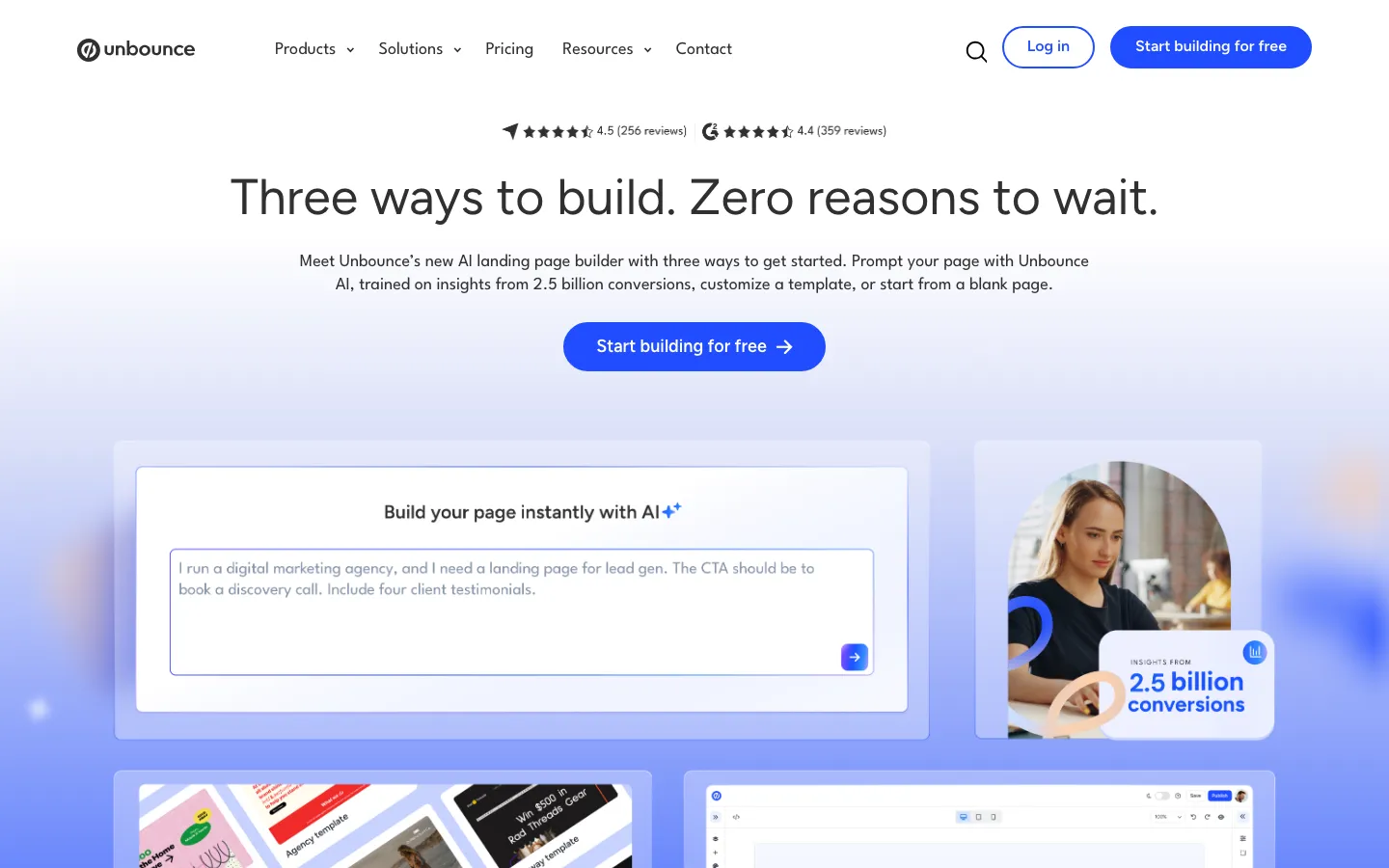
You can begin with a prompt, an industry template or a blank page, then move between AI edits and drag-and-drop editing. Unbounce says its AI applies visual hierarchy and call-to-action placement from insights drawn from 2.5 billion conversions. It reduces the blank-page problem when a team needs a campaign live promptly.
Build lists unlimited pages and custom code, Experiment lists unlimited A/B testing, and Optimize lists AI traffic routing. A team buying paid clicks usually needs to price the plan that lists the testing capabilities it needs before calling Unbounce inexpensive.
Who gets the most value from Unbounce?
Paid media teams
They can build dedicated pages, connect lead capture and move to Experiment when campaign testing becomes a regular job.
Growth marketers
They need a controlled way to compare page variants without waiting for developers to create every campaign test.
Client agencies
Agency starts at 50,000 traffic, five users and 10 root domains for teams operating client campaigns at scale.
AI-assisted operators
They want an MCP-connected workflow to build, test, optimize and manage landing pages from supported assistants.
I would not make Unbounce the center of a content-heavy company website. Its page builder is designed for campaign landing pages, while the pricing grid rewards teams with a defined traffic volume and an actual testing cadence. If design control and a shared CMS matter more than campaign experiments, start with the Webflow review; if a small business needs a simpler general site, read the Webnode review.
Which conversion features are included in Unbounce?
Three ways to make a landing page
Unbounce lets you create responsive pages with AI, a template or from scratch. Its hybrid builder is the practical advantage: you can prompt a first draft, adjust a headline or section with AI, then take direct control in the drag-and-drop editor. Starter includes the hybrid builder, lead generation forms and AI copywriting, so the first paid tier is more than a static template library.
Experimenting without a development queue
Experiment includes unlimited A/B testing, variants, manual traffic allocation, confidence intervals, dynamic text replacement, conversion insights and reporting. Choose it when you have enough traffic and a real hypothesis to compare: it costs $112 a month on annual billing and supports up to 30,000 traffic.
Smart Traffic for variant routing
Optimize adds AI traffic routing, which Unbounce calls Smart Traffic. The product says it can direct a visitor to the variant where they are most likely to convert and show audience insights. It makes sense for an established campaign with enough visitors to benefit from routing, rather than a new page that still needs its message and offer settled. Optimize is $187 a month on annual billing and supports up to 50,000 traffic.
Connections and MCP
Every plan lists an MCP server, which Unbounce presents as a way to build, test, optimize and manage landing pages through AI assistants. The integrations page names ChatGPT and Claude. Build lists custom code and 1,000+ integrations; Experiment and Optimize each state that they include the preceding plan's features. For an agent workflow, map the required page and lead handoff before setting the campaign live.
Hosting and support
Every plan includes free hosting, unlimited conversions, unlimited subdomains, templates and customer support. Phone and live chat run from 6 a.m. to 6 p.m. PST on weekdays, with email available around the clock.
How does Unbounce structure its subscription tiers?
Price checked 27 Nov 2026
| Plan detail | Starter$22/mo | Build$74/mo | Experiment$112/mo | Optimize$187/mo |
|---|---|---|---|---|
| Billing basis | Annual billing | Annual billing | Annual billing | Annual billing |
| Pages | 5 | Unlimited | Unlimited | Unlimited |
| Traffic volume | Up to 500 | Up to 20,000 | Up to 30,000 | Up to 50,000 |
| Users | 1 | 1 | 3 | 5 |
| Root domains | 1 | 1 | 2 | 3 |
| AI credits | 4,000 | 30,000 | 40,000 | 80,000 |
| Unlimited A/B testing | Not listed | Not listed | Listed | Included with Experiment features |
| AI traffic routing | Not listed | Not listed | Not listed | Listed |
Unbounce prices in US dollars on annual billing, 27 Nov 2026.Unbounce pricing
The monthly-billing prices are $29 for Starter, $99 for Build, $149 for Experiment and $249 for Optimize. Annual billing is therefore meaningful only when the campaign will keep running. Experiment combines a published three-user allowance with listed unlimited A/B testing at $112 a month on annual billing. Unbounce says pages keep running after an allowance is exceeded, then charges a one-time usage-based overage fee.
- Agency starts at $349 a month on annual billing, with traffic starting at 50,000, at least five users and at least 10 root domains
- Concierge is custom priced, with traffic starting at 100,000, 15 users, five root domains and implementation services
- Agency and Concierge include a dedicated customer success manager; Agency also lists an agency partner directory listing
There is no published per-seat add-on in the plan grid. Instead, the user allowance rises by tier, so a team should choose the tier that covers both its traffic and its collaborators. Do not select Build just because it gives unlimited pages if a three-person testing team will immediately need Experiment.
How does Unbounce support agency workflows and multiple clients?
Unbounce Agency begins at $349 monthly on annual billing for teams operating campaigns across multiple clients. It lists traffic starting at 50,000, users starting at five, root domains starting at 10, AI credits starting at 100,000, implementation services and a customer success manager.
Concierge is custom priced, with traffic starting at 100,000, 15 users, five root domains and AI credits starting at 200,000. Get the final traffic, domain and user allowance in writing before treating either plan as a predictable agency operating cost.
Where does Unbounce fall short for high-traffic sites?
Unbounce enforces traffic allowances that deserve the most scrutiny before launching major campaigns. Starter lists up to 500, Build up to 20,000, Experiment up to 30,000 and Optimize up to 50,000 monthly visitors. Unbounce defines a visitor as someone who views a landing page at least once in a month and counts that person once, even if they return. Agency starts at 50,000 and Concierge at 100,000, so those plans are not published as fixed universal allowances.
Going over an allowance does not stop a campaign: Unbounce says pages keep running and charges a one-time fee based on extra usage. It also offers an upgrade if a team needs more room. Estimate paid-media traffic before choosing an annual rate, rather than assuming that unlimited pages means unlimited reach.
The optimization features are also distributed across the published plans. Starter can make a landing page and connects to the MCP server, but it has five pages and one user. Build lists unlimited pages and custom code. Experiment lists unlimited A/B testing, while Optimize lists AI traffic routing. Budget from the capability the campaign needs rather than from the lowest headline price.
Finally, Unbounce is intentionally specialized. It has templates, hosting, forms and a powerful landing-page workflow, but the published product is not positioned as a broad website CMS. That distinction is a benefit when campaign speed is the job and a limitation when a team needs an editorial site with many types of ongoing content.
What are the top alternatives to Unbounce?
 Unbounce alternatives like Webflow serve teams better when individual landing pages form part of an expanding design-led website. Its visual design tools, CMS and publishing workflow make it the wider platform, as the Webflow review explains. That extra scope is valuable for a site team, while Unbounce stays the tighter fit for campaign pages and conversion experiments.
 Webnode is the gentler option when a small business needs templates, a drag-and-drop editor and a standard business website rather than paid-campaign optimization. The Webnode review covers its website and ecommerce plans. It is not the same kind of conversion platform, which is precisely why it can be a better match for a smaller, general-purpose launch.
What is the overall verdict on Unbounce?
Unbounce requires paid acquisition teams to decide whether dedicated landing page workflows justify the subscription plan carrying their required optimization features. Build suits a single-person team that needs unlimited pages and custom code. Experiment is the better fit when regular testing is the reason to buy, while Optimize is worth considering when campaign traffic and conversion value justify AI traffic routing.
Match the plan to your campaign's expected traffic, users and optimization job before signing up. Experiment brings together listed unlimited A/B testing, three users and an allowance of up to 30,000 monthly visitors.
How were Unbounce features and pricing verified?
Unbounce published prices, usage limits, and integration capabilities were collected directly from official documentation on 27 Nov 2026. Prices are in US dollars, as Unbounce shows them, and every figure follows how we check figures.
- Unbounce pricing page, including monthly and annual plan displays
- Unbounce features and homepage product descriptions
- Unbounce integrations page and MCP server information
What are the common questions about Unbounce?
Does Unbounce have a free trial?
Yes. Unbounce offers a 14-day free trial of every feature and says no credit card is required.
How much does Unbounce cost?
On annual billing, Starter is $22 a month, Build is $74, Experiment is $112 and Optimize is $187. Monthly billing lists $29, $99, $149 and $249 respectively. Agency starts at $349 a month on annual billing, while Concierge is custom priced.
Which Unbounce plan includes A/B testing?
Experiment and Optimize list unlimited A/B testing. Experiment also lists unlimited variants, manual traffic allocation, confidence intervals, dynamic text replacement, conversion insights and reporting.
Does Unbounce work with AI assistants?
Every plan lists Unbounce's MCP server. Unbounce says it can be used with ChatGPT and Claude to build, test, optimize and manage landing pages.
 Reviewed byDanny Kirk
Founder of ReddiReach.
 Checked byAndrés Felipe
Digital designer and marketer.
Every figure is checked against the vendor's own page. Read our editorial standards.