
Key Takeaways
- Warmup Inbox provides automated deliverability ramping and inbox reputation management for sales development representatives and agencies.
- Warmup Inbox charges on a predictable per-inbox model starting at $15 monthly for Basic, with Pro at $49.
- Warmup Inbox exposes a documented REST API that gives programmatic control over inboxes, templates, placement tests, and warmup schedules.
- Warmup Inbox restricts the entry Basic tier to 75 daily messages, requiring an upgrade to Pro for higher warm-up volumes.
When new sending inboxes need a gradual reputation ramp before your team starts outreach, Warmup Inbox is the practical choice if you want a clear per-inbox price and a REST API. Pick Warmy if billing by warmup-email volume suits your team better, as explained in the Warmy review, or  Zapmail if you need pre-warmed inboxes rather than a service for mailboxes you already manage.
Agent access
- API
- Yes, any paid plan: Basic, Pro, or Max
- MCP server
- Not found on official pages
What are the primary pros and cons of Warmup Inbox?
What works
- Seven-day full-plan trial with no card required
- Published price for every plan, billed per inbox
- REST API with API-key authentication and 120 requests a minute
What to watch
- Pro-level controls make the cost jump from $15 to $49 per inbox
- Basic is limited to 75 warmup messages per day
- Premium support and a technical setup check sit on Max only
What does Warmup Inbox do to protect sender reputation?
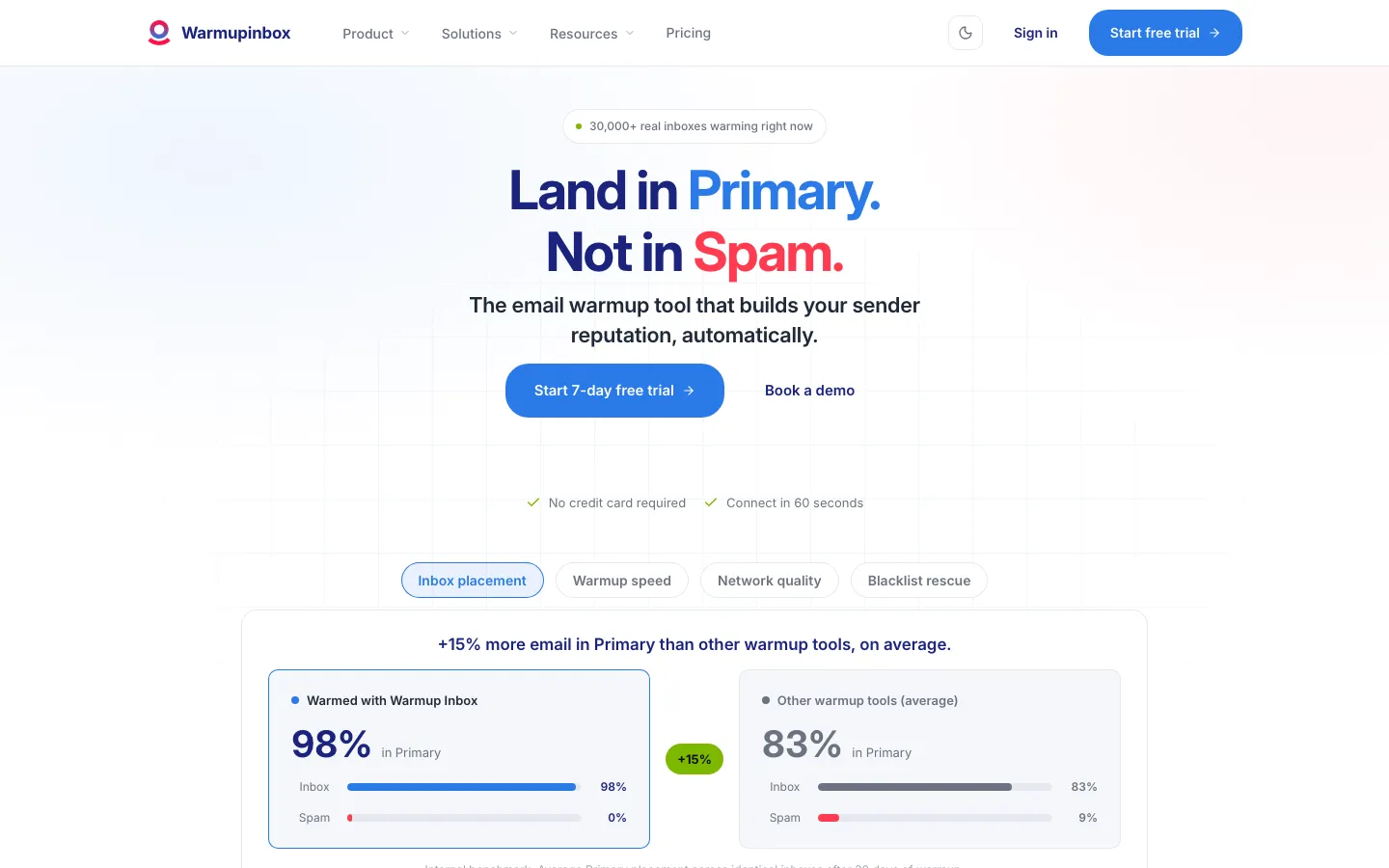
Warmup Inbox earns its place in a marketing tools directory because it starts with a narrow, useful job: improve the sending reputation of the inboxes your outbound team actually uses. You connect Gmail, Outlook or another mailbox over OAuth or SMTP. The service then exchanges messages with a network it says has more than 30,000 real inboxes, while monitoring spam and category placement, sender reputation and email authentication signals.
That focus makes the buying decision refreshingly concrete. You are not paying for a broad sales suite and hoping deliverability is good enough. You select a daily warmup volume for each inbox, connect the accounts that need care, and pay more only when you need more volume or tighter control over how warmup works.
The surrounding product is broader than warmup alone. Cold email sequences run while the inbox keeps warming, the placement test checks where mail lands across providers, and the service lists language and IP warmup. For a team trying to protect new sending domains without assembling several point tools, that is a coherent package rather than a pile of loosely connected features.
Who should use Warmup Inbox for email deliverability?
SDR teams with new inboxes
Start with a known daily warmup limit, then keep the mailbox warming while outreach runs.
Agencies managing domains
Multi-client workspaces, white-label reports and consolidated billing reduce the administrative work around client mailboxes.
Developers automating setup
The API creates, connects, pauses and tags inboxes, then returns placement metrics for reporting workflows.
Teams troubleshooting placement
The free placement test checks inbox placement, authentication, blacklists and content before a live send.
I would not put a large, fast-growing mailbox fleet on a plan without doing the arithmetic first. The price is easy to understand, but it is still per inbox. A team that needs ten Max inboxes is looking at $790 a month at the listed monthly price before any volume discount. The vendor says discounts begin at six inboxes, so a growing agency should ask for that quote rather than assume the list price.
What inbox monitoring and warming features does Warmup Inbox offer?
Warmup across real inboxes
Warmup Inbox says its network has more than 30,000 active inboxes and that it builds reputation through gradual exchanges, including opens, replies and stars. It supports Gmail, Outlook, Yahoo, Google Workspace, Microsoft 365, Zoho and custom SMTP connections. The vendor says first improvements can appear in three to seven days, while a full ramp takes at least 14 to 21 days. Treat its placement and lift figures as the vendor’s own benchmarks, not a result promised for your domain.
API access for operational workflows
The REST API is the feature that separates Warmup Inbox from a dashboard-only service. It uses JSON over HTTPS and API-key authentication, with a stated ceiling of 120 requests per minute. Your workflow can create inboxes, update settings, connect providers, start or pause warmup, retrieve placement metrics and manage templates, topics, tags and plans. Basic and Pro list developer API access, while Max lists unlimited developer API. Teams that require MCP should confirm its support with the vendor before building it into an agent workflow.
Sequences that keep warmup running
Outreach sequences are included on every plan. Warmup Inbox says campaigns can run while the sending inbox remains in warmup, so a campaign does not reduce warmup volume to make room for itself. The sequence feature supports up to 10,000 contacts per campaign, templates, branching conditions and A/B variants. It also offers optional list verification before sending. This is useful if you want the operational handoff from warming to outreach in one product, though the deliverability claim still depends on your sending practice and list quality.
Monitoring and placement checks
All plans list spam and category monitoring, an email reputation check and dashboards. The free deliverability test goes beyond a single inbox result: it checks placement across providers alongside SPF, DKIM, DMARC, blacklists and message content, with no sign-up. That makes it a sensible first diagnostic before you buy a plan or increase send volume. It also gives a manager a clearer conversation with an SDR team than an unexplained drop in opens.
Agency controls
For agencies, the appeal is administration rather than a different warmup engine. The agency offering includes a shared dashboard for client mailboxes, white-label placement reports and consolidated billing. Multi-client workspaces are also listed in the pricing FAQ. Pricing comes down from six inboxes and is quoted after 50, which is the sensible point to compare a custom arrangement with separate subscriptions.
How much does Warmup Inbox cost per connected inbox?
Price checked 27 Nov 2026
| Plan detail | Basic$15/inbox/mo | Pro$49/inbox/mo | Max$79/inbox/mo |
|---|---|---|---|
| Warmup messages daily | 75 | 250 | 1,000 |
| Reply rate to warmup email | Up to 25% | Up to 45% | Up to 50% |
| Seven-day free trial | ✓ | ✓ | ✓ |
| Developer API | ✓ | ✓ | Unlimited |
| Outreach sequences | ✓ | ✓ | ✓ |
| Custom templates and topics | Not specified | ✓ | ✓ |
| Language and scheduled warmup | Not specified | ✓ | ✓ |
| Support | Chat | Priority | Premium |
Warmup Inbox prices in US dollars, 27 Nov 2026.Warmup Inbox pricing
The annual option saves 20% according to the pricing FAQ, but the site shows the annual charge as one payment at sign-up. The practical breakpoint is capability, not just volume. Basic is credible for a small number of mailboxes that need routine warming. Pro lists custom templates, warmup topics, language warmup, specific ESP warmup and scheduled warmup. Max adds the technical setup check, premium support and early access.
For a real team bill, three Pro inboxes cost $147 a month at the listed monthly price. That is reasonable when those inboxes carry an SDR team’s outbound work, but it is not a throwaway add-on. Plan the inbox count alongside the message limit, then use the trial on the plan whose controls you expect to need.
Where does Warmup Inbox fall short on volume allowances?
Warmup Inbox features a clean price ladder that hides a steep cost jump between entry and mid-tier plans. Basic costs $15 and is capped at 75 messages a day. Pro costs $49 per inbox and lists warmup topics, language warmup and specific ESP warmup. If those controls are essential, compare the Pro price rather than treating Basic as the relevant option. That is still transparent, just materially different from the entry price.
The vendor publishes favorable performance benchmarks, including its placement claims. They may help explain what the service is trying to improve, but they should not be treated as a forecast for your own mailbox. Use the free placement test to understand the present problem, and keep authentication, list quality and sending volume under your own operational control.
Finally, API access is not the same as an agent integration plan. The REST API is documented for the inbox lifecycle, metrics, templates, tags and plans. If your team requires MCP, confirm support with the vendor before you commit.
What are the best alternatives to Warmup Inbox for warming mailboxes?
Warmup Inbox alternatives include Warmy, which bills by generated warmup email volume rather than by connected inbox counts. The Warmy review explains that commercial difference.
Zapmail is the better comparison when the immediate problem is obtaining pre-warmed inboxes rather than warming mailboxes you already manage. Read the Zapmail review before treating it as a like-for-like replacement, because that is a different operating model.
What is the overall verdict on Warmup Inbox?
Warmup Inbox puts clear per-inbox pricing, a short no-card trial and a documented REST API behind a focused service, without requiring a bigger sales platform. The combination of warmup, placement testing, sequences and agency administration is unusually complete for the job. The trade-off is straightforward: Pro carries the listed controls that demanding teams may need, and a large fleet multiplies the bill.
Start with one inbox on the plan that matches the controls you need, run the free placement test, and use the trial to confirm the operational fit. Move to Pro when its listed topics, language, scheduling or ESP-specific warmup controls justify the higher per-inbox price.
How was this Warmup Inbox review evaluated and verified?
Warmup Inbox plan limits, API capabilities, and pricing tiers were verified against vendor documentation on 27 Nov 2026. Prices are in US dollars as shown by the vendor, and every figure follows how we check figures.
- Warmup Inbox pricing and annual-billing information
- Email warmup, cold sequence and placement-test product pages
- API access and agency feature pages
What are the most frequent questions about Warmup Inbox?
Is there a free trial for Warmup Inbox?
Yes. The trial gives full access to your chosen plan for seven days, does not require a card up front and can be canceled before a charge.
How long does Warmup Inbox take to work?
The vendor says first improvements can appear in three to seven days, while a full ramp takes at least 14 to 21 days. It recommends keeping warmup active alongside campaigns afterward.
Which providers can connect to Warmup Inbox?
It lists Gmail, Outlook, Yahoo, Google Workspace, Microsoft 365, Zoho and custom providers that connect through SMTP and IMAP.
Does Warmup Inbox offer agency pricing?
Yes. Per-inbox pricing drops from six inboxes and is quoted beyond 50. The agency offering includes multi-client workspaces, white-label reports and consolidated billing.
 Reviewed byDanny Kirk
Founder of ReddiReach.
 Checked byAndrés Felipe
Digital designer and marketer.
Every figure is checked against the vendor's own page. Read our editorial standards.