
Key Takeaways
- Woodpecker combines cold email automation, automated inbox deliverability warm-up, domain rotation, and unlimited team seats into an integrated sales engagement workspace.
- Woodpecker pricing starts at $39 monthly for the Email plan supporting 5,000 messages, while Multichannel costs $68 to incorporate LinkedIn touchpoints.
- Woodpecker offers API endpoints, webhooks, command-line tooling, and Model Context Protocol server connectors as paid add-ons requiring explicit credential configuration.
- Woodpecker standard packages provide limited LinkedIn profile capacity, prompting larger outreach organizations to evaluate high-volume enterprise sales platforms instead.
When your team has a defined outreach list, Woodpecker is a strong fit for combining cold email, deliverability controls and unlimited colleagues in one plan. The $39 Email entry configuration suits 5,000-email campaigns, while teams that need several LinkedIn accounts should compare larger-capacity options.
Agent access
- API
- Yes, API keys & integrations add-on, also available to trial users
- MCP server
- Official, hosted or local, Woodpecker account authorization for hosted MCP; API key for local Docker
- Works with
 ClaudeClaude Code
 ChatGPT
 Gemini
 Cursor
- Automation
- Zapier
What are the key benefits and limitations of Woodpecker?
What works
- Unlimited team members and email accounts on Email and Multichannel
- Warm-up, verification, inbox rotation and adaptive sending are listed together
- Conditions can split a campaign around opens, clicks or your own data
What to watch
- Email capacity is an explicit limit, not a per-seat allowance
- LinkedIn is a separate plan or the Multichannel upgrade
- Extra Lead Finder credits can add to the plan cost
What outbound prospecting capabilities does Woodpecker provide for sales teams?
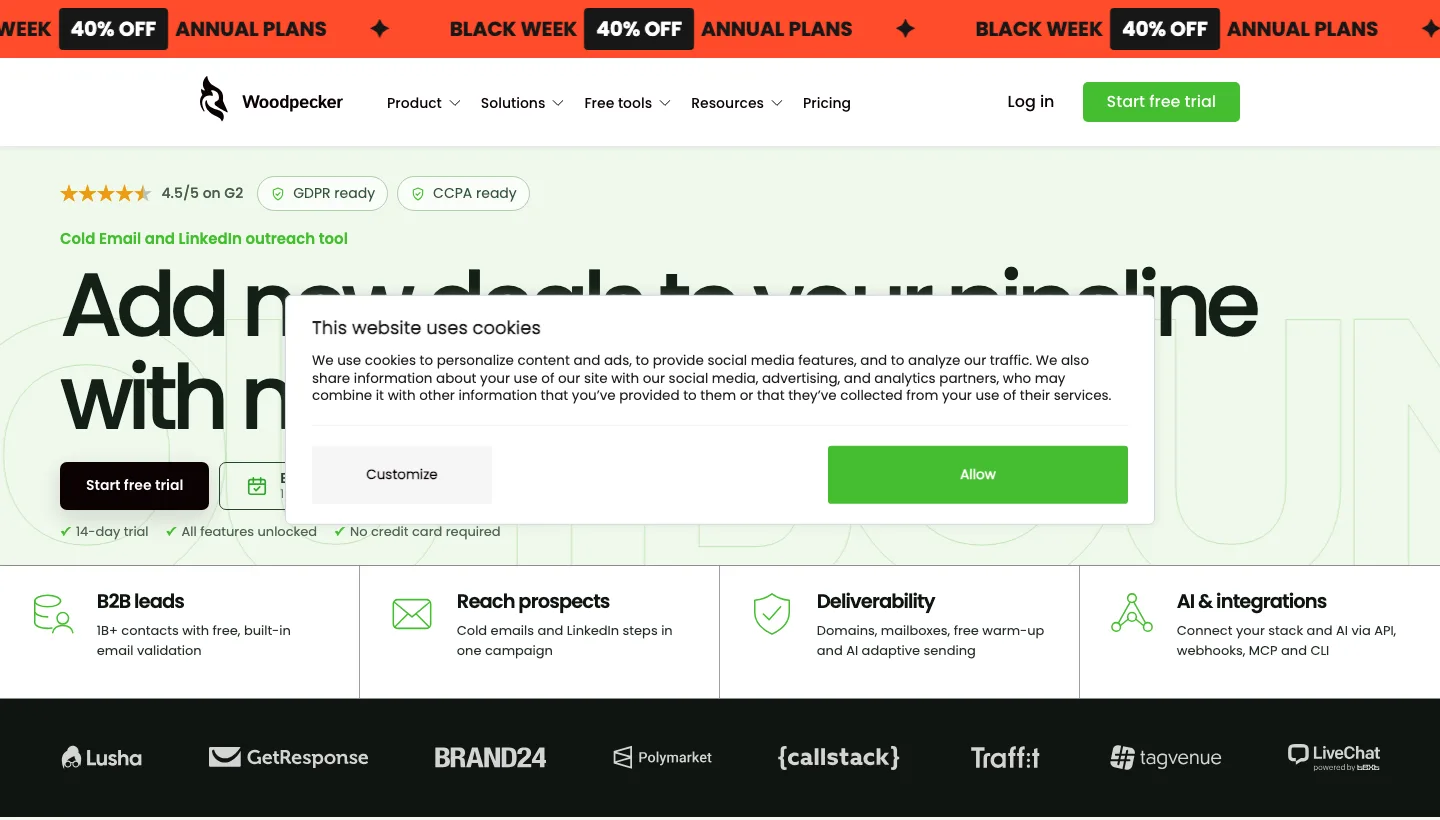
Woodpecker puts cold email, LinkedIn outreach and delivery controls in one outbound workspace. The useful choice is whether its 5,000-email entry configuration matches the list your team can work each month. If it does, unlimited team members and email accounts make it a clean choice for a small group instead of a tool that charges every colleague separately.
That is why it belongs in a marketing tools directory: it covers the practical edge of outreach, from warm-up and verification to a central inbox for replies from more than one account. The Email plan does not list LinkedIn actions; Multichannel adds LinkedIn when it belongs in the sequence.
I would treat Woodpecker as an operating tool, not a promise that volume solves outreach. Its controls give a team one place to manage sending and replies. The hard decision is still yours: how many emails to send and which accounts to connect.
Who should select Woodpecker for automated cold outreach campaigns?
Small outbound teams
Run a defined monthly list with colleagues and email accounts, without user fees.
Agencies with client work
Manage client accounts centrally, using the Agency Panel when branded reports matter.
Teams using  LinkedIn selectively
Choose Multichannel when one LinkedIn account joins email in a campaign.
Prospecting teams
Find contacts in the app when its credit allowance suits your research volume.
Woodpecker makes less sense when LinkedIn capacity, rather than email capacity, sets the pace of your outreach. Multichannel lists one LinkedIn account and the standalone LinkedIn plan lists one account too. Scale is the custom option when you need more email or LinkedIn capacity than the standard tiers provide.
Which deliverability and email sequence features does Woodpecker include?
Deliverability controls
Woodpecker lists free warm-up, inbox rotation, a centralized inbox, a deliverability monitor and adaptive sending as part of its delivery feature set. The displayed 5,000-email Email and Multichannel configurations each show three warm-ups and unlimited email verification. For a team adding several senders, that keeps delivery work alongside messages and replies.
Condition-based campaigns
A condition can put a prospect on a yes or no path based on opens, clicks or a value in your own data. That lets an interested contact receive a different follow-up from someone who did nothing. It is a real reason to choose Woodpecker over a simple email scheduler, although open-based paths should be used with care because an open is not the same thing as intent.
Multichannel outreach
The $68 Multichannel plan puts email and LinkedIn into one campaign and includes one LinkedIn account with all LinkedIn actions. The standalone $29 LinkedIn plan lists direct messages, InMail messages, connection requests and profile visits, each with a monthly or daily limit. Its card does not list an email allowance. Pick Multichannel when email remains the main channel.
Lead Finder and list building
Lead Finder lets you find leads in Woodpecker and add them to a database or campaign. The displayed 5,000-email Email and Multichannel configurations list 100 Lead Finder credits, and more are available to buy. Estimate the searches, previews and email finds your team expects before you call the base plan your final monthly bill.
Integrations and machine access
Woodpecker lists Claude,  Clay, API, webhooks, MCP Server and CLI in its integrations. Integrations, API, webhooks, MCP and CLI are paid extras, so confirm the permissions and limits you need with Woodpecker before making an agent dependent on the workflow.
Agency workspace
The Agency Panel adds separate prospect databases, a central billing view, bulk account uploads, a global blacklist and a client view-only option. Woodpecker also offers a white-label client reporting application on an agency's own domain and branding. That is a meaningful agency distinction, not just a relabeled team plan, when clients need visibility without access to every campaign setting.
How is Woodpecker pricing structured across email and multichannel tiers?
Price checked 27 Nov 2026
| Plan detail | Email$39/mo | Multichannel$68/mo | LinkedIn$29/mo | ScaleCustom |
|---|---|---|---|---|
| Primary allocation | 5,000 emails | 5,000 emails | 1 LinkedIn account | Higher email or LinkedIn limits |
| Team members | Unlimited | Unlimited | Unlimited | Talk to sales |
| Email accounts | Unlimited | Unlimited | Not listed | Talk to sales |
| Warm-ups | 3 included | 3 included | Not listed | Custom setup |
| Email verification | Unlimited | Unlimited | Not listed | Custom setup |
| LinkedIn actions | Not listed | 1 account, all actions | 1 account | Higher limits |
Woodpecker monthly prices in US dollars, 27 Nov 2026.Woodpecker pricing
For a three-person team sending from the 5,000-email entry configuration, the core Email bill remains $39 a month because the plan lists unlimited members and email accounts. That is the practical headline, not a discounted estimate. Move to $68 when one LinkedIn account needs to join those campaigns.
- Annual billing shows Email at €26 a month and Multichannel at €55 a month, billed annually, checked 27 Nov 2026
- The displayed 5,000-email Email and Multichannel configurations each list 100 Lead Finder credits
- Lead Finder, warm-up, emails and domains, integrations, API, webhooks, MCP and CLI appear as optional extras on the pricing page
- Scale is a custom arrangement for email or LinkedIn capacity beyond the standard tiers
The no-cost evaluation gives you either a fortnight or 500 cold-email sends, ending at the earlier limit. It includes all features and does not require a card, which is enough to inspect the workflow but not enough to learn how a full 5,000-email month will fit your team.
How does Woodpecker support agency accounts and high-volume sending through Scale?
Woodpecker calls its custom option Scale, rather than Enterprise. The standard Email selector lists 5,000, 50,000, 100,000, 250,000, 500,000 and 1,000,000 emails. Ask about Scale only when you need more email or LinkedIn capacity than those standard tiers provide.
For agencies, the Agency Panel adds an outreach calendar, automated domain audits and centralized billing. White-label reporting is available per active client, so ask for the combined cost before presenting it as a fixed client margin.
Where does Woodpecker fall short for multi-account prospecting teams?
Woodpecker's price is easy to read at the entry configuration, but capacity is not interchangeable. The Email card does not list LinkedIn actions, while the LinkedIn card does not list an email allowance. Treat the plan cards as separate working shapes, not as four versions of the same allowance.
Credit-based prospecting can also blur the cost. The displayed 5,000-email configurations list 100 credits, but Lead Finder uses them when it displays companies, displays leads and enriches contacts. If Lead Finder will be a major source of the list, calculate that usage before treating 100 credits as a complete prospecting budget.
The integration bundle includes API, webhooks, MCP Server and CLI as paid extras. Confirm the permissions, limits and plan scope required for an AI-agent workflow with Woodpecker before making that workflow dependent on it.
What are the most competitive Woodpecker alternatives for outbound sales?
 AI Peekaboo review is worth reading if the job is AI answer visibility rather than outbound campaigns: its plans start at $30 a month, checked 27 Nov 2026, and include API and MCP access. It does not replace Woodpecker's sending workspace, but it is the better fit when your question is where AI systems recommend a brand.
 ActiveCampaign review is useful when your workflow needs its API to sync contact information, add contacts to automations, and create and send campaigns. That makes it a more relevant comparison for lifecycle automation than a cold-email tool.
 Apollo.io review is the alternative to examine when prospect data is the first constraint: Apollo.io states that its database has 240M+ contacts and 30M+ accounts with B2B data. Woodpecker's Lead Finder uses a credit allowance, so list-building volume can make this comparison decisive.
What is the final verdict on using Woodpecker for outbound sales campaigns?
Woodpecker delivers compelling value with its $39 monthly flat rate for teams conducting targeted monthly outreach under 5,000 emails. Unlimited members and accounts remove the usual seat-pricing friction, while warm-up, verification and campaign conditions cover daily work.
The tradeoff is clear. LinkedIn changes the plan and prospecting can consume credits, but higher email volume does not automatically require a quote: the standard selector extends to 1,000,000 emails. If those working shapes are acceptable, Woodpecker is a practical choice. If not, start the comparison from the channel or data constraint.
Pick the $39 Email entry configuration when a 5,000-email monthly campaign fits your team. Add Multichannel only when a real LinkedIn step belongs in that campaign, and ask for the full add-on price before committing an agency client.
How were Woodpecker deliverability tools and rate limits confirmed?
Woodpecker prices, limits and features come from its own pricing, feature, agency, integration and help pages, checked on 27 Nov 2026. Alternative facts come from their vendors' own pages, checked on 27 Nov 2026. Monthly card prices are shown in US dollars; annual equivalents shown here are in euros. Every figure follows how we check figures.
- Woodpecker pricing and plan pages
- Woodpecker feature pages for campaign conditions and integrations
- Woodpecker Agency and Lead Finder help pages
Frequently asked questions about Woodpecker cold outreach software?
How much does Woodpecker cost?
Email costs $39 a month for 5,000 emails. Multichannel costs $68 a month for 5,000 emails and one LinkedIn account, while LinkedIn costs $29 a month for one account.
Does Woodpecker charge for extra users?
The Email and Multichannel plans list unlimited team members and unlimited email accounts. A three-person team within the 5,000-email allocation therefore has the same $39 Email core price.
Does Woodpecker include LinkedIn outreach?
Yes, on Multichannel and the standalone LinkedIn plan. Multichannel combines email and LinkedIn in one campaign and lists one LinkedIn account.
What is Woodpecker Lead Finder?
Lead Finder searches for leads in Woodpecker and can add them to a database or campaign. The lowest paid plan includes 100 credits, with extra credits available to purchase.
 Reviewed byDanny Kirk
Founder of ReddiReach.
 Checked byAndrés Felipe
Digital designer and marketer.
Every figure is checked against the vendor's own page. Read our editorial standards.