Key Takeaways
- Ycode combines a visual website canvas with structured content management, offering deployment freedom between managed cloud infrastructure and self-hosted open-source setups.
- Ycode pricing offers managed Cloud Basic at $15 monthly and Cloud Pro at $30 monthly, while the open-source code remains free to self-host.
- Ycode supports Model Context Protocol site generation alongside a REST API capable of reading and modifying CMS collections and web form submissions.
- Ycode cloud subscriptions enforce strict monthly AI credit limits that expire without rollover, requiring careful capacity forecasting before building large web applications.
Ycode is the right pick when your team wants a visual CMS but needs to choose between managed Cloud and running Ycode itself. Pass if you need a fixed AI allowance that carries forward, because Cloud credits are shared by the project and unused monthly credits expire.
Agent access
- API
- Yes, every Ycode Cloud plan. Cloud Basic is $10/month annual or $15/month monthly per project; Cloud Pro is $25/month annual or $30/month monthly per project.
- MCP server
- Official, hosted or local, OAuth
- Works with
 ClaudeClaude Code
 ChatGPT
 Cursor
 VS Code
What are the major advantages and drawbacks of Ycode?
What works
- Visual editor, CMS, forms and localization in one product
- AI-created work appears as editable canvas layers
- Open-source edition with full code access and self-hosting
What to watch
- Free Cloud projects are deleted after 10 inactive days
- Basic allows five CMS collections and two languages
- Project-shared monthly AI credits do not roll over
What visual design and CMS hosting flexibility does Ycode provide?
Ycode is a visual builder with a clear decision at its center: who runs Ycode after the site is designed. Cloud gives you managed hosting, updates and support. The open-source edition puts Ycode on your own Vercel and Supabase infrastructure, with full code access. That is a useful split when a marketing team needs a fast editing surface but a technical team needs an exit from a closed platform. The wider marketing tools directory is useful when you want to weigh that choice against other site-building approaches.
The editor is not just a landing-page canvas. Its CMS creates collections with defined fields and items, then binds those records to dynamic pages. A team publishing a directory, a resource library or a content-heavy site can use filters, sorting and pagination rather than recreating each page by hand. That makes Ycode a better fit for repeating content structures.
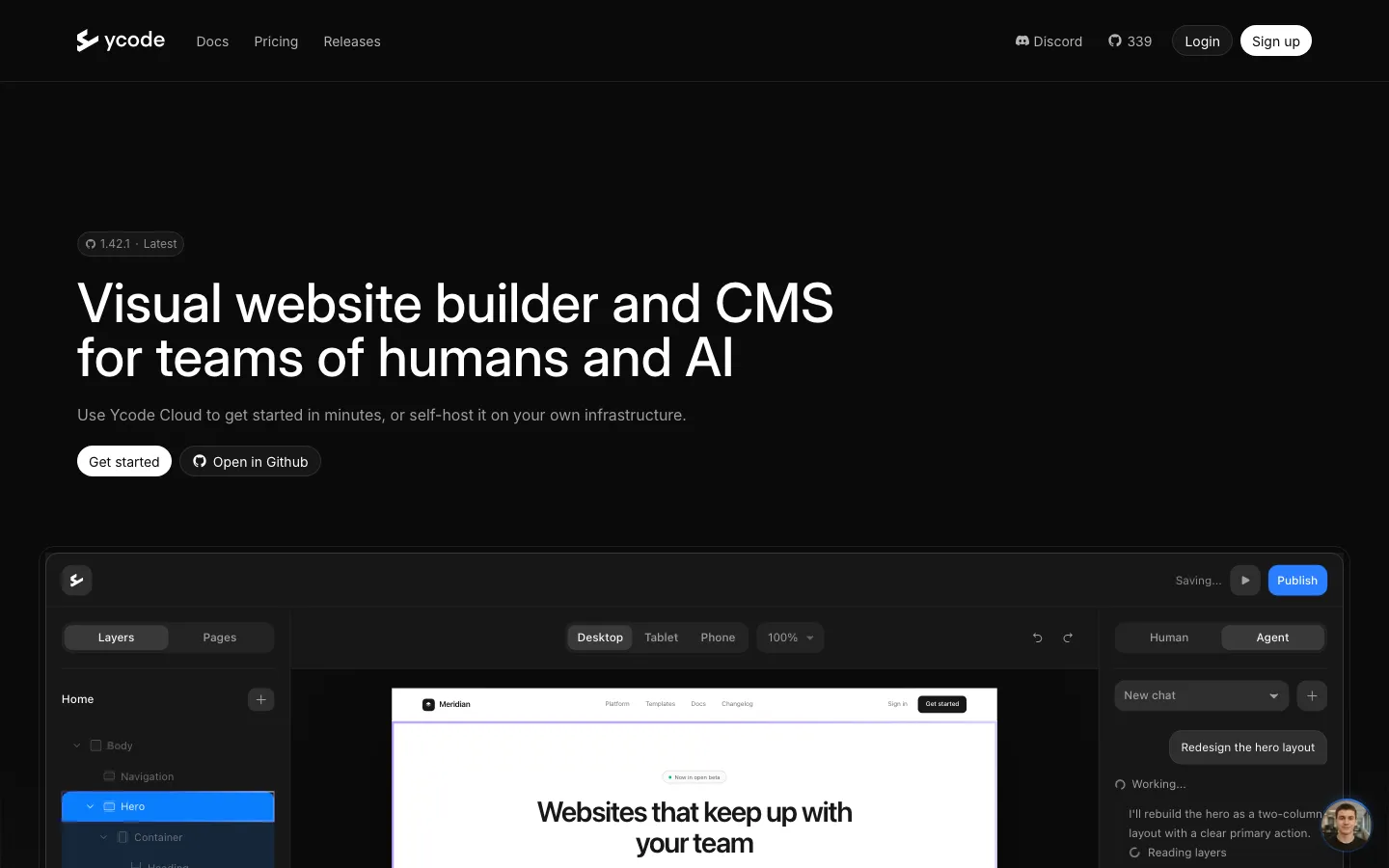
Ycode's AI agent is designed to remove the blank-canvas moment without turning the result into a locked template. The vendor says its output lands as editable layers, which lets a designer change the layout and a content owner correct the offer before publication. Use AI to get to an editable first draft, then keep the same editorial and responsive-design review you would apply to hand-built work.
Who should build websites using Ycode instead of closed visual platforms?
Content-led teams
Build structured article, directory or resource pages from CMS collections and bind them to reusable dynamic layouts.
Designers with technical support
Use the visual canvas for daily work, while a developer decides whether Cloud or self-hosted deployment fits.
Teams building multilingual sites
Choose Pro when unlimited languages and 50 CMS collections match a growing site's scope.
Developers who need ownership
Self-host the open-source edition when full code access and infrastructure control justify the operational work.
Ycode is less convincing for a team that wants to ignore deployment completely but also expects unlimited capacity. Basic is deliberately bounded at five collections, two languages and 50 GB of monthly bandwidth. Self-hosting removes Ycode's collection and language caps, while bandwidth depends on your team's infrastructure.
Which visual builder and structured database features does Ycode deliver?
A visual editor that stays editable
Ycode combines drag-and-drop editing, layers, design controls and responsive breakpoints. Its AI Agent can create a section or page, and the work remains editable on the canvas. A first draft rarely has the right hierarchy, language or mobile treatment. You can change the result without escaping an AI-generated code block.
A CMS for repeated content
The CMS is the stronger reason to choose Ycode over a simple landing-page builder. Collections use fields for text, rich text, images, dates, references and other structured values. Dynamic pages resolve a collection item by URL slug, while collection lists can filter, sort and paginate. That gives an editor a repeatable way to publish a growing set of pages without making the design team rebuild the layout each time.
Forms that can become a working intake flow
Ycode's visual form builder supports inputs, text areas, selects, checkboxes and radios, with validation and configurable success messages, redirects and email notifications. The dashboard stores submissions by status, including new, read, archived and spam. Spam protection is enabled by default, and forms can trigger webhooks or MailerLite. For a real lead flow, confirm the notification and CRM handoff with your own fields before making it the only route into your business.
MCP, API and webhooks for automation
Ycode documents MCP for connecting tools such as Cursor and Claude to build a site through natural language. Its public v1 API can read and write a project's CMS and form submissions over HTTPS, and the API documentation says it works on every Cloud plan. This is useful for a controlled content sync or a CRM handoff, but it has an important consequence: CMS item writes change both the CMS and live site immediately, with no publish step. Keep API keys server-side and give every integration its own key.
Cloud or open source, not a halfway choice
Cloud is the lower-operations route: Ycode handles hosting, updates and support. The open-source route is free to self-host and brings unlimited users, pages, collections, languages and form entries, but it relies on your Vercel and Supabase setup. That choice is central to the product. A team that already owns deployment can gain control; a team without that capacity should price Cloud around its actual collection, language and bandwidth needs.
How much does Ycode cost across Cloud Basic, Cloud Pro, and self-hosted open source?
Price checked 27 Nov 2026
| Plan detail | Cloud Free$0 | Cloud Basic$15/mo | Cloud Pro$30/mo | Open sourceFree |
|---|---|---|---|---|
| AI credits | 500, one time | 1,000/mo | 3,000/mo | Your own API key |
| CMS collections | Not stated | 5 | 50 | Unlimited |
| Languages | Not stated | 2 | Unlimited | Unlimited |
| Monthly bandwidth | 1 GB | 50 GB | 100 GB | Your infrastructure |
| Custom domain | No | Included | Included | Supported |
| Managed hosting and updates | ✓ | ✓ | ✓ | ✕ |
Ycode Cloud prices, 27 Nov 2026.Ycode pricing
For a team on Cloud Pro, the published subscription is $30 a month before tax. If its 3,000 included credits are exhausted and the team buys the smallest listed 1,000-credit pack, that month's bill becomes $35 before tax. Credit packs are available on Basic and Pro, last 12 months, and are used after the monthly allowance. That is more useful than treating $30 as a complete production budget.
- Cloud Free has no custom domain, credits do not renew and the project is deleted after 10 days without activity.
- Basic and Pro include managed hosting, updates, a custom domain, free SSL and a global CDN.
- Pro charges $30 for each extra 100 GB of bandwidth, while Basic lists 50 GB and Pro lists 100 GB monthly.
- Ycode says Cloud credits belong to the project, so everyone working there draws from the same balance.
Where does Ycode fall short regarding monthly credit expiration and scaling limits?
Ycode cloud plans remain budget-friendly only as long as project requirements fit within standard credit ceilings. Basic is $15 a month, but five collections and two languages can disappear quickly on a content-rich or international site. Pro removes the language limit and raises collections to 50, yet it still has 100 GB of monthly bandwidth before its published extra-bandwidth charge. Model the content structure first, then choose the plan.
AI credits are the second constraint. Monthly plan credits reset each billing period, unused monthly credits do not roll over, and every person in the project consumes the same balance. A team using the agent for daily page creation needs a shared usage rule or a credit-pack budget. The alternative is to bring a supported provider key, which makes the provider bill you directly instead of using Ycode credits.
Self-hosting is not a free equivalent of Cloud. The software is free, but the environment, setup, security and ongoing maintenance become yours. It is the better route for a developer-led team that wants control, not a workaround for a team without an infrastructure owner.
What are the top Ycode alternatives for visual content management?
 10Web review is the more direct next read if your team wants AI-assisted creation alongside a full WordPress CMS and managed hosting. Its business plans publish website, credit, storage and visitor allowances, which is useful when those hosting limits are how you plan capacity.
 Bluehost review is a better comparison if the site must begin with WordPress hosting, a domain and managed updates in one account. Its three listed plans have introductory and renewal prices, so it suits a buyer comparing hosting terms rather than a self-hosted visual CMS.
What is the final verdict on adopting Ycode for visual CMS development?
Ycode is a thoughtful choice for a team that wants structured content and visual control without giving up the option to own the deployment later. Cloud Pro is the sensible published plan when you need more than a small bilingual site, while the open-source edition is compelling only when a developer can own Vercel, Supabase and maintenance. The AI agent is a useful accelerator because its result stays editable, not because it removes the need for review.
Start by mapping the collections, languages and bandwidth your first release needs. Choose Cloud Basic only when its five collections and two languages are genuinely enough, then use Pro or self-hosting for a project that is already larger.
How were Ycode builder tools and hosting specifications checked?
Ycode features, plan limits, and open-source licensing were verified directly against vendor documentation on 27 Nov 2026. Prices use the vendor's displayed $ amounts, and every figure follows how we check figures.
- Ycode Cloud pricing, AI credit terms and open-source deployment details
- Ycode documentation for the editor, CMS, forms, MCP and API
- Ycode's Legacy shutdown notice for the July 1, 2026 retirement date
Frequently asked questions about Ycode visual builder capabilities?
Is Ycode free?
Yes. Cloud Free is $0 with 500 one-time AI credits, 1 GB of monthly bandwidth and no custom domain. The open-source edition is also free to self-host, but your team runs the infrastructure and provides the AI provider key.
How much does Ycode Cloud cost?
Cloud Basic is $15 a month and Cloud Pro is $30 a month. Basic includes 1,000 AI credits, five CMS collections and two languages. Pro includes 3,000 credits, 50 collections and unlimited languages.
Can Ycode work with AI agents?
Yes. Ycode documents MCP for natural-language site building and a public v1 API for reading and writing a project's CMS and form submissions. The API works on every Ycode Cloud plan.
What happened to Ycode Legacy?
Ycode Legacy was permanently retired on July 1, 2026. Ycode says active projects were migrated to the new platform before shutdown, including pages, CMS content, assets, forms and subscription details.
 Reviewed byDanny Kirk
Founder of ReddiReach.
 Checked byAndrés Felipe
Digital designer and marketer.
Every figure is checked against the vendor's own page. Read our editorial standards.