
Key Takeaways
- ClickUp consolidates task management, team chat, collaborative document editing, forms, and workflow automations into a customizable productivity environment.
- ClickUp scales through a free forever tier alongside paid subscriptions priced at nine dollars per user monthly for Core and seventeen dollars for Business.
- ClickUp integrates ClickUp Brain as an artificial intelligence assistant across workspaces, providing trial allowances alongside metered monthly usage limits.
- ClickUp supports technical software teams through public developer APIs, webhooks, OAuth protocols, and native Model Context Protocol server connectivity.
When projects get separated from their briefs, conversations and requests, ClickUp gives a small team one place to organize the work. Core at $9 per user a month on annual billing is the sensible starting plan when you need unlimited storage, forms and Gantt charts. Skip it if you want a deliberately narrow system for shared knowledge, or if metered automation and AI credits will make your monthly bill hard to predict.
Agent access
- API
- Yes, all ClickUp plans; some endpoints and parameters are limited by plan.
- MCP server
- Official, hosted, OAuth
- Works with
 ClaudeClaude Code
 ChatGPT
 Cursor
 VS Code
- Automation
- Zapier, Make
What are the primary strengths and weaknesses of ClickUp?
What works
- Free Forever includes unlimited tasks, subtasks, members and collaborative docs
- Core adds unlimited storage, forms, Gantt charts and ClickUp Chat for $9 per user
- Public API, OAuth, webhooks and an MCP server support connected workflows
What to watch
- Free Forever storage stops at 60 MB
- Webhooks, advanced dashboards and resource management start on Business
- Automations and AI credits are allowances, not unlimited use
How does ClickUp centralize tasks, docs, and team collaboration?
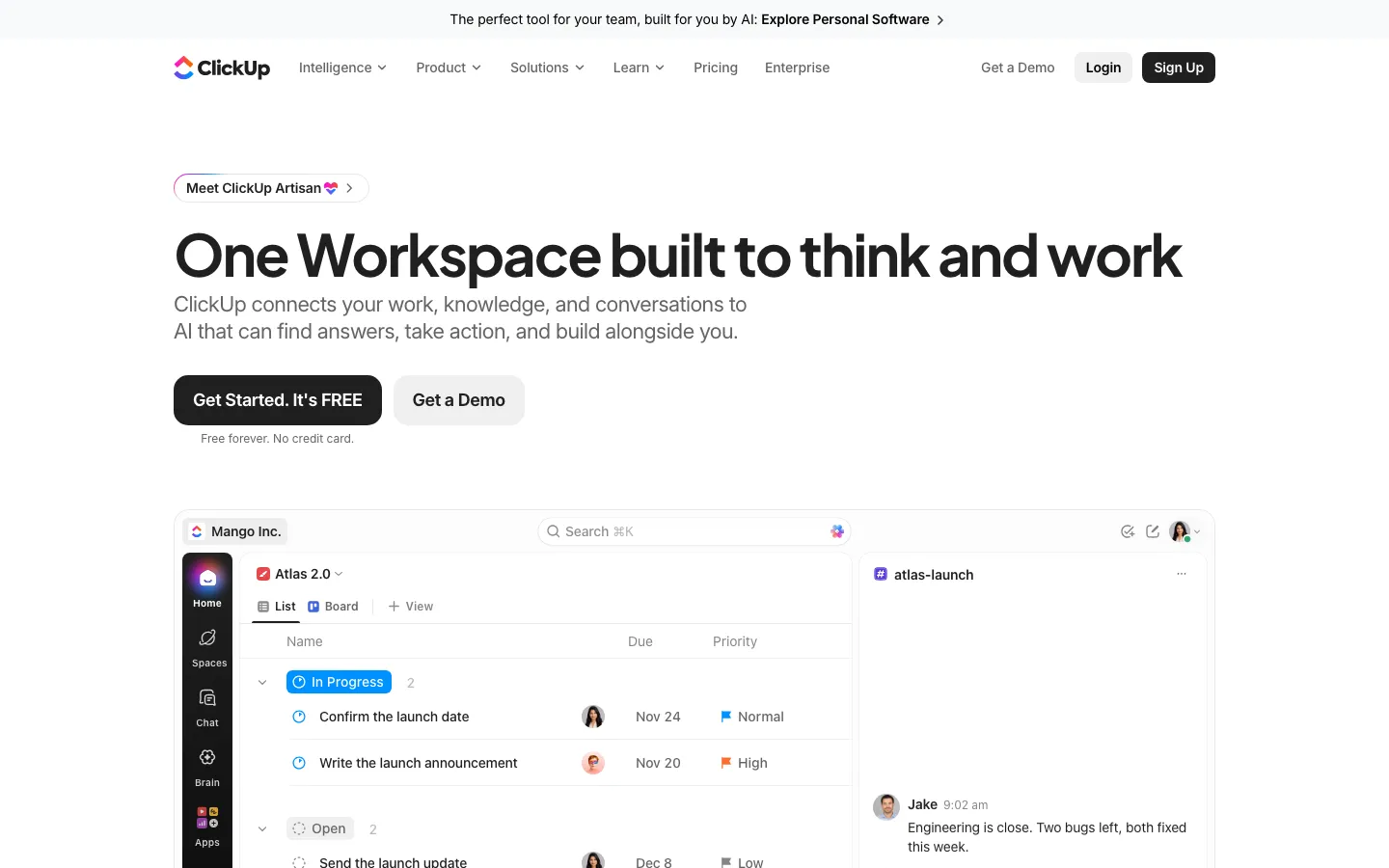
ClickUp makes the most sense when your work is scattered across a task board, a document tool, chat and a reporting layer. It puts tasks, docs, wikis, chat, whiteboards, dashboards, time tracking, forms and automations in one account. If your team is still deciding whether that consolidation is the right goal, the marketing tools directory is a useful place to compare the broader categories before moving everything.
The practical advantage is shared context. A project can have its brief, tasks, discussions, files, forms and reporting in the same workspace rather than asking people to hunt across several products. ClickUp's structure includes Spaces and multiple views, so the same work can be shown as a list, board, calendar or Gantt chart.
That breadth is also the decision. I would choose ClickUp only when someone on the team will set standards for spaces, statuses and permissions. Without that owner, a flexible workspace can simply replace several tidy tools with one busy one.
Which organizations get the most value out of ClickUp?
Lean startup teams
Bring task tracking, documents and team coordination together before separate subscriptions start to pile up.
Growing project teams
Use Core for unlimited storage, forms, Gantt charts and shared chat at a published per-user price.
Operations teams
Business adds resource management, timesheets and advanced dashboards when workload reporting becomes a regular job.
Enterprise organizations
Choose Enterprise when SSO, SCIM, audit logs, data residency or HIPAA support with a BAA matter.
ClickUp is not the automatic choice for a team that mainly needs an orderly record of decisions and reference material. Those teams should consider whether a document-led workspace will be easier to maintain before committing to a product with project, reporting and automation settings alongside every page.
What project tracking and automation tools does ClickUp include?
Projects in the view each team needs
The free plan already includes unlimited tasks and subtasks, Kanban boards, calendar view, sprint management and time tracking. Core adds custom fields and task types, along with unlimited Gantt charts. That progression is sensible: start with a real project on Free Forever, then pay when planning across dates, fields and dependencies becomes part of the job.
Docs, chat and request intake
Collaborative Docs and SyncUps video calls are part of Free Forever. Core adds unlimited ClickUp Chat and unlimited forms. For a team handling campaign requests, product feedback or internal work, forms can turn intake into tasks without asking someone to copy requests from one place to another.
Dashboards and automation
Core includes 1K automations each month. Business raises that to 10K and adds advanced dashboards, timesheets, time-in-status reports, resource management and automation integrations. Enterprise lists 1M automations a month. The tiers draw a clear line: Business is the real starting point for an operations team that needs reporting and workflow triggers, not just project coordination.
ClickUp Brain and Super Agents
Free Forever and Core list ClickUp Brain as a trial. The pricing page still shows a monthly credit allowance for every plan: 500 credits per workspace on Free Forever, then 1K per user on Core, 1.5K on Business and 3K on Enterprise, with paid-plan credits pooled. Extra AI credits cost $10 per 10K credits. ClickUp also promotes build-your-own Super Agents, so AI can use the work held in the workspace. Treat credits as a usage cost, not a small feature buried inside the plan price.
API, integrations and MCP
ClickUp lists connections to more than 1,000 tools. Its developer site documents a public API, webhooks and OAuth, and offers an MCP server for connecting an AI assistant. That is a strong base for a connected workflow, but note the pricing distinction: webhooks and automation integrations appear on Business, while Enterprise lists Enterprise API and integrations. Confirm the exact plan and permissions before making ClickUp a dependency in an automated process.
How much do ClickUp Core and Business subscriptions cost?
Price checked 27 Nov 2026
| Plan detail | Free Forever$0 | Core$9/user/mo | Business$17/user/mo | EnterpriseCustom |
|---|---|---|---|---|
| Billing basis | No card required | Yearly | Yearly | Talk to sales |
| Storage | 60 MB | Unlimited | Unlimited | Unlimited |
| Forms | 1 | Unlimited | Unlimited | Unlimited |
| Gantt charts | ✕ | Unlimited | Unlimited | Unlimited |
| AI credits | 500/workspace | 1K/user, pooled | 1.5K/user, pooled | 3K/user, pooled |
| Advanced dashboards | ✕ | ✕ | ✓ | ✓ |
| SSO and SCIM | ✕ | ✕ | Google SSO | Advanced SSO, SCIM, SAML |
ClickUp prices in US dollars, 27 Nov 2026.ClickUp pricing
For a real team bill, three people on Core cost $27 a month on annual billing. Three people on Business cost $51 a month. That comparison is more useful than the headline price because ClickUp requires you to upgrade the entire Workspace, not only the colleagues who need a paid feature.
- Core's regular listed price is $12 per user a month, versus $9 with yearly billing
- Business's regular listed price is $25 per user a month, versus $17 with yearly billing
- Extra AI credits cost $10 per 10K credits and are shared across the Workspace
- ClickUp states a 100% satisfaction guarantee, with a full refund available within 30 days
What security and governance features does ClickUp Enterprise offer?
ClickUp Enterprise supplies enterprise-level compliance policies, advanced role permissions, and formal security governance for scaling organizations. ClickUp lists white labeling, unlimited custom roles, advanced SSO, SCIM, SAML, audit logs, session management, data residency and HIPAA support with a BAA. The price is custom, so this is a sales conversation, not a plan you can put into a self-serve budget.
The Max plan is separately listed at $100 per user a month billed yearly. It combines Max AI features and 10K credits per user a month with Enterprise-grade controls. It belongs in a different budget category from Core and Business, so do not use the $9 entry price to justify an AI-heavy rollout.
What are the biggest downsides of using ClickUp?
ClickUp limits free workspace viability over time by restricting uploaded file storage to a strict sixty-megabyte cumulative ceiling. Core removes that cap, but the features that turn ClickUp into an operations platform, including advanced dashboards, webhooks and resource management, sit one tier higher on Business.
The allowances matter as soon as automation or AI becomes part of your process. Core's 1K monthly automations and pooled AI credits can be enough for a small team, but they are not a promise of limitless usage. Build a rough monthly workload before deciding the lower price is the lower cost.
Finally, Workspace-wide upgrades make ClickUp less flexible for mixed teams. If three people need Business functions, the whole Workspace must upgrade. That is straightforward for a compact team, but it can change the economics when a larger organization has only one operations group using the advanced features.
Which project management tools compete against ClickUp?
ClickUp faces competition from specialized tools when teams prefer single-purpose task lists over broad work coordination suites. If your team wants a document canvas with connected tables, views, forms, formulas and automations instead, read the  Coda review. Coda has been renamed Superhuman Docs, a useful detail to know before you compare plans or search for documentation.
For a shared knowledge base, the  Confluence review is the closer comparison. Confluence uses pages and spaces for information that people need to revisit, and its Jira connection is relevant when your delivery work already runs through Atlassian. Neither alternative is a like-for-like replacement for ClickUp's full set of project views, dashboards and resource tools.
Is ClickUp the right all-in-one productivity platform for your team?
ClickUp earns its place when one team needs to coordinate work and keep the surrounding context close by. Free Forever is a credible way to prove the approach, while Core is good value for a small group that needs unlimited storage, forms and Gantt charts. Business is the meaningful upgrade for automation, dashboards and resource work.
Run one active project on Free Forever, decide who owns the workspace structure, then move the whole team to Core only once the project needs unlimited storage or Gantt charts. Price Business against your expected automation and reporting workload before committing to it.
How were ClickUp features, APIs, and pricing plans validated?
ClickUp specifications, developer documentation, pricing plans, and MCP support details were audited on 27 Nov 2026. Prices are in US dollars as ClickUp shows them, and each figure follows how we check figures.
- ClickUp pricing page for plan features, credit allowances, refunds and billing
- ClickUp product pages for workspace, project and AI capabilities
- ClickUp integrations and developer pages for API, OAuth, webhooks and MCP
Where can users find tutorials and onboarding resources for ClickUp?
What are common questions about ClickUp plans and features?
Does ClickUp have a free plan?
Yes. Free Forever costs $0 with no credit card required. It includes unlimited tasks and subtasks, unlimited free members, collaborative docs, Kanban boards, calendar view, 60 MB of storage and one form.
How much does ClickUp cost for a team?
Core is $9 per user a month billed yearly, while Business is $17 per user a month billed yearly. Three people cost $27 a month on Core or $51 on Business before AI credit top-ups.
Does ClickUp offer a refund?
ClickUp states a 100% satisfaction guarantee. It says you can ask for a full refund within 30 days if you are not satisfied with a purchase.
Does ClickUp work with AI agents?
ClickUp documents a public API, OAuth, webhooks and an MCP server for connecting an AI assistant. Free Forever and Core list ClickUp Brain as a trial, while the pricing page shows a monthly AI credit allowance for every plan.
 Reviewed byDanny Kirk
Founder of ReddiReach.
 Checked byAndrés Felipe
Digital designer and marketer.
Every figure is checked against the vendor's own page. Read our editorial standards.