
Key Takeaways
- Fibery provides a flexible connected workspace tailored for cross-functional teams modeling complex product, operations, and planning records together.
- Teams can evaluate Fibery on a free tier supporting ten users before upgrading to Standard at twelve euros monthly.
- Fibery supports automated workflows through native HTTP, GraphQL, and webhook access alongside dedicated remote Model Context Protocol integration.
- Organizations requiring preconfigured out-of-the-box workflows or proprietary AI model connections may find Fibery unsuitable for immediate operational deployment.
When product, operations, and planning work keep splitting into separate records, Fibery is the better fit for a team ready to define how those records connect. Start on Free for a team of up to 10, then choose Standard when unlimited databases matter. Choose a more opinionated tool if you need a ready-made workflow or want to choose your own AI provider.
Agent access
- API
- Yes, free, Standard, Pro, and Enterprise
- MCP server
- Official, hosted, OAuth 2.0
- Works with
 ClaudeClaude Code
 ChatGPT
 Cursor
 VS Code
 n8n
- Automation
- Zapier, Make, n8n
What are the main pros and cons of using Fibery?
What works
- Free supports up to 10 users and 10 databases
- Observers and guests are free across every plan
- Remote MCP, APIs, webhooks, and custom integrations
What to watch
- Free keeps several views and advanced options private-only
- You cannot bring your own AI provider
- Lower plans cap automation runs and integration syncs
What core operational capabilities does Fibery provide for product teams?
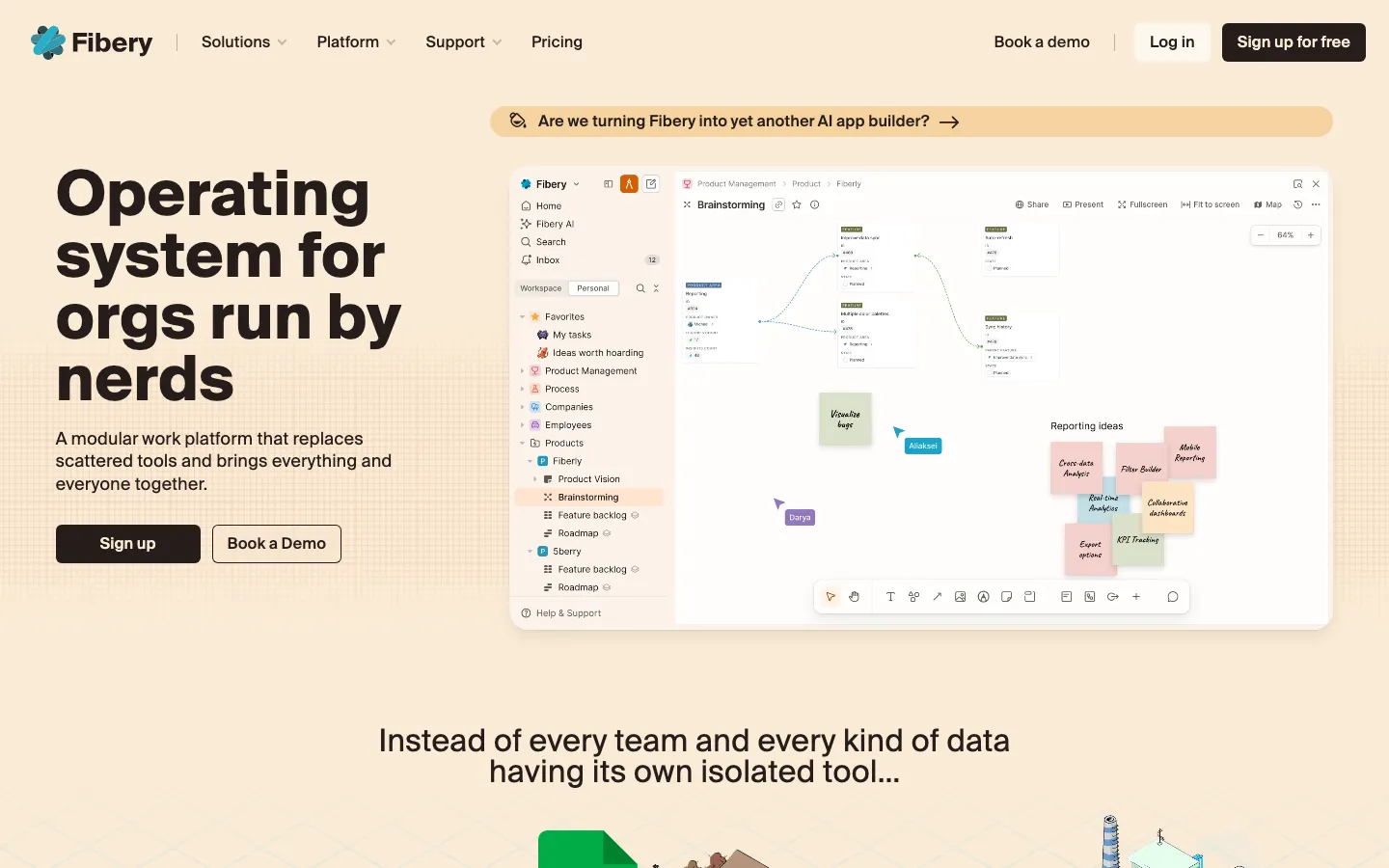
Fibery makes the most sense when the work itself crosses tools: a product decision becomes an initiative, an initiative creates delivery work, and the same record needs to surface in a document, board, or report. It is a modular work platform built to replace scattered tools, not a narrowly packaged app. If you are still deciding which kind of platform belongs in your stack, the marketing tools directory can help you map the wider landscape.
The appeal is not that Fibery gives every team the same tidy project board. It lets you create entities, fields, relations, and views that match how your company actually runs. That can put product specifications, customer feedback, tasks, and roadmaps in one model instead of copying them between apps. It also means someone has to make deliberate choices about those definitions before the workspace grows.
Four plans set the practical boundary. Free is for small teams and supports up to 10 users. Standard removes the database ceiling. Pro adds custom apps, advanced permissions, JavaScript automations, and unlimited version history. Enterprise adds unlimited automations and integrations, SAML SSO, SCIM provisioning, regional data residency options, and a customer success manager. Every workspace gets a 14-day Pro trial, which is enough time to model one real workflow rather than admire an empty canvas.
Who gets the most value from adopting Fibery?
Product and software teams
Connect specifications, feedback, tasks, and roadmaps, with two-way Jira sync available on Pro and Enterprise.
Small organizations
Use Free for up to 10 users, then expand only when database and collaboration needs grow.
Process-minded operations teams
Build custom records, relations, views, and automations around a workflow your team already understands.
Data-residency buyers
Keep EU residency by default, or use Enterprise for US, UK, or APAC data residency options.
Fibery is less suitable when your team needs Fibery to impose a standard way of working. Its flexibility is its value, but it also turns early design decisions into ongoing maintenance. A smaller, purpose-built app can be the better buy when the process is already clear and you do not need multiple teams to share one underlying model.
Which key collaboration and database features does Fibery include?
Connected databases and working views
Fibery lets you build models from custom entities, fields, and relations, then present the same data as a board, timeline, Gantt chart, table, list, calendar, gallery, feed, or map. Smart Folders can show filtered and sorted entity lists in navigation. That makes it useful when different people need different views of the same work, rather than separate copies of it.
Automation without a separate layer
Automation Rules and buttons can handle repetitive actions while keeping the resulting data in the same workspace. Free includes 250 automation runs a month. Standard lists 1,000 runs plus 100 per paid seat, Pro lists 10,000 plus 1,000 per paid seat, and Enterprise is unlimited. Pro adds JavaScript automations, and Enterprise includes everything in Pro. Move up when the process needs safeguards and custom logic, not just another automated task.
Integrations that keep records connected
Fibery's gallery says it can sync data from more than 20 tools, while custom Integration Templates can sync an external system. Pro and Enterprise list two-way sync with Jira. Those are strong building blocks for a team replacing disconnected trackers, but integration volume still matters: the lower plans cap monthly entity syncs.
API, webhooks, and MCP for agents
The developer platform documents an HTTP API for querying, creating, and updating workspace data, custom integration apps, and webhooks for entity changes. Fibery also runs a remote MCP server with more than 50 tools after OAuth authentication, and its pricing table lists remote MCP on every tier. That is a notably broad route for an AI agent to work with a defined workspace, but access should follow the same permission design as your human team. An agent that can edit a record needs clear boundaries around which records matter.
Fibery AI
Fibery AI can build a workspace from a description of what you want to track. Paid plans include monthly AI credits per paid seat, while Pro and Enterprise can enable extra usage at €15 per 1,000 credits. Fibery says customer data is not used to train models. The immovable limit is provider choice: Fibery says you cannot use your own AI providers.
How much do standard Fibery subscription plans cost?
Price checked 27 Nov 2026
| Plan detail | Free€0 | Standard€12/user/mo | Pro€20/user/mo | Enterprise€40/user/mo |
|---|---|---|---|---|
| Billing shown | Up to 10 users | Annual billing | Annual billing | Annual billing |
| Monthly billing | €0 | €15/user/mo | €24/user/mo | €50/user/mo |
| Databases | 10 | Unlimited | Unlimited | Unlimited |
| Automation runs monthly | 250 | 1,000 + 100/paid seat | 10,000 + 1,000/paid seat | Unlimited |
| Remote MCP | ✓ | ✓ | ✓ | ✓ |
Fibery prices in euros, 27 Nov 2026.Fibery pricing
On paid plans, admins and members are billed seats, while observers and guests are free. A three-member team on Standard costs €36 a month on annual billing, or €45 on monthly billing. The same three people on Pro cost €60 annually billed or €72 month to month. Free is the smarter first move for a team that can work within 10 databases and the view restrictions.
- Every workspace starts with a 14-day Pro trial before it moves to a paid plan or Free
- Pro and Enterprise can enable additional AI credits, automation runs, and integration syncs
- Eligible startups with fewer than 42 employees can apply for six months of Pro at no cost
- Nonprofit, educational, and Ukrainian organizations receive a 50% discount, while open-source projects receive 100%
When should growing companies upgrade to Fibery Enterprise?
Fibery Enterprise serves organizations that have outgrown a workspace built by one small group and require durable governance across teams. It costs €40 per paid user each month on annual billing, or €50 monthly, and requires at least 25 paid users. That makes the annual-billing starting commitment €1,000 a month before any additional usage.
The upgrade buys operating controls, not merely more rows. Enterprise includes unlimited automations and integrations, SAML SSO, SCIM provisioning, a customer success manager, and US, EU, UK, or APAC data residency. Examine it when central identity, governed access, or regional hosting is a real requirement.
What limitations and drawbacks should buyers expect in Fibery?
Fibery provides a generous Free plan for small teams, but the tier remains intentionally restricted in advanced functionality. Several views and advanced features are private-only, and it stops at 10 databases. That is fine for testing a real process. It becomes awkward when people who need a timeline, dashboard, or app are not the workspace builders.
Usage is the second constraint. Automation runs and integration syncs have published limits before Enterprise. Standard and Pro increase those allowances as paid seats are added, but a high-frequency operational workflow should be priced around the run and sync budget, not only the seat price.
Finally, Fibery's AI is a platform choice. It includes AI and says data is not used to train models, but the vendor selects the providers. If your team has a requirement to use a particular model provider, Fibery's own answer is no. Resolve that before designing AI into a core workflow.
Which software platforms serve as strong alternatives to Fibery?
Fibery is for a team that wants to design its own connected operating model. If you need a visual builder with widgets, settings, custom code, downloadable Flutter code, and web apps, read the  FlutterFlow review. It is a different kind of no-code decision, so treat it as a comparison of jobs rather than a feature-for-feature substitute.
If your goal is an internal business app from a spreadsheet, prompt, or file, read the  Glide review. GlideOS is for internal business applications, so it is useful when the team needs an app around its business data rather than a shared operating model.
What is the final overall verdict on adopting Fibery?
Fibery offers a robust workspace foundation for teams willing to take ownership of designing their shared relational records. The Free plan gives a genuine place to establish the model, Standard is the sensible first paid tier when that model needs more databases, and the documented API and MCP access make it unusually capable of joining an agent workflow. Its promise is flexibility, so do not buy it merely because it can do many things.
Build one workflow on Free or during the 14-day Pro trial, agree the records and permissions before inviting the wider team, and move to Standard only when the database limit is the thing holding that workflow back.
How were Fibery features and pricing benchmarks verified?
Fibery pricing tiers, plan limits, workspace features, data residency options, and developer tools were checked against official sources on 27 Nov 2026. Prices are in euros, as Fibery presents them, and every figure follows how we check figures.
- Fibery pricing pages for annual and monthly billing
- Fibery product, AI, integrations, and MCP pages
- Fibery developer documentation for API, webhooks, and custom integrations
What are the most common questions about Fibery?
Is Fibery free?
Yes. Fibery Free supports up to 10 users and includes 10 databases, unlimited entities, collaborative docs, formulas, automations, and integrations. Every workspace also has a 14-day Pro trial.
How much does Fibery cost?
Standard is €12 per user each month on annual billing or €15 monthly. Pro is €20 annually billed or €24 monthly, while Enterprise is €40 annually billed or €50 monthly and requires at least 25 paid users.
Does Fibery work with AI agents?
Yes. Fibery documents a remote MCP server, HTTP API, GraphQL API, custom integrations, and webhooks. The pricing table lists remote MCP on every plan.
Can I use my own AI provider in Fibery?
No. Fibery says it does not support customer-selected AI providers for its AI features.
 Reviewed byDanny Kirk
Founder of ReddiReach.
 Checked byAndrés Felipe
Digital designer and marketer.
Every figure is checked against the vendor's own page. Read our editorial standards.