
Key Takeaways
- HubSpot Content Hub unifies content management, blog publishing, AI drafting, multimedia editing, and cross-channel marketing analytics inside an existing centralized customer relationship management platform.
- HubSpot Content Hub offers a free tier alongside temporary promotional rates on Starter at seven dollars annually or ten dollars monthly per seat.
- HubSpot Content Hub provides comprehensive content management system developer documentation and application integrations, enabling custom external application connections and automated content deployment.
- HubSpot Content Hub increases costs significantly on professional and enterprise tiers, making it uneconomical for organizations seeking an isolated content writer without broader CRM adoption.
When your publishing work is scattered between a site editor, blog workflow, AI drafts, video, and reports, HubSpot Content Hub brings those jobs into your HubSpot account. It is the best fit for a marketing team already using HubSpot that wants its website and content operations in the same system. Start free for the basics, then consider Starter when you need website pages and personalization, but treat its $7 annual and $10 monthly per-seat offers as temporary promotions.
Agent access
- API
- Yes, any Hub, including Free
- MCP server
- Official, hosted, OAuth 2.1 with PKCE
- Works with
 Claude
 ChatGPT
- Automation
- Zapier
What are the main HubSpot Content Hub pros and cons?
What works
- Free tier has no credit-card requirement
- CMS, blog, AI writing, video, and reporting sit together
- Professional adds brand voice, AI translation, and remixing
What to watch
- Professional moves to $90 a month per additional seat annually
- Starter's listed prices are limited-time customer discounts
- Confirm API scope and plan access before building an agent workflow
What does HubSpot Content Hub do for content operations?
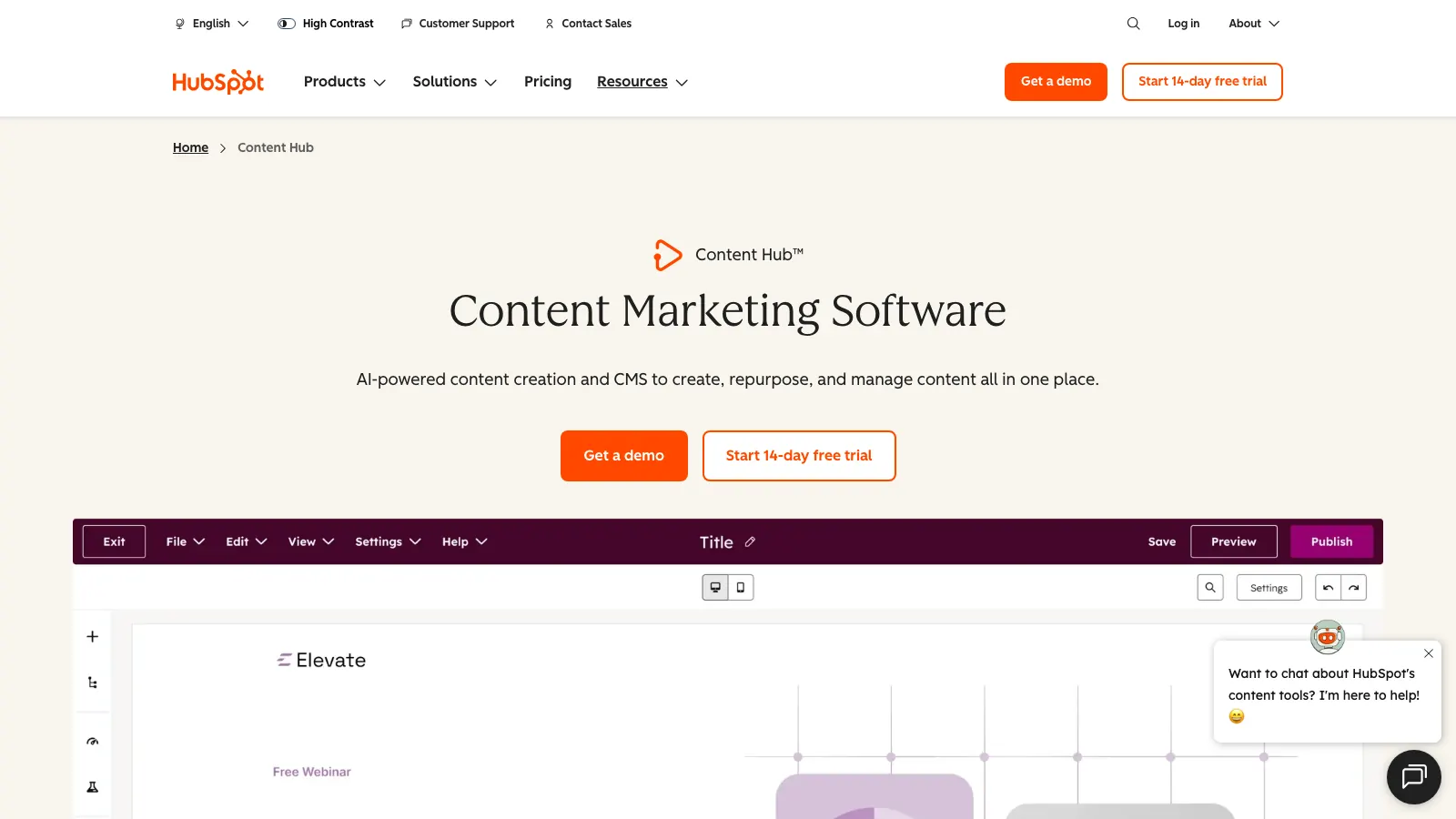
HubSpot Content Hub solves operational fragmentation when marketing teams juggle separate site editors, blogging workflows, AI drafting tools, video suites, and analytics. It brings AI-powered content creation and a CMS into one product, so the work of creating, managing, and distributing content remains in the same wider platform as HubSpot's other products. It belongs in a marketing tools directory as a platform choice, not a narrow writing subscription.
A team can build landing pages, publish blog posts, use the AI Blog Writer, manage a scalable CMS, clip and optimize video, and look at reporting dashboards without sending each stage to a separate vendor. HubSpot says its products work independently, while data connects automatically when you use two or more together. That makes Content Hub more compelling for an established HubSpot account than for a team starting with a blank stack.
The free plan includes landing pages, help from an AI assistant, and basic SEO tips. Starter removes HubSpot branding, adds website pages, and offers content personalization. The expensive decisions begin when you need the Professional features.
Who is HubSpot Content Hub designed for?
Existing platform teams
Keep content, customer data, and related HubSpot products working in the same platform.
Website-First Marketers
Build pages, publish a blog, and use basic SEO guidance without separate CMS software.
Multi-Channel Content Teams
Use AI writing, video clipping, content remixing, and reporting from one workspace.
Growing Operations
Add permissions, approvals, and multi-site controls once a simple publishing process needs governance.
It is less suitable for a solo writer who only wants first drafts, or an agency choosing a content system solely for client delivery. Confirm white-label delivery before making it the system for branded client reporting. A team that does not use any other HubSpot product should compare the cost of the suite against a smaller purpose-built workflow before committing its website.
Which features are included in HubSpot Content Hub?
AI writing that starts inside the publishing platform
HubSpot names AI Blog Writer as a way to write blog posts instantly. At Professional, its pricing materials also describe Content Agent, which creates content in HubSpot using brand voice, audience data, and competitive research. That matters when a draft needs to remain connected to the place it will be edited and published.
Pages, landing pages, and scalable CMS
The free offering includes landing pages, while Starter adds website pages. Content Hub also positions its scalable CMS as the place to build and manage a website. That turns the content tool into part of the publishing infrastructure, not simply an AI writing seat.
Repurposing, brand voice, and translation
HubSpot says its built-in AI agents can turn strategy into multi-channel content, and the Professional card promises instant remixing, brand voice definition, and AI translation. Price Professional when those workflows are central, and confirm the output formats and plan access that your team needs.
Video and reporting in the same workflow
Video Marketing clips and optimizes video across channels, while reporting dashboards show what content works best. HubSpot's comparison area includes a row for creating short-form video clips. Confirm video availability for the intended subscription before making it a requirement.
AI search and developer connections
Professional includes a claim that you can get found in AI search engines, while the Content Hub page introduces HubSpot AEO for tracking how a brand appears when buyers ask AI questions and acting on recommendations with its content tools. HubSpot also offers CMS developer documentation and app integrations. Confirm the API scope, MCP connection, and integration access your agent needs in writing.
How is HubSpot Content Hub priced across its tiers?
Price checked 27 Nov 2026
HubSpot's official USD pricing is seat-based. The listed Starter rates are temporary promotions: $7 per seat a month on annual billing carries a 65% off label, and $10 per seat a month on monthly billing carries a 50% off label. Professional is $90 annually or $100 monthly per seat, while Enterprise is $175 per seat a month.
| Plan detail | Free$0/mo | Starter$7/seat/mo | Professional$90/seat/mo | Enterprise$175/seat/mo |
|---|---|---|---|---|
| Annual billing | Not applicable | $7/seat/mo, temporary 65% off offer | $90/seat/mo | $175/seat/mo |
| Monthly billing | $0/mo | $10/seat/mo, temporary 50% off offer | $100/seat/mo | $175/seat/mo |
| Published entry access | Landing pages, AI assistant, basic SEO tips | Website pages and personalization | Remixing, brand voice, AI translation | Multiple sites and approvals |
| Published user limits | Up to 2 users | Up to 10 users | Additional seats $90/mo | Additional seats $175/mo |
HubSpot prices in US dollars, 27 Nov 2026.HubSpot pricing
The price jump is easier to understand with a real team bill. Two people on Starter cost $14 a month on annual billing, or $20 monthly, at the displayed temporary promotional rates. A two-person Professional subscription costs $180 a month annually in recurring seat charges. Professional and Enterprise also require paid onboarding, so obtain that price before treating the seat arithmetic as the full purchase cost. Decide whether brand voice, AI translation, remixing, and Content Agent cover that larger operating cost.
- Free has no credit-card requirement and supports up to two users
- Starter supports up to 10 users, with temporary promotional rates shown for annual and monthly billing
- Professional includes 10,000 HubSpot Credits a month
- Professional and Enterprise require paid onboarding, with its price to confirm
- Enterprise adds sandboxes, access controls, connected accounts, and approval controls
When does HubSpot Content Hub Enterprise earn its place?
HubSpot Content Hub Enterprise delivers governance, permissions, and organizational control rather than merely expanding raw copywriting capacity. HubSpot lists organizational levels, a sandbox for testing changes, access controls, connected HubSpot accounts, and marketing-email approvals. The Content Hub page separately highlights multiple sites, content approvals, and organizing users across levels.
It is relevant when a content operation has several sites, distinct permissions, or a formal approval path. Enterprise costs $175 per seat a month and requires paid onboarding, so obtain the onboarding price before approving the total budget. If the immediate problem is drafting and publishing pages, start with Free or Starter, then calculate Professional.
Where does HubSpot Content Hub fall short for growing teams?
HubSpot Content Hub increases costs rapidly as organizations require advanced enterprise features and higher seat counts. Annual Professional pricing is $90 per additional seat each month, compared with Starter's $7 temporary promotional annual seat rate. Include every editor, web manager, and approver in the budget, not just the first plan price.
HubSpot presents broader platform features alongside Content Hub messaging. The pricing page lists Content Agent and AI search capability under Professional, while the product page describes AI Blog Writer, video, CMS, AEO, and reporting. Confirm which features attach to your subscription and region.
Technical buyers should not fill in blanks. HubSpot offers CMS developer documentation and app integrations. Confirm the API scope, public MCP availability, and integration access needed for your workflow before moving your publishing process.
What are the top HubSpot Content Hub alternatives to consider?
 AI Peekaboo review is the better reading for a team whose immediate need is AI-answer measurement rather than a CMS: its plans from $30 a month include API, MCP, and Looker Studio access. Content Hub is broader, but AI Peekaboo is the more focused choice when the output must flow into an agent or a client report.
 Jottler review offers a fact-checking pipeline and SEO meta plus FAQ schema, which suits a team centered on article-production checks.
 Kordiam review covers progress, publish dates, platform destinations, and approvals, so it fits an editorial operation that needs its workflow tracked. Keep HubSpot in the lead when the CMS and the rest of your HubSpot data are the reason for the decision.
What is the overall verdict on HubSpot Content Hub?
Content Hub is a sensible extension of HubSpot for a marketing team already committed to HubSpot Content Hub. The free plan gives you a low-risk starting point, and Starter is inexpensive if website pages and personalization are enough. The product becomes a more serious purchase at Professional, where the documented content advantages, including remixing, brand voice, and AI translation, come with a sharp per-seat step up.
Build one small content workflow on the free tier first. If it sticks, price the actual people who need access on Starter and Professional, then upgrade only when the team can name the published feature that saves enough work to cover the seat increase.
How was HubSpot Content Hub researched and verified?
HubSpot Content Hub provided the official plan limitations, product specifications, and United States dollar pricing tables checked on 27 Nov 2026. Prices are in US dollars as HubSpot displays them, and every figure follows how we check figures.
- Product page
- HubSpot pricing page in US dollars, with annual and monthly billing
- HubSpot's published CMS developer-documentation and integration references
What are the most common questions about HubSpot Content Hub?
Is HubSpot Content Hub free?
Yes. HubSpot lists a Free plan at $0 a month with no credit card required. It includes landing pages, AI assistant help, and basic SEO tips, and the pricing page lists up to two users.
How much does Content Hub cost per seat?
Starter's displayed limited-time offers are $7 per seat monthly on annual billing, labeled 65% off, or $10 monthly, labeled 50% off. Professional is $90 per additional seat monthly on annual billing or $100 monthly. Enterprise is listed at $175 per additional seat a month. Professional and Enterprise also require paid onboarding, so ask for that price.
What does Professional add to Content Hub?
HubSpot's Content Hub page lists instant content remixing, brand voice definition, and AI translation. Its USD pricing page also lists advanced automation, social account management, Marketing Studio, and Content Agent under Professional.
Does Content Hub work with AI agents?
HubSpot says Content Hub has built-in AI agents and offers CMS developer documentation and app integrations. Confirm the public MCP availability, API scope, and plan access required for your technical connection before purchase.
 Reviewed byDanny Kirk
Founder of ReddiReach.
 Checked byAndrés Felipe
Digital designer and marketer.
Every figure is checked against the vendor's own page. Read our editorial standards.