
Key Takeaways
- Voiceflow provides customer experience and engineering teams with a collaborative production environment to design, prototype, test, and deploy automated chat and voice agents.
- Voiceflow provides demo-based custom enterprise pricing alongside an agency tier with a free trial and usage-based billing featuring automated credit top-ups.
- Voiceflow equips autonomous AI agents with native CLI tools, REST APIs, MCP connectivity, and support for internal custom functions and external endpoints.
- Support organizations seeking basic help desk ticket management rather than conversation engineering should deploy conventional service desks instead of adopting Voiceflow.
If you are responsible for building and maintaining customer-facing chat or voice agents, Voiceflow is the strongest pick for treating that work as a managed product. Choose a conventional support desk instead when your priority is agent-led ticketing rather than designing the automated conversation itself.
Agent access
- API
- Yes
- MCP server
- Official, hosted, OAuth; supported custom-header clients can instead use a personal key as a Bearer token
- Works with
 ClaudeClaude Code
 ChatGPT
 Cursor
 VS Code
- Automation
- Zapier, Make, n8n
What are the core pros and cons of Voiceflow?
What works
- Chat, voice, SMS, API and human handoff deployment options
- Playbooks can sit beside deterministic workflows and guardrails
- Testing, transcripts, evaluations and release controls in one platform
What to watch
- The business offering invites you to book a demo
- Usage-based billing needs a careful volume forecast
- Production work needs owners for versions, testing and handoffs
What does Voiceflow do for conversation design and deployment?
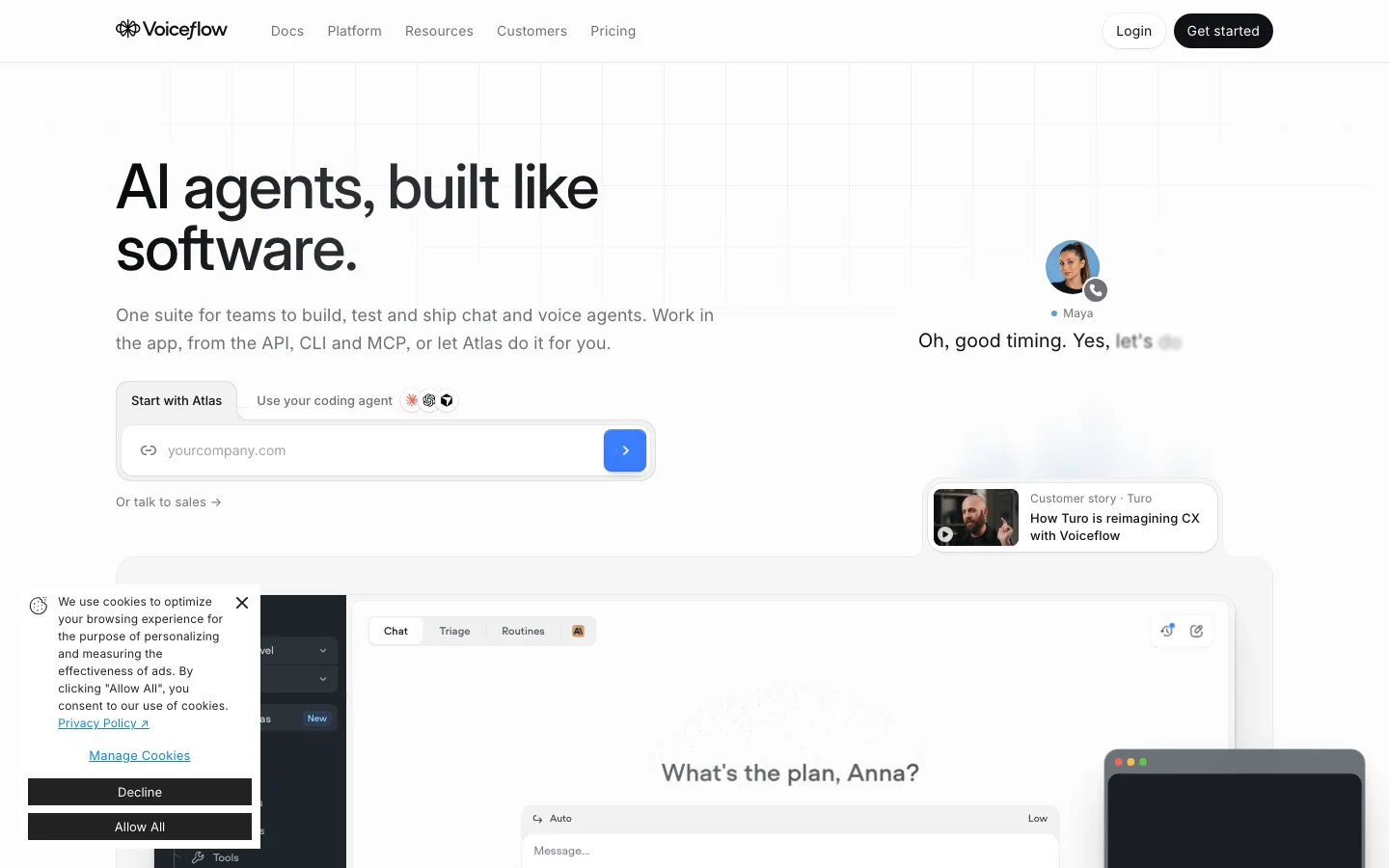
Voiceflow solves the complex business logic required when customers ask to alter reservations, cancel orders, or escalate to human support agents. It is joining useful reasoning to the business rules and systems behind the reply. Voiceflow is built for that job: a shared suite for building, testing and shipping chat and voice agents, with work possible in the app, through an API, from the CLI or through MCP.
That focus separates it from a basic website widget. The platform groups the work into building an agent, deploying it across channels, measuring its behavior and shipping changes. If your team is comparing broader software options, the marketing tools directory is a useful place to return to once you know whether an agent builder is the category you need.
I think Voiceflow makes the most sense when an automated conversation has to be owned like a product. You need accurate knowledge, agreed boundaries, system connections and a person ready to receive an escalation. The builder gives those people a common workspace, but it does not remove the operational decisions they still need to make.
Who benefits most from adopting Voiceflow?
CX and support teams
Build chat or voice journeys with handoff, then inspect conversations and evaluations before changing production behavior.
Product teams
Use playbooks and workflows to turn repeat customer tasks into governed, testable experiences across the channels customers use.
Engineering teams
Connect APIs, custom functions and MCP while keeping environments, versioning, traffic splits and change review around releases.
Agencies and partners
Manage client workspaces, deployments and performance from one platform, with white-labeling and client handoff tools listed.
A support team with no need to design the automated journey should start elsewhere. Voiceflow earns its complexity when the agent must take action, work across channels or evolve through regular review, not when the only requirement is a small static FAQ.
Which conversational prototyping features are built into Voiceflow?
Playbooks where a conversation must adapt
Voiceflow puts agentic playbooks beside deterministic workflows, with global instructions and guardrails. That split is useful in support because not every turn should be improvised. A booking discussion can adapt to the customer’s request, while the step that checks eligibility or creates a ticket can follow a fixed path. I would define the boundary between those two modes before any customer sees the agent.
Knowledge, functions and connected systems
Agents can use a knowledge base, functions and API tools, with native integrations across support, CRM, commerce, data, email and SMS. Voiceflow also says an agent can call external REST APIs, run custom functions or use MCP. That is a practical foundation for an agent that needs to retrieve live information or take an action, rather than only answer from help content.
Chat, voice and a human route out
Voiceflow lists chat, voice, SMS, API and human handoff as deployment options. The useful question is not how many channels you can turn on. It is whether the same rules, knowledge and escalation promise hold across them. Start with the customer channel where the team can actually resolve a handoff, then add another channel after the first route is reliable.
Testing and observability
Before and after release, Voiceflow lists simulations, evaluations, analytics, transcripts, agent logs and call recordings. Its commercial material also describes conversation-level visibility and broader observability. This is the part that turns an agent from a launch project into a maintained service: review where routing broke, where knowledge was thin and where an answer should have become a handoff.
Release controls and enterprise security
Environments, traffic splits, versioning and change review give a team a route from development to staging and production. Voiceflow also lists encrypted data in transit and at rest, role-based access controls, SAML single sign-on for Enterprise organizations and an optional PII-redaction add-on. Private cloud hosting is an Enterprise feature. Those controls matter when support, product and engineering share responsibility for a change.
API, CLI and MCP for technical teams
Voiceflow says teams can work from its API, CLI and MCP, while Voiceflow itself supports functions, API tools and MCP servers. That is a strong fit for teams whose internal assistants need to help build or maintain the agent. Confirm the exact access, authentication and limits you need in the commercial discussion before you make it part of a production workflow.
How does Voiceflow structure its usage and subscription pricing?
Checked 27 Nov 2026
| Commercial detail | Agencies & Partners | Businesses |
|---|---|---|
| Getting started | Free trial, no card required | Book a demo |
| Agency billing | Usage-based, with optional auto top-ups | |
| Agency tools | Multi-client workspace management, white-labeling and client handoff tools | |
| Business deployment | Voice and chat | |
| Business team setup | Team roles and permissions | |
| Business implementation support | Self-serve or fully managed |
Voiceflow commercial options, 27 Nov 2026.Voiceflow pricing
Agency work uses usage-based billing with optional auto top-ups, while the business offering invites teams to book a demo. Ask for a written estimate that names expected conversations, model use, channels, implementation support and any optional top-ups. That gives the team commercial terms matched to the agent it plans to run.
The sales conversation should also settle who owns the release process. Voiceflow describes self-serve or fully managed implementation support for businesses, and its agency offer includes multi-client management. Those are different operating models, so the commercial scope needs to match the people who will build, review and maintain the agent.
What does Voiceflow Enterprise offer for secure agent deployments?
Voiceflow Enterprise provides governance controls and role permissions when conversational agents manage sensitive customer workflows across multiple departments. Voiceflow lists SAML single sign-on, five workspace roles, project-level permissions and protected environments that limit publishing and merging to workspace admins and owners. It also lists private cloud hosting for Enterprise.
- Role-based access, project permissions and protected environments for controlled publishing
- Encryption in transit and at rest, plus a statement that customer data does not train AI models
- SAML single sign-on for Enterprise organizations and an optional PII-redaction add-on
A regulated team should confirm the exact hosting, retention, identity and data-handling terms it needs before choosing an implementation.
Where does Voiceflow fall short for simple help desk operations?
Voiceflow asks you to make product decisions that a simpler support platform can postpone. You need to decide what a playbook may adapt, what a workflow must enforce, who owns an escalation and which changes can reach production. That is the right discipline for a high-impact customer journey, but it can be excessive for a small help center.
Budgeting also needs a real conversation. The agency offer uses usage-based billing with optional auto top-ups, and the business offering invites teams to book a demo. Your first requirement should be a proposal tied to your expected traffic, channels and model choices, rather than an optimistic comparison based on an assumed volume.
Finally, Voiceflow gives you observability, not an automatic definition of success. Simulations, evaluations and transcripts are valuable only after the team agrees what a correct answer, a successful resolution and a safe handoff look like. Put those measures into the pilot before expanding the agent’s scope.
What are the top help desk alternatives to Voiceflow?
 Zendesk review covers a support platform that brings email, chat, phone, social, messaging apps and the help center into one interface. Consider it when that unified human-support operation is the decision at hand, rather than an environment for designing and shipping a conversational agent.
 Zoho Desk review describes routing tickets to the right person by skills, workload and availability, plus shared ticket ownership, internal notes and clear handoffs across teams. It is the more relevant comparison when those service-desk collaboration rules matter more than a dedicated workspace for building conversational agents.
What is the final verdict on Voiceflow?
Voiceflow is a compelling choice when customer automation deserves the same release discipline as a product feature. Its combination of adaptable playbooks, fixed workflows, multi-channel deployment and production controls gives a serious CX team room to improve an agent without treating each change as a fresh build.
Do not choose it only because AI chat is on the roadmap. Choose it when you can name the journey, the systems it must use, the human owner of the exception path and the measures that decide whether it worked.
Build one bounded journey first. Include a knowledge source, one connected action, a human handoff and a test set, then request commercial terms matched to the volume and channels you expect.
How was this Voiceflow review verified?
Voiceflow documentation, integration capabilities, and pricing models were analyzed directly from company resources on 27 Nov 2026. The review uses only claims those pages state, and the treatment of prices and capabilities follows how we check figures.
- Voiceflow platform, deployment and security material
- Voiceflow pricing page for businesses and agencies
- Voiceflow integration and documentation pages
What are frequent questions about Voiceflow?
Does Voiceflow support chat and voice agents?
Yes. Voiceflow describes a suite for building, testing and shipping chat and voice agents. It also lists SMS, API and human handoff among deployment options.
Can Voiceflow agents connect to business systems?
Yes. Voiceflow lists native integrations across support, CRM, commerce, data, email and SMS. It also supports REST APIs, custom functions and MCP.
Is there a Voiceflow free trial?
The Agencies & Partners offering lists a free trial with no card required. The business offering asks prospective customers to book a demo.
Can a technical team use Voiceflow with AI agents?
Voiceflow says teams can work from its API, CLI and MCP. Its platform also lists functions, API tools and MCP servers for connected agent workflows.
 Reviewed byDanny Kirk
Founder of ReddiReach.
 Checked byAndrés Felipe
Digital designer and marketer.
Every figure is checked against the vendor's own page. Read our editorial standards.