
Key Takeaways
- Linear equips product and engineering teams with an opinionated, high-velocity project management workspace designed around structured issue tracking, release cycles, and automated agent workflows.
- Linear provides a functional free tier covering unlimited team members, two squads, and 250 active issues, with Basic starting at $10 monthly per user.
- Linear integrates programmatic APIs, webhooks, native MCP connectivity, and autonomous developer agents across all plans, while cloud coding requires separate credits.
- Linear is suboptimal for marketing departments, creative agencies, and client services teams that rely on broad campaign calendars and flexible approval boards.
Linear is the right project system when your product and engineering team needs one ordered place for issues, cycles and agent work, starting free for an unlimited number of members. Pick another tool if your work is mostly campaigns, approvals and client deliverables, because Linear is deliberately shaped around shipping software.
Agent access
- API
- Yes, free, Basic, Business, and Enterprise
- MCP server
- Official, hosted, OAuth 2.1 with dynamic client registration, or a bearer token or Linear API key
- Works with
 ClaudeClaude Code
 Cursor
 VS Code
- Automation
- Zapier, Make, n8n
What are the primary pros and cons of using Linear?
What works
- Free plan has unlimited members and agent-platform access
- API, webhooks and MCP access are included on every plan
- Basic removes the issue cap for $10 per user monthly, billed yearly
What to watch
- Free plan stops at two teams and 250 issues
- Private teams, guests and intelligence features start at Business
- Cloud coding agent and Loops require AI credits
How does Linear establish an efficient shipping cadence for software teams?
Linear establishes a cohesive operational rhythm when software delivery becomes complicated by competing requests, bugs, and incomplete features. It is a product development system built around issues, cycles, projects and initiatives, rather than a general task board. That distinction matters: the marketing tools directory has plenty of software for planning work, but Linear earns its place when the work must become a reliable product release.
The core is intentionally compact. Your team plans a project or initiative, breaks it into issues, moves the issues through a cycle, and keeps the release context alongside them. Every plan includes issues, projects, cycles, initiatives, customer requests, triage, Pulse, issue sync, import and export. It is enough structure to make ownership visible without turning every decision into a configuration exercise.
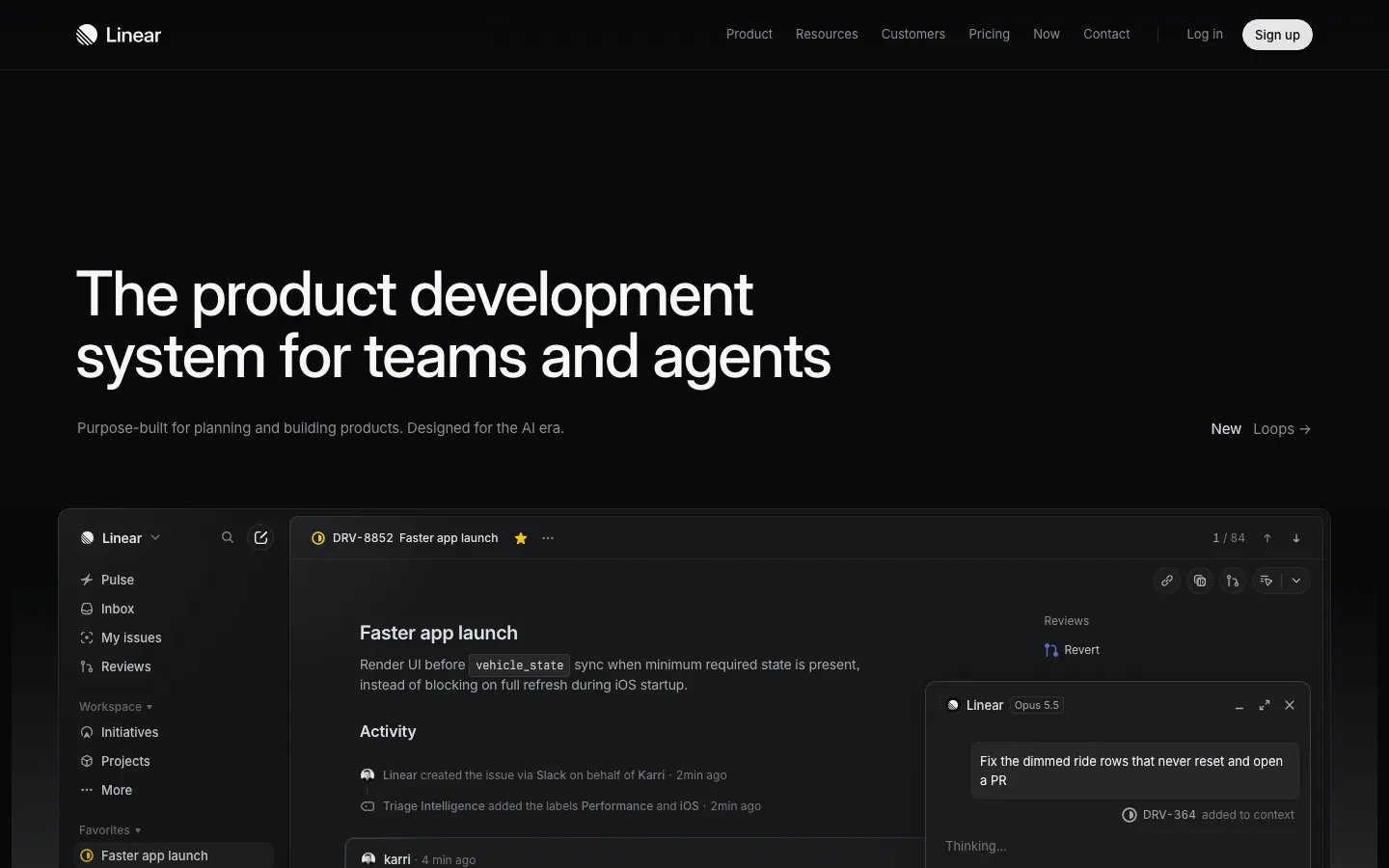
Linear's newer bet is that human and agent work need the same context. Its own agent can use projects, issues, customer requests, documents and code to create issues from conversations, draft project updates, suggest the next cycle and flag risk. That makes Linear especially appealing when you want agents to help with product operations without dropping their output into a disconnected chat.
Which product and engineering organizations are best aligned with Linear?
Product and engineering teams
Teams shipping software that need issues, cycles and releases to follow one predictable product rhythm.
Early-stage software companies
Unlimited members on Free let a small team establish its workflow before it pays per seat.
Teams using coding agents
MCP, API access and agent integrations keep agent work connected to the same issue history.
Product groups handling feedback
Business adds Asks and support integrations when customer requests need a route into product work.
I would not choose Linear for a standalone marketing department. It can hold the work, but its vocabulary and paid upgrades favor planning, building and shipping product. A team that needs campaign calendars and client-facing approval loops should begin with a broader work-management tool.
What issue tracking and software cycle features does Linear include?
Issues, cycles and project planning
Issues, projects, cycles and initiatives are included across the range. This is Linear's clearest advantage: it gives a development team a consistent path from planned work to shipped work. Business adds issue SLAs, triage responsibility and rules, plus 15 release pipelines. Enterprise has unlimited release pipelines and sub-initiatives, which is where a larger organization gains more hierarchy rather than a different everyday workflow.
Agent work with product context
Linear Agent can turn a  Slack or Microsoft Teams conversation into a scoped issue with its surrounding context. It can also draft updates, plan a cycle and report what is at risk. MCP access, the agent platform and Linear Agent are listed on all plans. The cloud coding agent works from an issue in a cloud sandbox and returns reviewable diffs, while Loops run recurring agent work. Both require AI credits, so clarify credit pricing before you make them part of a recurring workflow.
API, webhooks and custom integrations
Linear documents a GraphQL API, OAuth 2.0 and personal API keys, webhooks, a TypeScript SDK and agent interaction guidance. API and webhook access is included from Free upward. Rate limits are standard on Free and Basic, twice standard on Business and five times standard on Enterprise. That is a generous foundation for a small team building its own workflow, but a high-volume integration needs the Business or Enterprise limits in its budget.
Intake, feedback and triage
Customer requests are included across the plans. Business adds Linear Asks, which brings requests from Slack or email into issues, along with  Zendesk and Intercom integrations. The same tier adds Triage Intelligence and Code Intelligence. Those are meaningful upgrades for a product team with noisy incoming work, not essentials for a small team that is still deciding what to build.
Connections to the tools around engineering
Linear's integration directory spans engineering, collaboration, design, product-feedback and AI-agent workflows. The value is not the length of that directory. It is that an issue can remain the shared record while a discussion, code review or agent session moves the work forward.
What are the current per-seat subscription tiers for Linear?
Price checked 27 Nov 2026
| Plan detail | Free$0 | Basic$10/user/mo | Business$16/user/mo | EnterpriseCustom |
|---|---|---|---|---|
| Billing | Free | Billed yearly | Billed yearly | Annual billing only |
| Members | Unlimited | Unlimited | Unlimited | Unlimited |
| Teams | 2 | 5 | Unlimited | Unlimited |
| Issues | 250 | Unlimited | Unlimited | Unlimited |
| API and webhook access | ✓ | ✓ | ✓ | ✓ |
| Linear Agent and MCP | ✓ | ✓ | ✓ | ✓ |
| Private teams and guests | ✕ | ✕ | ✓ | ✓ |
Linear lists these prices with a $ symbol, checked 27 Nov 2026.Linear pricing
The free plan is a real starting point, not a time-limited trial. Basic removes the issue cap and allows up to five teams. Move to Business when your team needs more than five teams. A five-person team on Basic costs $50 per month on annual billing; the same team on Business costs $80 per month. Business earns that $30 difference only when unlimited teams, private teams, guests, Asks, Insights or intelligence features solve a real coordination problem.
- Free: unlimited members, two teams, 250 issues and 10MB file uploads
- Basic: five teams, unlimited issues and unlimited file uploads
- Business: unlimited teams, private teams and guests, plus Asks and intelligence features
- Enterprise: annual custom pricing, SAML and SCIM, audit logs, priority support and account management
What enterprise governance and administrative controls does Linear Enterprise offer?
Linear Enterprise serves larger organizations requiring centralized administrative controls, advanced security compliance, and comprehensive team governance. It includes invoice or purchase-order billing, SAML and SCIM, granular administration, advanced organization modeling, an audit log, IP restrictions, a HIPAA compliance option, priority support and an account manager. The practical question is whether governance is now slowing product work. If it is not, Business gives most teams the product features that change daily work.
Where does Linear fall short for non-technical departments?
Linear strictly confines its interface to software delivery workflows, creating functional limitations for teams managing general marketing tasks. A software product team gets useful constraints, but a mixed team can find the structure too specialized. The plan comparison does not turn Linear into a campaign planner, creative review system or client portal. Trying to force those jobs into cycles usually creates more administration, not less.
The free tier can disappear quickly in a busy workspace. Two teams and 250 issues make it excellent for a trial or a focused small group, but not necessarily for a company that files every request and bug. The paid jump is reasonable, yet it is per user, so the annual commitment deserves a team count before you adopt it.
Finally, agent capability is not one simple inclusion. Linear lists MCP access and Linear Agent on every plan, but its cloud coding agent and Loops require AI credits. Clarify credit pricing before you make a recurring agent workflow part of your delivery process.
Which project tracking platforms serve as alternatives to Linear?
Choose Linear when the product-development workflow is the main job. For adjacent collaboration needs, the useful comparison is often narrower. A  Loom review covers recorded screen and camera communication, while a
 Mattermost review covers self-hosted channel messaging, file sharing and threaded conversations. Linear documents issues and cycles for product development, so choose Linear that matches the work your team needs to coordinate.
What is the overall evaluation and verdict on Linear?
Linear is a confident choice for a team that ships software and wants product work, coding agents and engineering context to stay connected. Free gives a real team enough room to judge the workflow, Basic removes the first operational limits, and Business is the point where intake and intelligence become more useful. Its restraint is a strength when you build products, and a poor fit when you need a tool to be everything for every department.
Start one product team on Free and use its real backlog. Move to Basic for unlimited issues and up to five teams. Choose Business when private teams, customer intake, Insights or intelligence features have a clear owner, or when you need more than five teams.
How was this technical review of Linear conducted?
Linear developer specifications, AI features, and plan tiers were examined directly across official product documentation on 27 Nov 2026. Prices retain the vendor's $ notation, and figures follow how we check figures.
- Linear pricing and plan comparison
- Linear product and AI pages
- Linear integrations and developer documentation
Where can teams find practical how-to guides for Linear?
What are frequently asked questions regarding Linear implementation?
Does Linear have a free plan?
Yes. Free has unlimited members, two teams, 250 issues, 10MB uploads, API and webhook access, MCP access and Linear Agent.
How much does Linear cost for a team?
Basic is $10 per user monthly and Business is $16 per user monthly, both billed yearly. Five people cost $50 a month on Basic or $80 on Business in seat charges. Cloud coding and Loops require AI credits, so clarify their pricing.
Does Linear have an API?
Yes. Linear documents a GraphQL API, OAuth 2.0, personal API keys, webhooks and a TypeScript SDK. API and webhook access is on every plan.
Can Linear work with AI agents?
Yes. MCP access, the agent platform and Linear Agent are listed on every plan. Linear also lists integrations with coding agents, while cloud coding and Loops require AI credits.
 Reviewed byDanny Kirk
Founder of ReddiReach.
 Checked byAndrés Felipe
Digital designer and marketer.
Every figure is checked against the vendor's own page. Read our editorial standards.